My experience using chatGPT to make Keyboard Maestro macros over the past 5 months has completely changed how I use KM. I am neither a KM guru, programming expert or chatGPT lover -- in fact, I struggle using all these tools. But I know enough to be able to check what's going on, and importantly, chatGPT can also help me do that. The problems I have been able to solve recently using chatGPT has made Keyboard Maestro even more valuable to me -- and that's why I'm posting this -- maybe it will help others.
To illustrate, I'm providing 2 examples: one simple and one complex (at least to me).
For this first example I instructed chatGPT to make a .kmmacros file to replace spelled numbers with arabic numerals in selected text. After it finished, it gave me a link to download the .kmmacros file and this summary for how the macro operates:
It operates on selected text and converts examples such as:

* `twenty-three` → `23`
* `one hundred and five` → `105`
* `two thousand and six` → `2,006`
* `three million two hundred thousand` → `3,200,000`
* `three and five` → `3 and 5`
* `minus twenty-five` → `-25`

It deliberately leaves **ordinals** (`twenty-first`) and **decimals expressed with “point”** (`three point five`) unchanged.
Double-clicking on the .kmmacros file opened it in KM and after reviewing it I enabled it and tested. The macro failed, so I pasted the KM error message into chatGPT along with a description of exactly how I tested and it described the problem, fixed it and provided a new .kmmacros file to download. That one worked perfectly.
Simple example: Replace Spelled Numbers with Numerals
Replace Spelled Numbers with Numerals.kmmacros (35.7 KB)
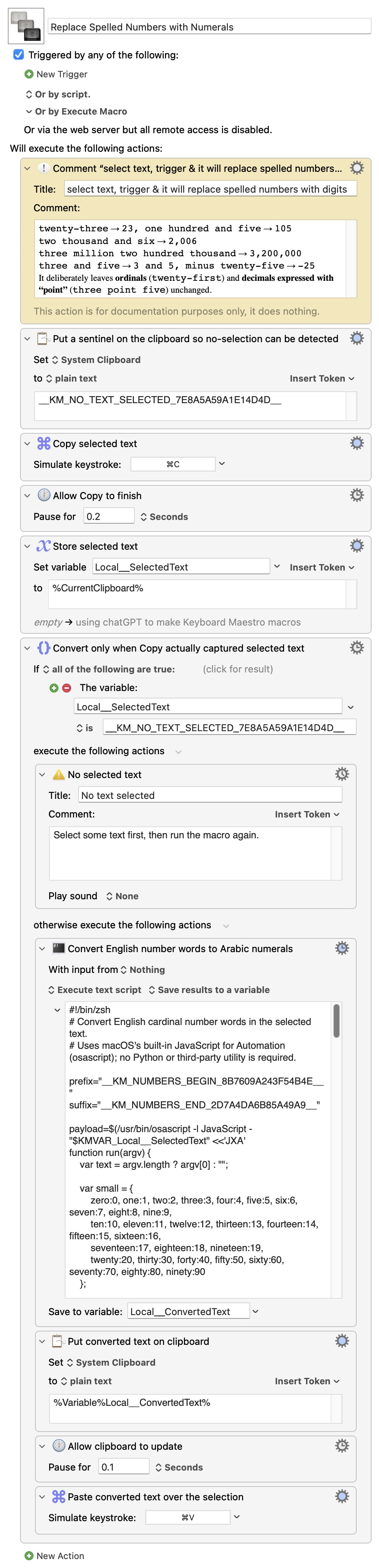
In my experience, chatGPT tends to use Execute Script and Apple Script actions to do the heavy lifting. When I have specifically instructed it to use native KM actions wherever possible, it has sometimes asked me to provide a sample .kmmacros file with the desired type of KM actions. And I often will have it explain to me how both KM actions and particular parts of the scripts work. To me, that's really helpful for learning.
To explain my more complex example, here is the prompt it produces when I select 4 image/video files and trigger the macro:
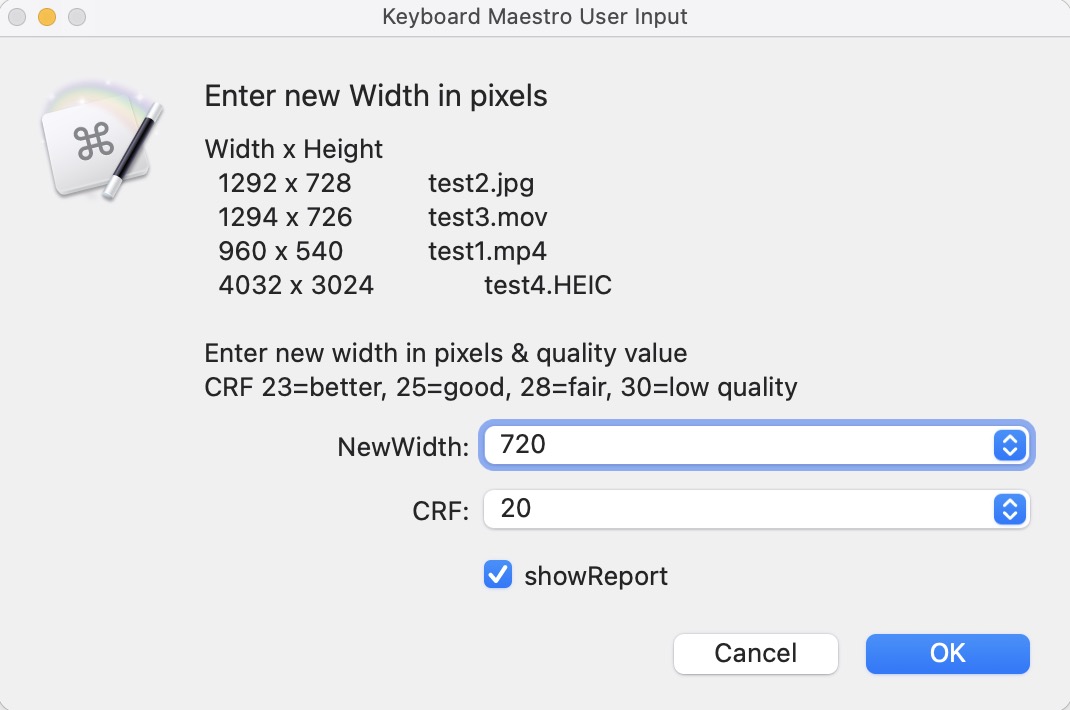
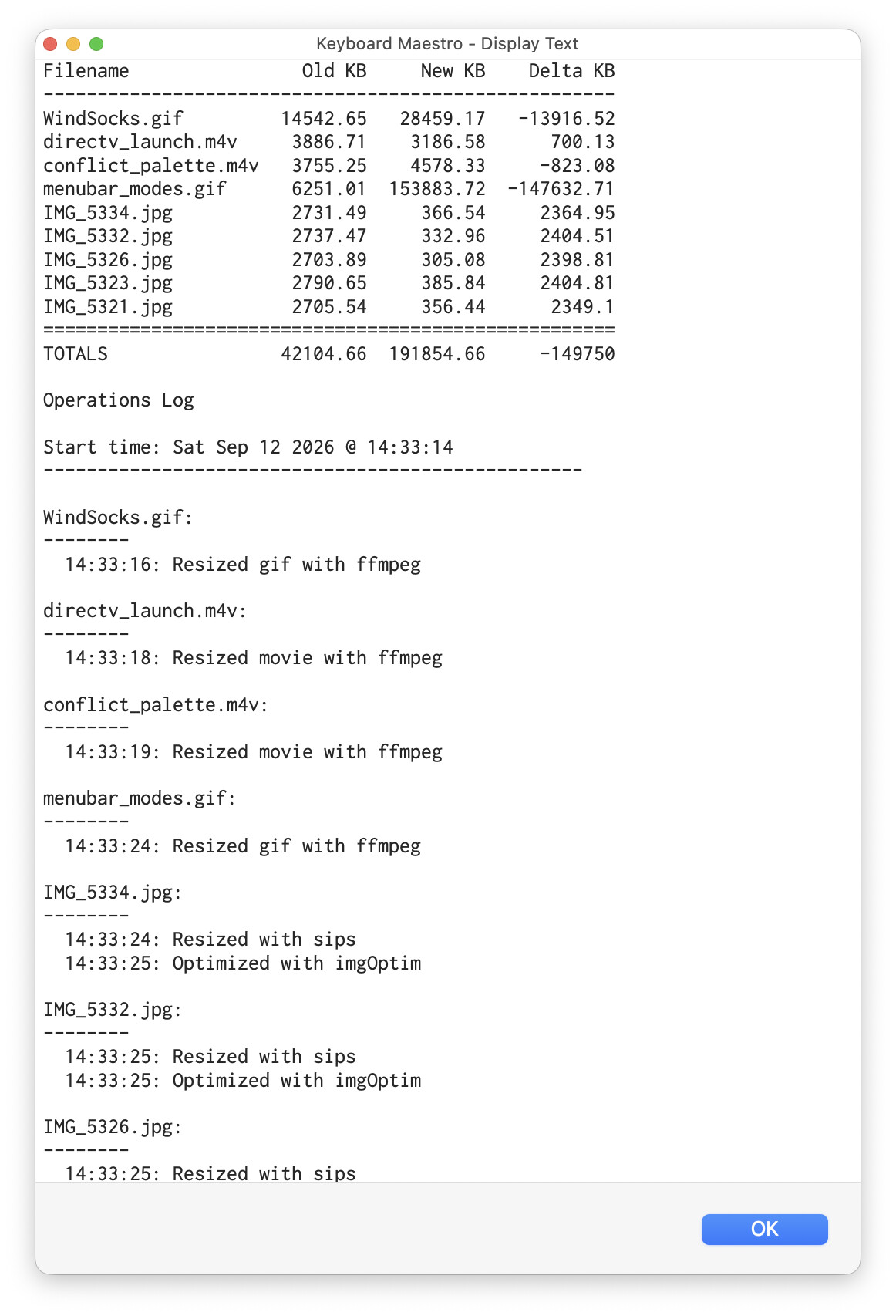
The macro reduces all the image or video files to the new width and quality specified and optionally shows a report of how much space was saved for each file. Progress during long runs can be monitored by the name of the report .txt file which changes every minute showing how many MB have been processed. It also uses imageOptim to further reduce the image sizes.
reduce selected images or videos.kmmacros (31.5 KB)

This one required many iterations in order to correct errors in the .kmmacros files chatGPT produced and to add features that I wanted later. I also modify the macro myself, of course, when it's easy. Although it took a long time to make, it was simple because all I was doing was testing each chatGPT iteration and explaining what wasn't working. I can't imagine how long it would've taken me without chatGPT to make a macro with these features, if I could even do it.
I'm interested in what Keyboard Maestro experts out there will say about my experience -- I anticipate I'll be told to be very careful and check the code. Although I did so at first, I must admit to doing so less now that many months have passed with so many useful macros produced. I'm ready to be admonished.