
PURPOSE
This macro can be used to assist during the configuration of the Trigger Macro by Name action.
The operation of this macro is like the following macro for the Show Palette of Macros action:
MACRO USE
-
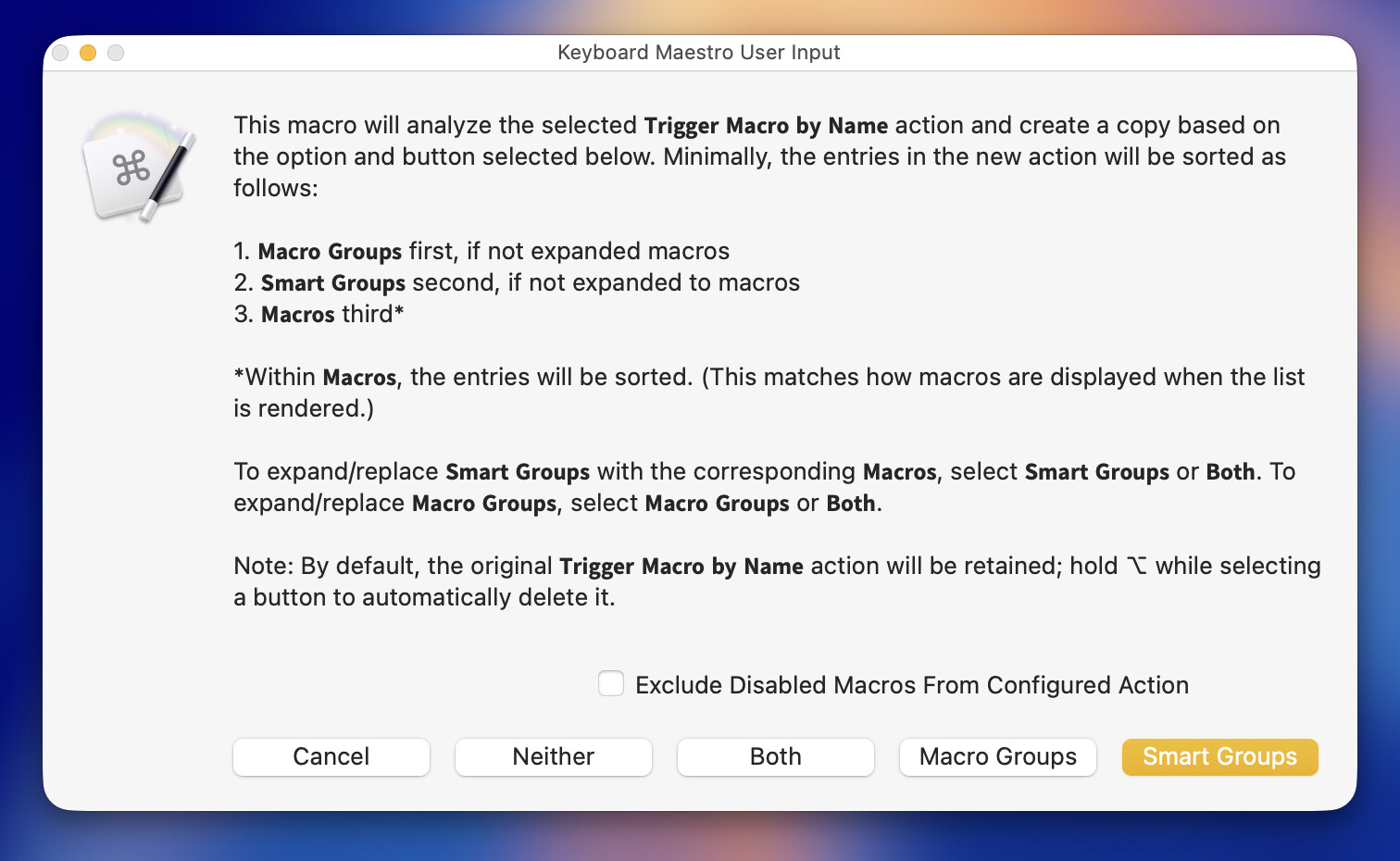
Select a Trigger Macro by Name action and trigger this macro.
-
The dialog displayed above will appear. Once you select an option an expanded Trigger Macro by Name action will appear above the selected action.
-
After confirming that the Trigger Macro by Name action has been properly expanded, delete the original. (Once you are confident in the operation of the macro, you could consider automatically deleting the original Trigger Macro by Name action by holding Option (⌥) when selecting a dialog button or by changing the macro setting local_RetainOriginal_default to
0.) -
Optionally modify the new action and rerun this macro as needed.
SETTINGS
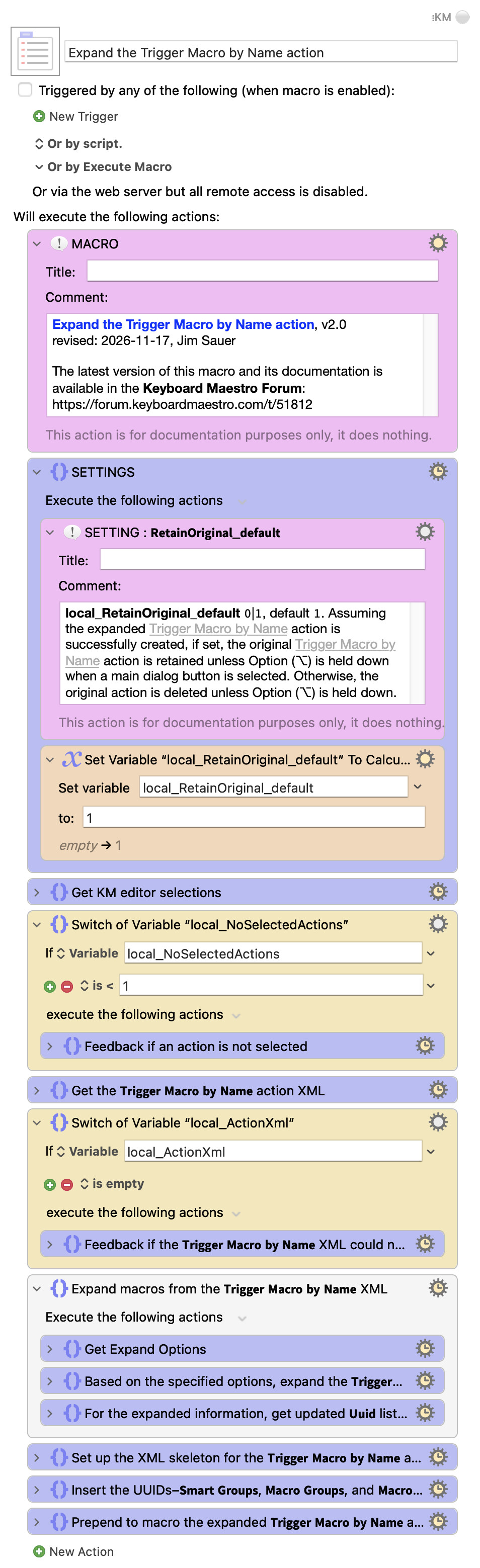
local_RetainOriginal_default 0|1, default 1. Assuming the expanded Trigger Macro by Name action is successfully created, if set (1), the original Trigger Macro by Name action is retained unless Option (⌥) is held down when a main dialog button is selected. If unset (0), the original action is deleted unless Option (⌥) is held down.
TESTED WITH
• Keyboard Maestro 11.1.1
• Golden Gate 27.2 (26B123)/MacBookPro18,2
VERSION HISTORY
( expand / collapse )
1.0 - Initial version
2.0 - Added setting local_RetainOriginal_default 0|1, default 1. Assuming the expanded Trigger Macro by Name action is successfully created, if set (1), the original Trigger Macro by Name action is retained unless Option (⌥) is held down when a main dialog button is selected. If unset (0), the original action is deleted unless Option (⌥) is held down.
Download: Expand the Trigger Macro by Name action.kmmacros (69 KB)
Macro-Notes
- Macros are always disabled when imported into the Keyboard Maestro Editor.
- The user must ensure the macro is enabled.
- The user must also ensure the macro's parent macro-group is enabled.
System Information
- macOS 27.2 (26B123)
- Keyboard Maestro v11.1.1