This Swift script action will move the mouse to the current Finder selection(s). Very useful for drag-and-drop macros, among other things.
2 Likes
I tried to test your action via this macro:
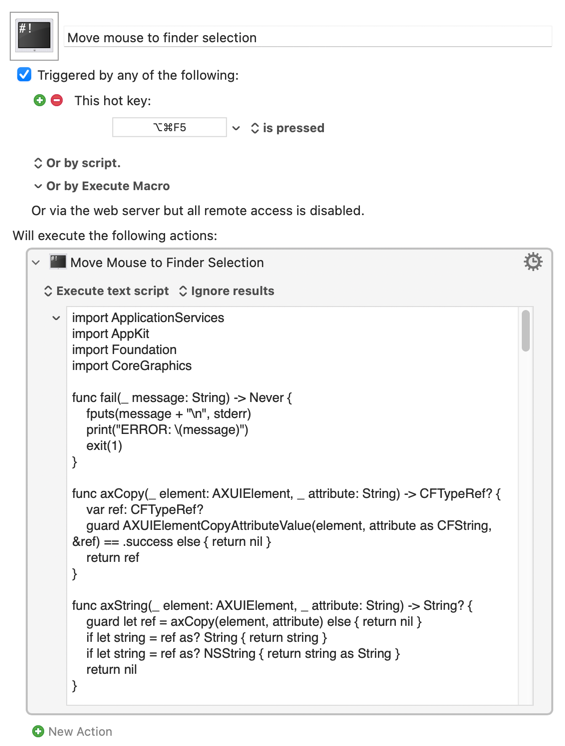
I'm on macOS 15.8 (24H16). The cursor isn't moved to the selection in the Finder. I guess that I'm doing something wrong here?
Another (hopeful) question: could this be extended to the selection of text in certain text editors too?
Is Finder is at the front when the macro is triggered, and is the macro inside a group that is available when Finder is frontmost?
1 Like
Thanks. When the Finder is at the front, it works as advertised. Nice!
1 Like
Yup!
Hi @noisneil as always, your macros are great! For me, especially “Move Mouse to Finder Selection”.
Unfortunately, I can't import it. The download works as expected. But when I try to import it by double-clicking, nothing happens.
Do you have any idea what might be causing this?
Edit: Sometimes this appears when I try to import.

As the alert says, you have to have a macro open for editing when you try to import it. If a group is selected (or the Editor isn't open at all), you'll see the alert again.
Here's the script, in case you'd prefer to paste it into an Execute Swift Script action yourself:
Swift Script
import ApplicationServices
import AppKit
import Foundation
import CoreGraphics

func fail(_ message: String) -> Never {
    fputs(message + "\n", stderr)
    print("ERROR: \(message)")
    exit(1)
}

func axCopy(_ element: AXUIElement, _ attribute: String) -> CFTypeRef? {
    var ref: CFTypeRef?
    guard AXUIElementCopyAttributeValue(element, attribute as CFString, &ref) == .success else { return nil }
    return ref
}

func axString(_ element: AXUIElement, _ attribute: String) -> String? {
    guard let ref = axCopy(element, attribute) else { return nil }
    if let string = ref as? String { return string }
    if let string = ref as? NSString { return string as String }
    return nil
}

func axBool(_ element: AXUIElement, _ attribute: String) -> Bool? {
    guard let ref = axCopy(element, attribute) else { return nil }
    return (ref as? NSNumber)?.boolValue
}

func asAXElement(_ value: Any) -> AXUIElement? {
    let cf = value as CFTypeRef
    guard CFGetTypeID(cf) == AXUIElementGetTypeID() else { return nil }
    return (value as! AXUIElement)
}

func axSingle(_ element: AXUIElement, _ attribute: String) -> AXUIElement? {
    guard let ref = axCopy(element, attribute) else { return nil }
    return asAXElement(ref)
}

func axList(_ element: AXUIElement, _ attribute: String) -> [AXUIElement] {
    guard let ref = axCopy(element, attribute) else { return [] }
    if let array = ref as? [Any] { return array.compactMap(asAXElement) }
    if let array = ref as? NSArray { return array.compactMap { asAXElement($0) } }
    return []
}

func axChildren(_ element: AXUIElement) -> [AXUIElement] {
    axList(element, kAXChildrenAttribute as String)
}

func axPoint(_ element: AXUIElement, _ attribute: String) -> CGPoint? {
    guard let ref = axCopy(element, attribute) else { return nil }
    let value = ref as! AXValue
    var point = CGPoint.zero
    guard AXValueGetValue(value, .cgPoint, &point) else { return nil }
    return point
}

func axSize(_ element: AXUIElement, _ attribute: String) -> CGSize? {
    guard let ref = axCopy(element, attribute) else { return nil }
    let value = ref as! AXValue
    var size = CGSize.zero
    guard AXValueGetValue(value, .cgSize, &size) else { return nil }
    return size
}

func isFileLike(_ element: AXUIElement) -> Bool {
    if axString(element, "AXFilename") != nil { return true }
    if axString(element, kAXURLAttribute as String)?.hasPrefix("file:") == true { return true }
    switch axString(element, kAXRoleAttribute as String) {
    case "AXImage", "AXIcon", "AXRow":
        return true
    default:
        return false
    }
}

func isDesktopWindow(_ window: AXUIElement) -> Bool {
    let subrole = axString(window, kAXSubroleAttribute as String) ?? ""
    let description = (axString(window, kAXRoleDescriptionAttribute as String) ?? "").lowercased()
    if description.contains("desktop") { return true }
    if subrole == "AXDesktop" || subrole == "AXDesktopWindow" { return true }
    return subrole != "AXStandardWindow"
}

func label(of element: AXUIElement) -> String {
    axString(element, "AXFilename")
        ?? axString(element, kAXTitleAttribute as String)
        ?? axString(element, kAXDescriptionAttribute as String)
        ?? axString(element, kAXRoleAttribute as String)
        ?? "item"
}

func preferFileElement(_ element: AXUIElement) -> AXUIElement {
    if isFileLike(element) { return element }
    if let child = axChildren(element).first(where: isFileLike) { return child }
    return element
}

func selectedFile(in element: AXUIElement) -> AXUIElement? {
    let rows = axList(element, "AXSelectedRows")
    if let row = rows.last { return preferFileElement(row) }
    let selected = axList(element, kAXSelectedChildrenAttribute as String)
    if let item = selected.last { return selectedFile(in: item) ?? preferFileElement(item) }
    if axBool(element, kAXSelectedAttribute as String) == true, isFileLike(element) {
        return element
    }
    return nil
}

func findSelectedFile(in root: AXUIElement) -> AXUIElement? {
    var queue = [root]
    var visited = 0
    while !queue.isEmpty, visited < 800 {
        let node = queue.removeFirst()
        visited += 1
        if let found = selectedFile(in: node) { return found }
        queue.append(contentsOf: axChildren(node))
    }
    return nil
}

func selectedAncestor(_ element: AXUIElement) -> AXUIElement? {
    var current: AXUIElement? = element
    for _ in 0..<12 {
        guard let node = current else { return nil }
        if axBool(node, kAXSelectedAttribute as String) == true { return preferFileElement(node) }
        current = axSingle(node, kAXParentAttribute as String)
    }
    return nil
}

func center(of element: AXUIElement) -> CGPoint? {
    if let origin = axPoint(element, kAXPositionAttribute as String),
       let size = axSize(element, kAXSizeAttribute as String),
       size.width > 1, size.height > 1 {
        return CGPoint(x: origin.x + size.width / 2, y: origin.y + size.height / 2)
    }
    for child in axChildren(element) {
        if let point = center(of: child) { return point }
    }
    return nil
}

func raiseWindow(for element: AXUIElement) {
    guard let window = axSingle(element, kAXWindowAttribute as String) else { return }
    guard !isDesktopWindow(window) else { return }
    AXUIElementSetAttributeValue(window, kAXMainAttribute as CFString, kCFBooleanTrue)
    AXUIElementPerformAction(window, "AXRaise" as CFString)
    if let app = NSWorkspace.shared.runningApplications.first(where: { $0.bundleIdentifier == "com.apple.finder" }) {
        app.activate(options: .activateIgnoringOtherApps)
    }
}

func movePointer(to point: CGPoint) {
    CGWarpMouseCursorPosition(point)
    CGAssociateMouseAndMouseCursorPosition(1)
    let source = CGEventSource(stateID: .hidSystemState)
    if let move = CGEvent(mouseEventSource: source, mouseType: .mouseMoved, mouseCursorPosition: point, mouseButton: .left) {
        move.post(tap: .cghidEventTap)
    }
}

guard AXIsProcessTrusted() else {
    fail("Grant Accessibility permission to the app running this script.")
}

guard let finder = NSWorkspace.shared.runningApplications.first(where: { $0.bundleIdentifier == "com.apple.finder" }) else {
    fail("Finder is not running.")
}

let axFinder = AXUIElementCreateApplication(finder.processIdentifier)
var target: AXUIElement?

if let focused = axSingle(axFinder, kAXFocusedUIElementAttribute as String) {
    if isFileLike(focused) {
        target = focused
    } else {
        target = selectedAncestor(focused) ?? selectedFile(in: focused)
    }
}

if target == nil {
    let windows = axList(axFinder, kAXWindowsAttribute as String)
    let ordered = windows.sorted { a, _ in
        axBool(a, kAXMainAttribute as String) == true
    }
    for window in ordered {
        if let found = findSelectedFile(in: window) {
            target = found
            break
        }
    }
}

guard let element = target else {
    fail("No selected file in Finder. Select a file on the desktop or in a folder window.")
}
guard let point = center(of: element) else {
    fail("Selected item has no on-screen position. Scroll it into view.")
}

raiseWindow(for: element)
movePointer(to: point)
print(label(of: element))
Okay, thanks. I've copied the script for the Swift action. When I trigger it, I should install additional software.
"Command Line Developer Tool" ?????
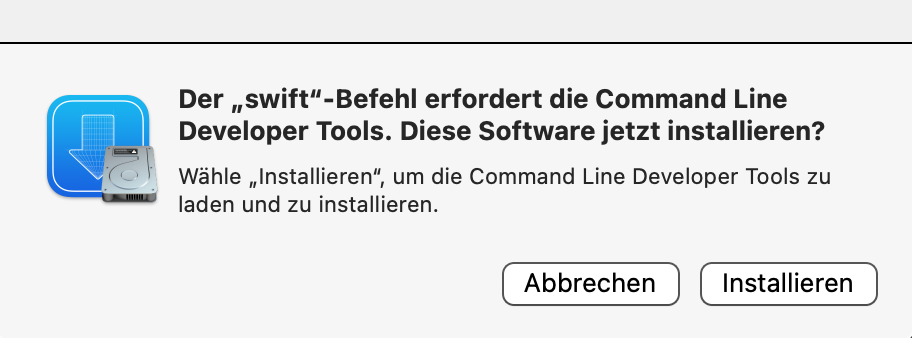
I have a full Xcode installation, so never ran into that prompt. I wasn't aware that it was required as I couldn't find anything in the KM Wiki about it. I suppose this means that KM uses the system swift command rather than bundling Swift itself.
The good news is that you don't need a full Xcode install and can just add the Command Line Developer Tool to your system. It doesn't do any harm, but of course it depends on balancing how much you want to run the script against how happy you are to give away ~2.7GB of disk space to CLDT.
The installation program tells me that the installation will take 47 hours 
Crikey! I'd assume that's a false estimate and that it will promptly reduce to something more realistic... If not, how fast/slow is your broadband?!
500 Mbps, that should be fast enough.
I'll have to think about it. I'd like to try out your macro, but I don't like doing things I don't understand.
So far, I've been using image recognition to move the mouse to select items in the Finder or another app. To be honest, it works flawlessly.
That's how I did it too, by targeting the highlight colour. It's perfectly fine, but this also works on the desktop, which is really handy!
Exactly 
I'm not sure if I need that.
I'll think it over, and I'll be happy to get back to you if that's okay. For now, thank you very much for your help.
This is one of the reasons why swift scripting hasn't taken off as quickly as it could/should -- it isn't installed by default and the first time someone tries to run a swift script they're prompted to download Command Line Developer Tools.
That's bogus -- it should take <5 minutes to download on your connection, about the same to install on a reasonably fast machine, and takes up just under 2GB of space in /Library/Developer.
1 Like
1000% worth it IMHO. It's solving so many problems for me, particularly in Logic pro where targeting elements whose identifier changes all the damn time was a nightmare with AS.
Agreed. But it's been a long-standing complaint within the Mac Admin community that swift isn't a default install and what you are supposed to install is too much for simple management scripts, so shell scripts remain the default for most. And the people who have invested in swift scripting are usually distributing compiled binaries to avoid those problems.
Pre-compilation also saves time -- swift is a bit slow to get its arse in gear! Comparing simple "return a value" scripts:

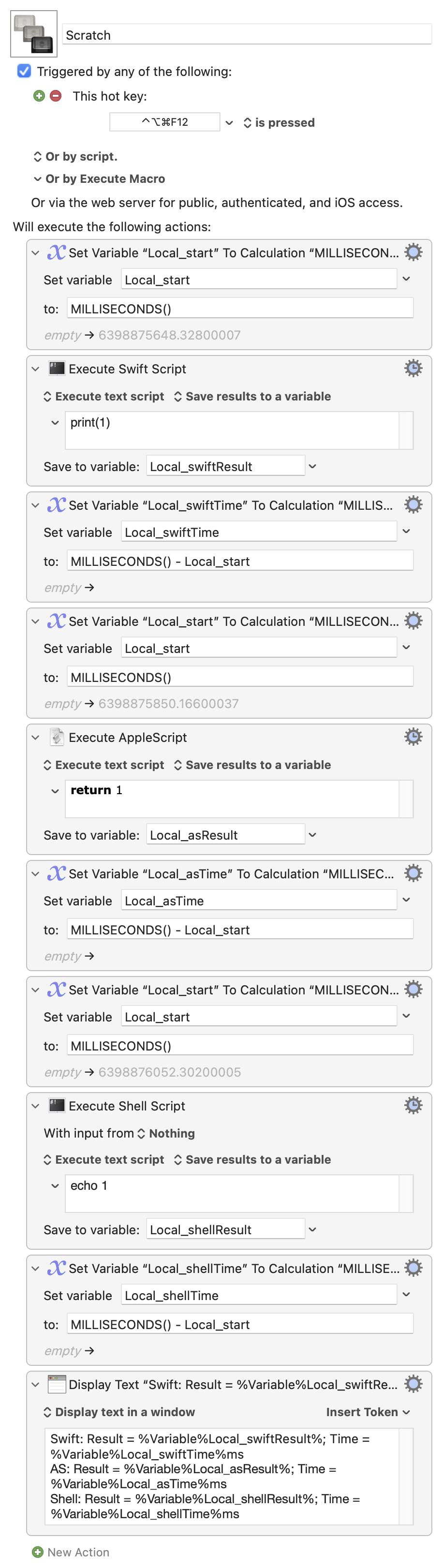
1 Like
Yes, I became aware of the speed advantages of a pre-compiled binary when making this. You can run it via a plugin, which seems to be the most streamlined method.
If you are trying to import actions (ie, a .kmactions file), then that can only be imported into a macro you are currently editing. The alert is not very well written I'll grant you (URL in this case refers to a file URL). I'll change the message to “You must be editing a macro to allow importing actions”.
2 Likes
Yes, Keyboard Maestro uses the system installed (via the Command Line Tools) swift command.
1 Like