Does this make sense, or is it just a theoretical exercise?
I often use macros with a long list of parameters and have wondered if they would be easier to manage. That's why I tried to design something like an open parameter list. I'm interested in finding out if this makes sense.
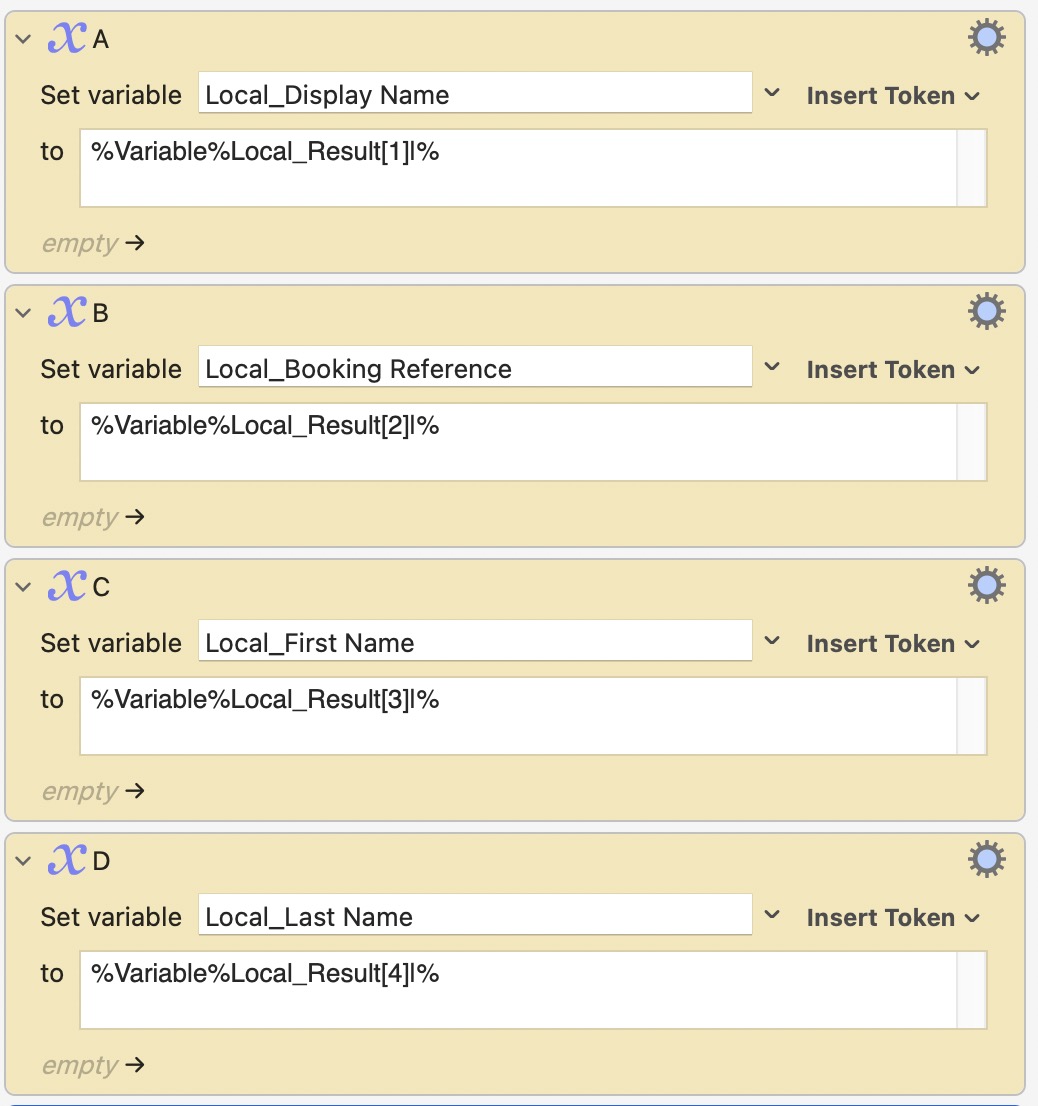
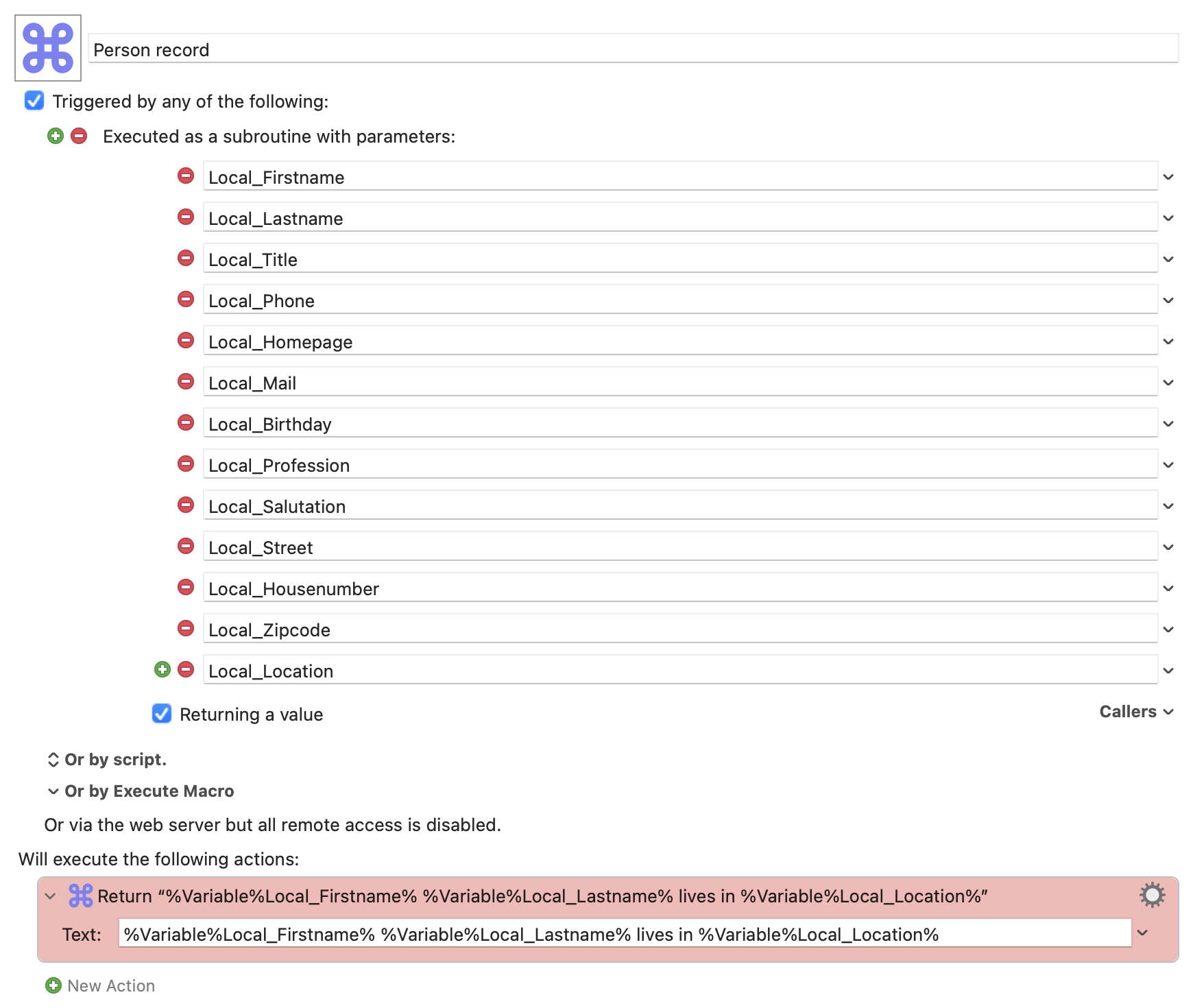
As a hypothetical example, here's this macro:
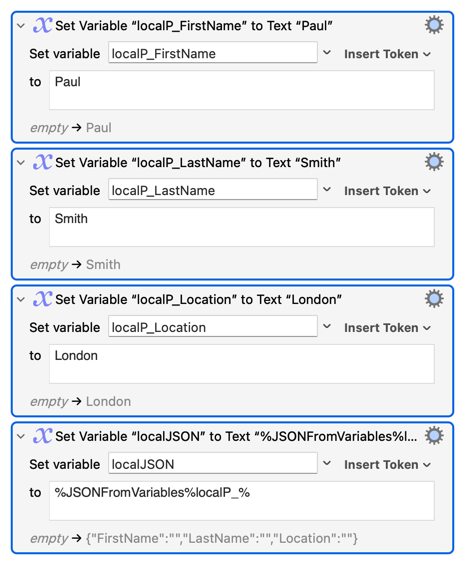
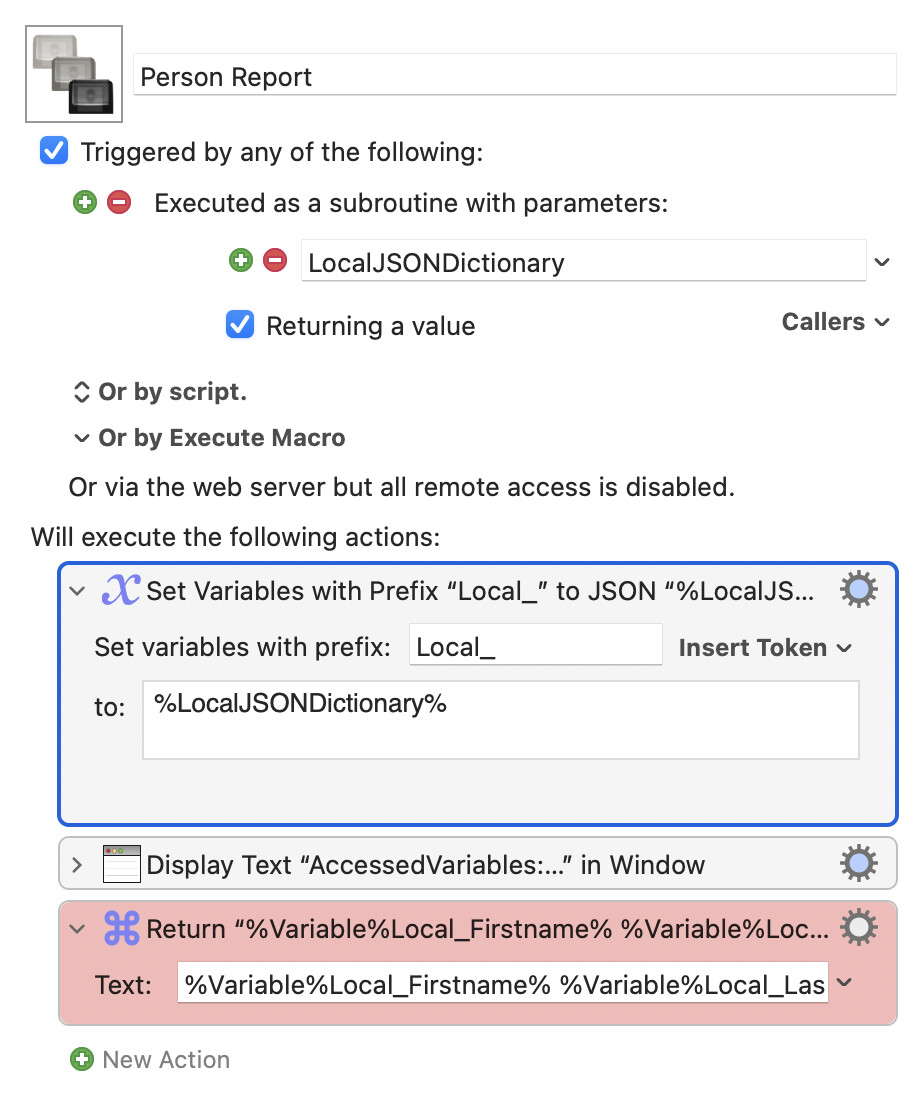
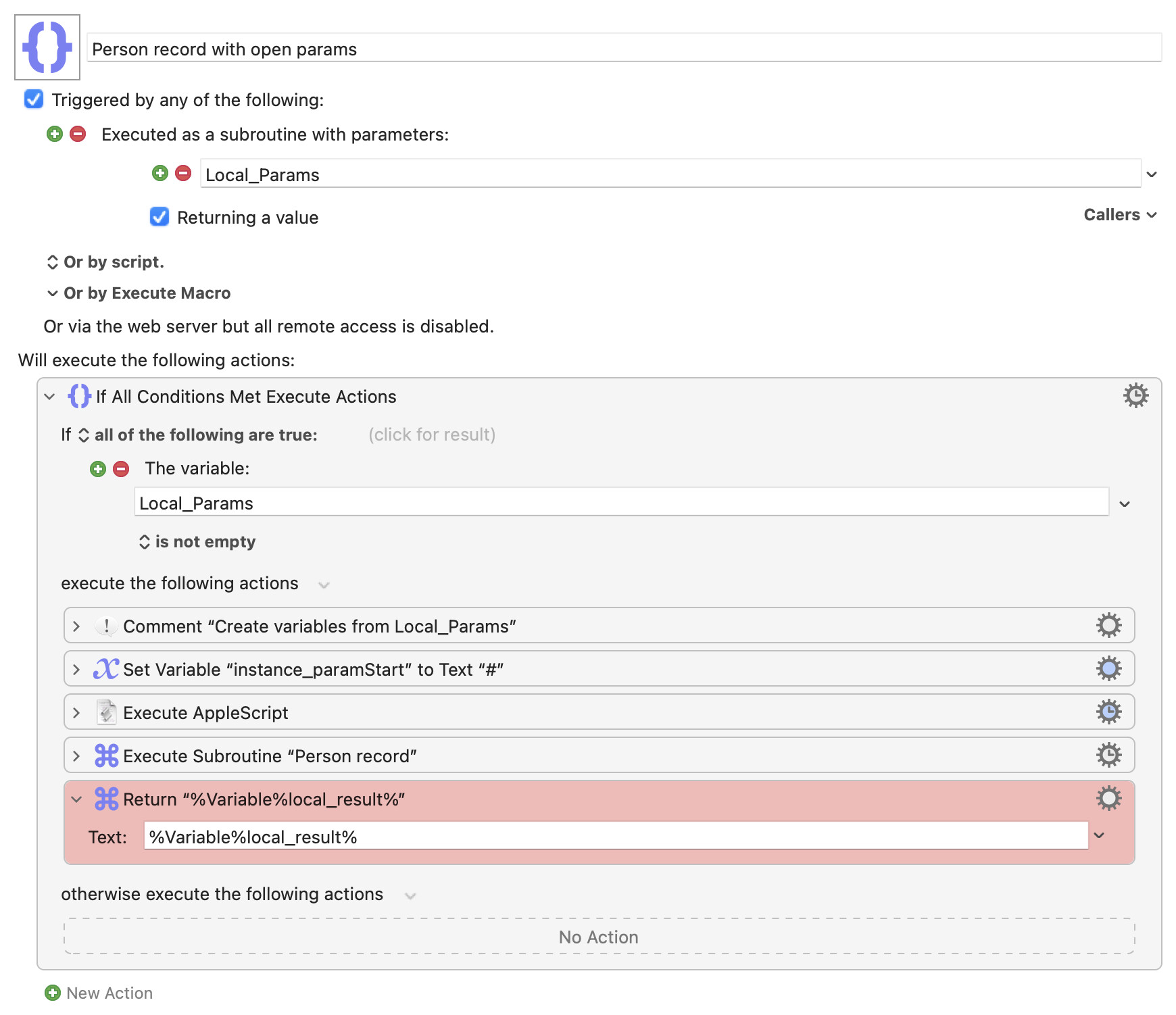
I created a frame for it:
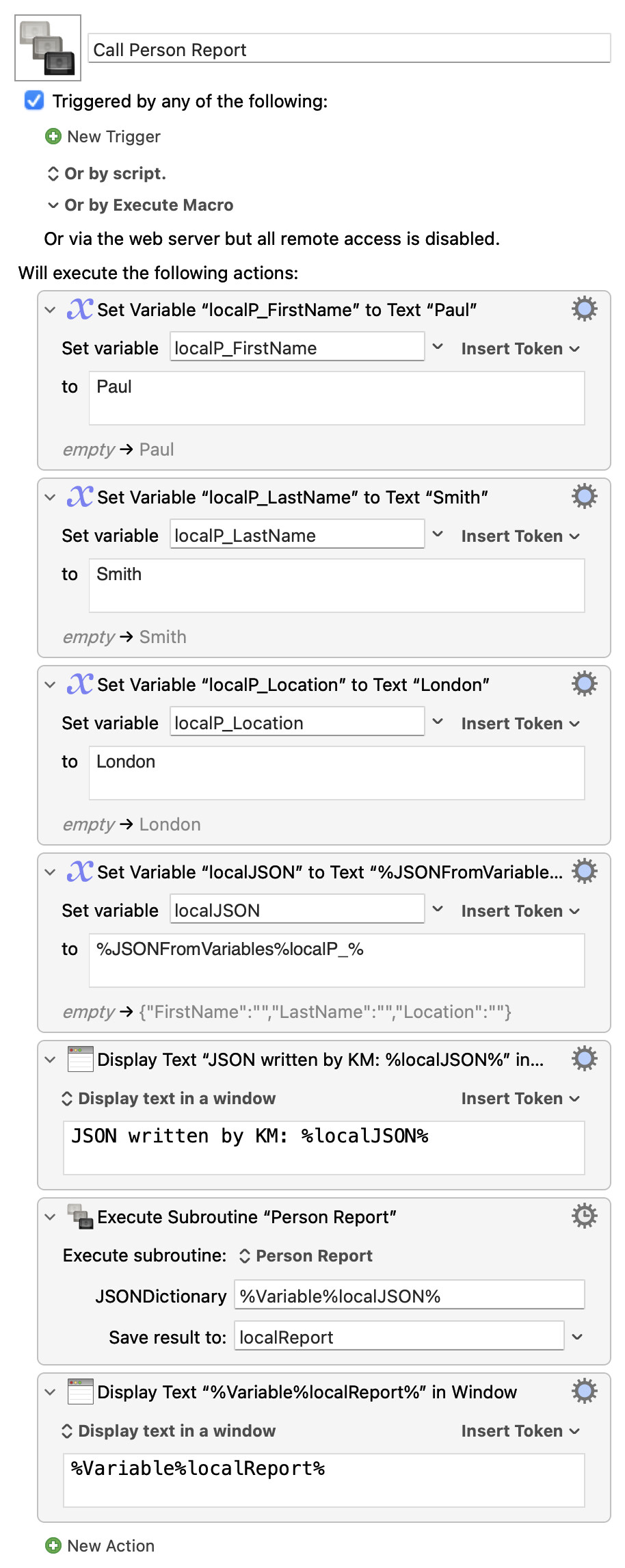
It can be called like this:
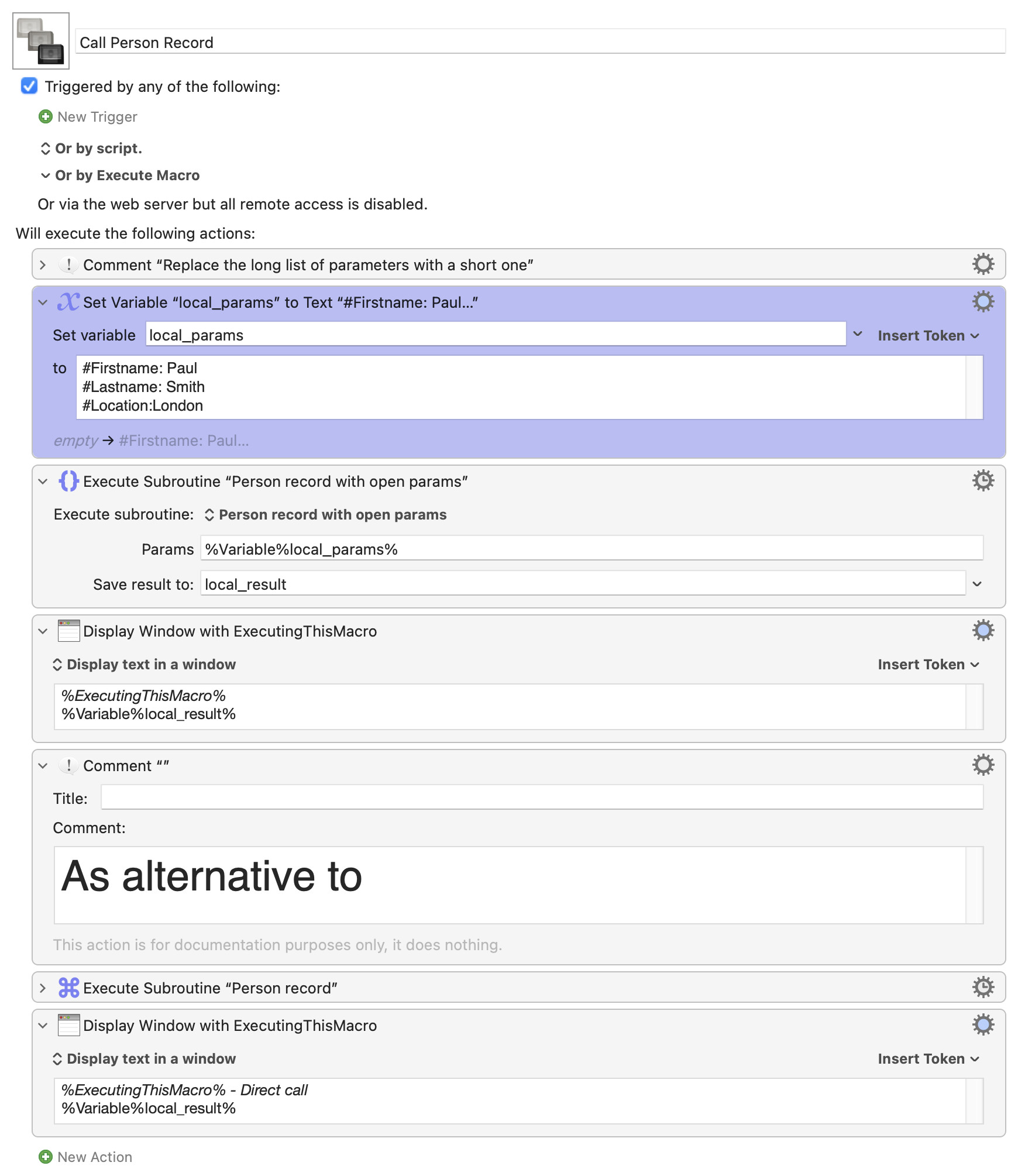
I am aware that there is one drawback to this method: the parameter names must be correct.
This is the Applescript:
use AppleScript version "2.4" -- Yosemite (10.10) or later

use scripting additions

set kmInst to system attribute "KMINSTANCE"

(* get parameters from Keyboard Maestro, return if empty *)

tell application "Keyboard Maestro Engine"
	set KM_ParamStart to getvariable "instance_paramStart" instance kmInst
	set KM_Text to getvariable "local_Params" instance kmInst
	if KM_ParamStart is "" then
		return "ERROR: Variable 'instance_paramStart' is empty"
	end if
	if KM_Text is "" then
		return "ERROR: Variable 'local_Params' is empty"
	end if
end tell

try
	set theText to KM_Text
	set theLineSplit to KM_ParamStart
	set theLines to my splitText(theText, theLineSplit)
	repeat with aLine in theLines
		set aLine to aLine as string
		set aLine to my trim(aLine)
		if aLine is not "" then
			set theSplitted to my splitText(aLine, {": ", ":"})
			set theKey to item 1 of theSplitted as string
			set theValue to (rest of theSplitted) as text
			set theResult to theKey & "," & theValue
			set theVarName to "local_" & theKey
			tell application "Keyboard Maestro Engine"
				setvariable theVarName to theValue instance kmInst
			end tell
		end if
	end repeat
on error errorMsg
	return "ERROR '" & errorMsg
end try

return

(* ################################# trim ################################## *)

on trim(aText)
	if aText is "" then
		return aText
	end if
	local theResult
	set theResult to aText
	set theChar to first character of theResult
	repeat while theChar = space or theChar = tab or theChar = return or theChar = linefeed
		if length of theResult = 1 then
			return ""
		end if
		set theResult to text 2 thru (length of theResult) of theResult
		set theChar to first character of theResult
	end repeat
	set theChar to last character of theResult
	repeat while theChar = space or theChar = tab or theChar = return or theChar = linefeed
		set theResult to text 1 thru ((length of theResult) - 1) of theResult
		set theChar to last character of theResult
	end repeat
	return theResult
end trim

(* ############################### splitText ############################### *)

on splitText(theText, theDelimiter)
	set AppleScript's text item delimiters to theDelimiter
	set theTextItems to every text item of theText
	set AppleScript's text item delimiters to ""
	return theTextItems
end splitText
The three macros:
Open parameter list.kmmacros (15.9 KB)