I still think you'll solve all your problems by having
- A "When Teams is running" Macro Group that contains
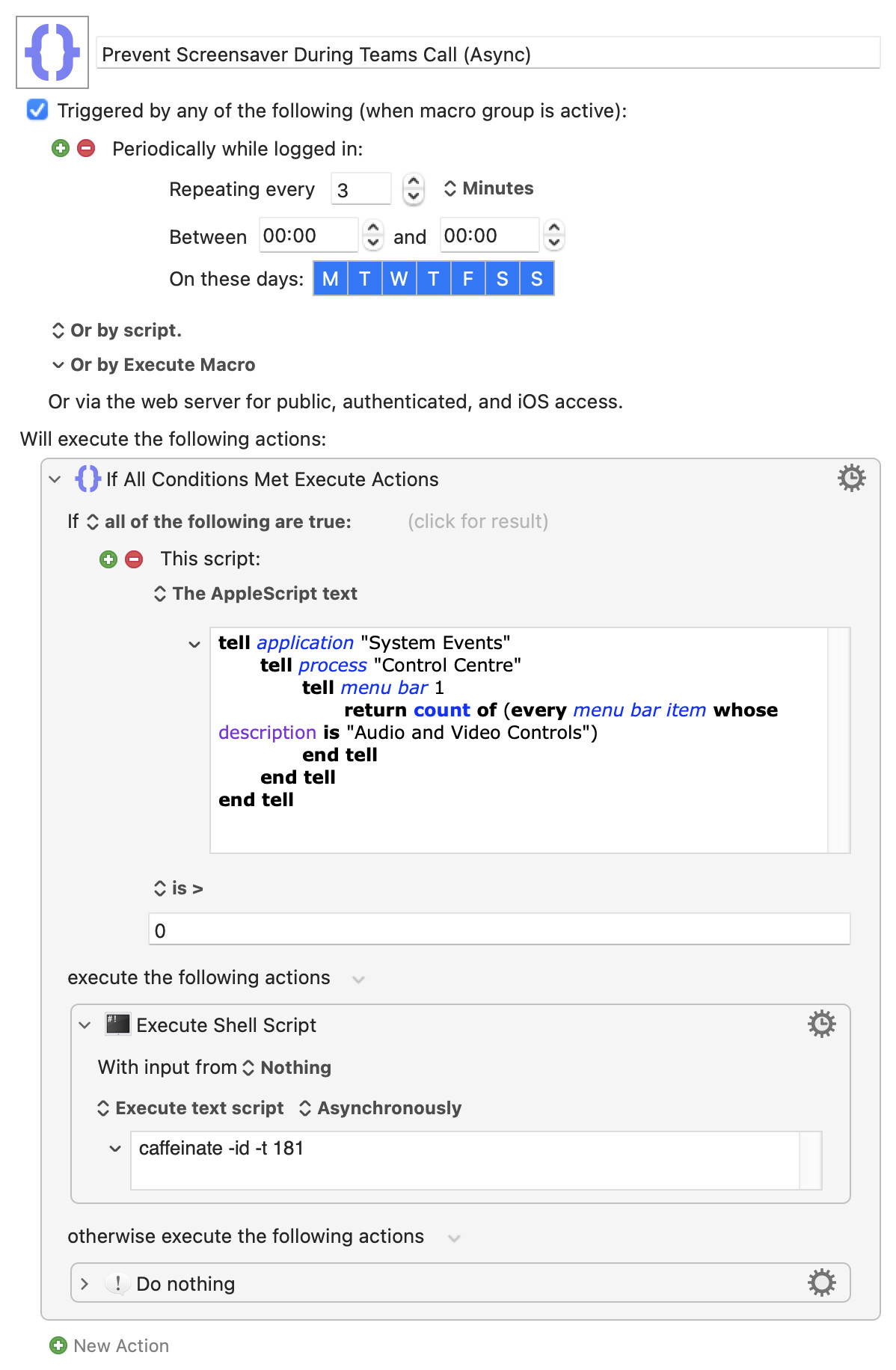
- A macro with an "every 4 minutes" Periodic trigger that
- If the camera is active, executes the
caffeinatecommand
That's really light on system resources, and because you aren't turning anything off you never need to turn anything on again.
Yes -- caffeinate runs for as long as you tell it, which what keeps your machine "awake" (I hadn't realised, I thought it set an "assertion" then exited. Every day's a learning day!). You haven't set a time so it will, presumably, run indefinitely. Firing off a -t 300 every 4 minutes will mean your macro pauses at that point for 5 minutes, so you could get a slow buildup of running macros and caffeinate processes. My Teams calls never last long enough for that to be a problem...
Here's a rewrite that's working for me with your settings (3m lock, 5m screen) and with minimal resource use. I've set "Execute Shell Script" Action to "Asynchronously", which makes little difference to resource use but does stop the KM menu bar icon from spinning continuously -- you may prefer to set that back to "Ignore results" so you have an indication it is running.
Prevent Screensaver During Teams Call (Async).kmmacros (4.9 KB)
Storing your account password in plain text isn't best practice -- using sudo pmset without a password has been covered here before, see this post, for example.