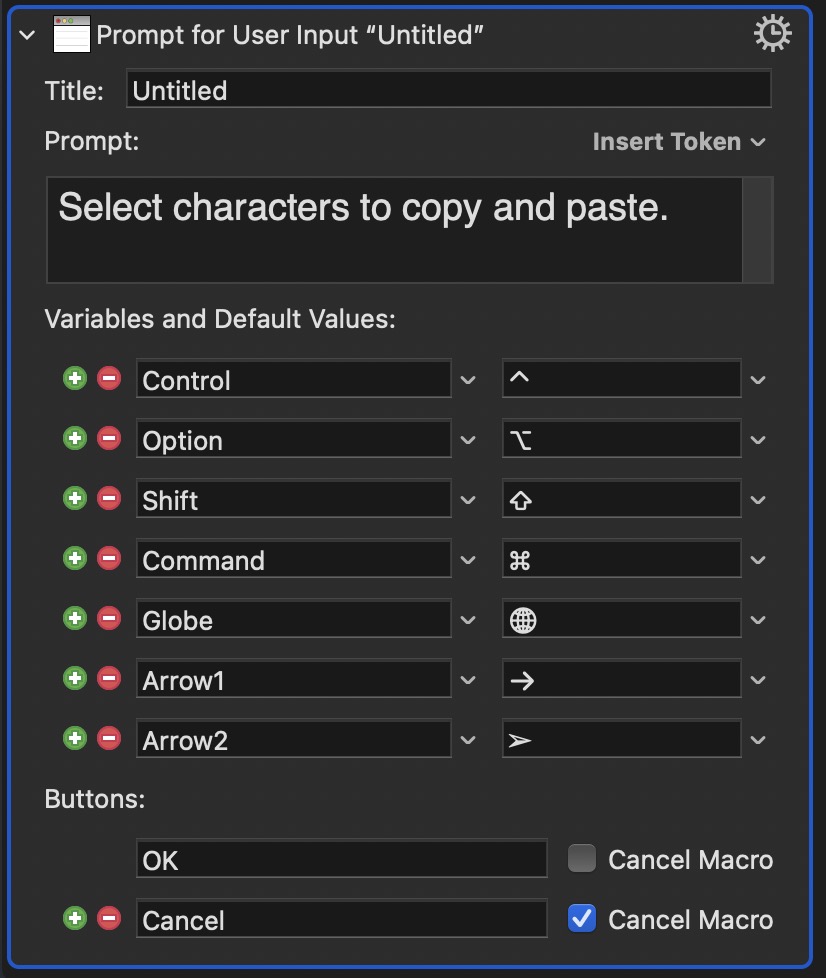
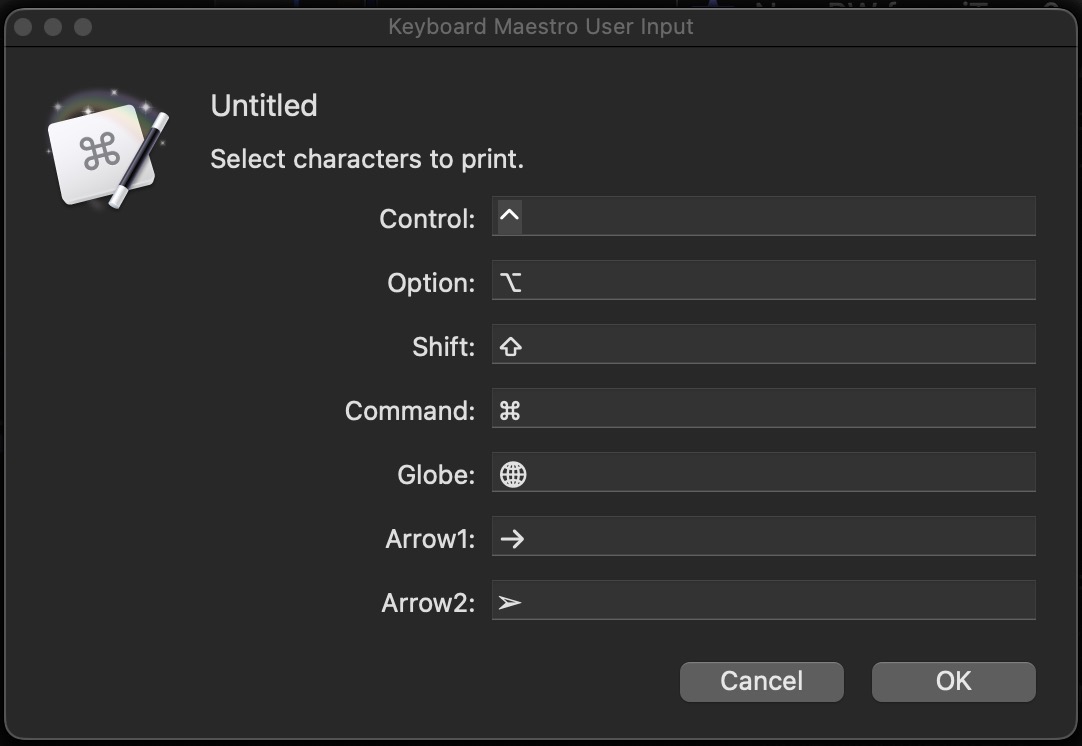
The first screenshot is a KM prompt. The second is the output when I run the prompt. I would like to see the output display a checkbox along with the items shown. After that I would add KM actions to copy and paste whichever characters the user selected via checkboxes. Any suggestions?
While what you want is certainly doable, you might want to look at the existing alternatives, as they may do what you want (and a bit more). Here are a few...
Very old:
My more recent version:
I'm sure there are many others, too, but maybe one of those two will get you started. If not, I'm sure someone can answer your posted questions—I probably can, but don't have time today 
-rob.
2 Likes
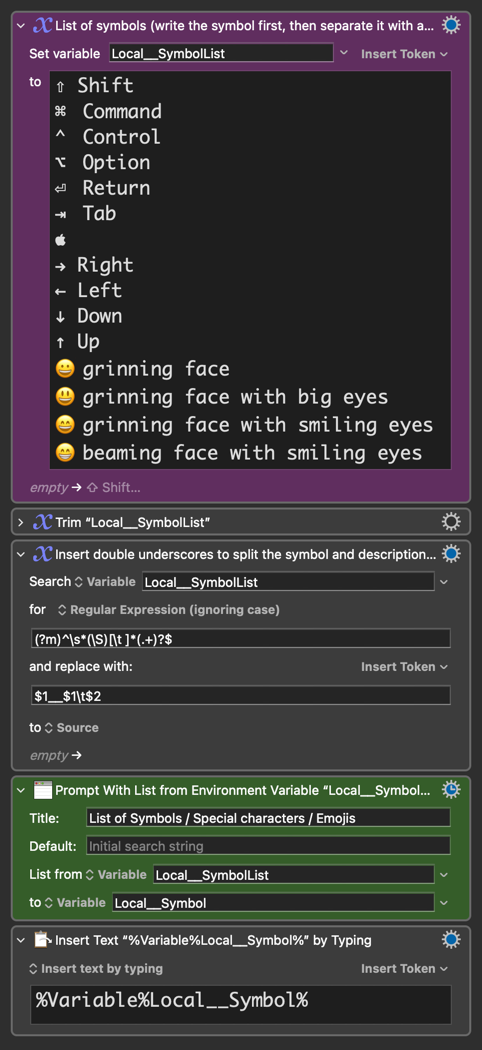
Alternatively, you can:
- Easily add/edit/remove your symbols/characters in a LIST (alongside their descriptions if you want) [purple “Set Variable”] and then
- Use the “PROMPT WITH LIST” action [in green] to display them. This allows you to search for and select one or more symbols from a list previously set.
Select Symbol from List.kmmacros (5.6 KB)
Checkboxes set 0 (false) or 1 (true), so you'll have to test the values and set your variables accordingly. Here's a start, complete with uppercasing any character(s) you add to the end in the output (I've closed most of the "If" actions as they're variations of the first):
Prompt for Metas.kmmacros (9.2 KB)
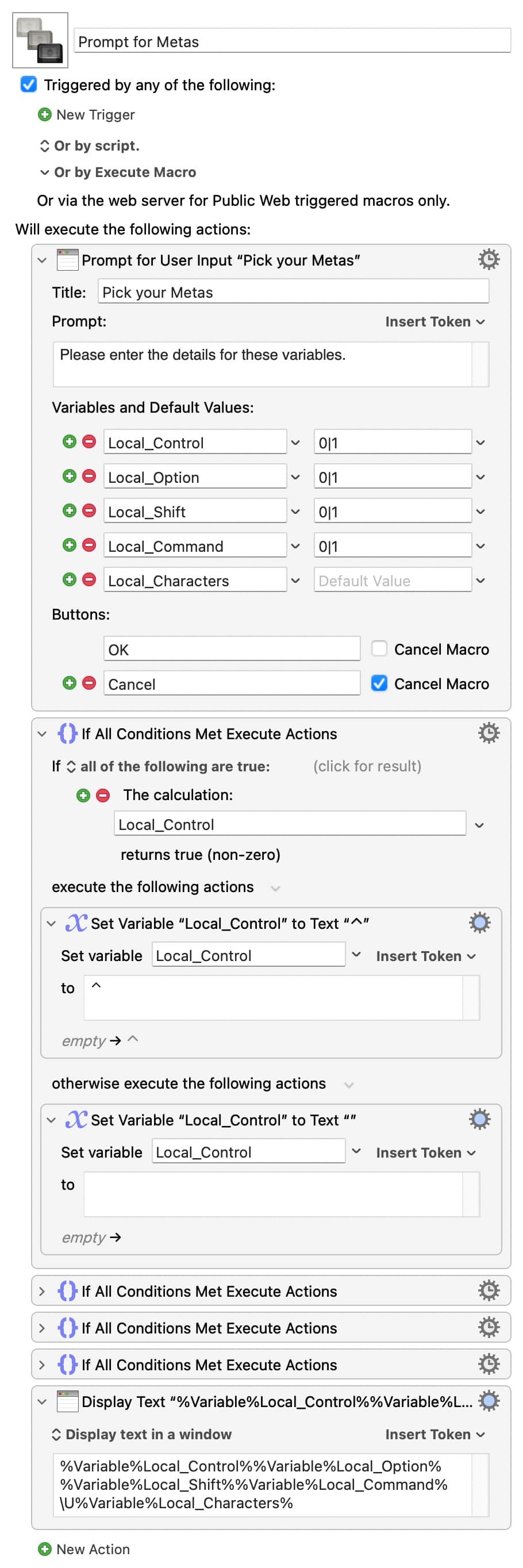
Unfortunately you can't include the meta characters themselves in your variable names, so you can't have them in the labels -- if you want that, look to a Custom HTML Prompt instead.
1 Like