All very interesting, thanks. New destination folder. New test file. Both carefully typed. Opened the log file with Console this time rather than BBEdit, just in case BBEdit was adding the line break.
Same error and the log looks the same. The line breaks appear in the Console and BBEdit windows, not just in this forum message.
2018-01-16 10:48:29 Execute macro “move the finder selection to Desktop/keeper3” from trigger The Status Menu
2018-01-16 10:48:29 Move file /Users/russell/Desktop/testfile3.txt
 failed with Error Domain=NSCocoaErrorDomain Code=4 "“testfile3.txt
” couldn’t be moved to “keeper3” because either the former doesn’t exist, or the folder containing the latter doesn’t exist." UserInfo={NSSourceFilePathErrorKey=/Users/russell/Desktop/testfile3.txt
, NSUserStringVariant=(
    Move
), NSDestinationFilePath=/Users/russell/Desktop/keeper3/testfile3.txt
, NSFilePath=/Users/russell/Desktop/testfile3.txt
, NSUnderlyingError=0x60800065c770 {Error Domain=NSPOSIXErrorDomain Code=2 "No such file or directory"}}
2018-01-16 10:48:29 Move file /Users/russell/Desktop/testfile3.txt
 failed with Error Domain=NSCocoaErrorDomain Code=4 "“testfile3.txt
” couldn’t be moved to “keeper3” because either the former doesn’t exist, or the folder containing the latter doesn’t exist." UserInfo={NSSourceFilePathErrorKey=/Users/russell/Desktop/testfile3.txt
, NSUserStringVariant=(
    Move
), NSDestinationFilePath=/Users/russell/Desktop/keeper3/testfile3.txt
, NSFilePath=/Users/russell/Desktop/testfile3.txt
, NSUnderlyingError=0x60800065c770 {Error Domain=NSPOSIXErrorDomain Code=2 "No such file or directory"}} In macro “move the finder selection to Desktop/keeper3” (while executing Move or Rename File “%Variable%Path%
”).
2018-01-16 10:48:29 Move file /Users/russell/Desktop/testfile3.txt
 failed with Error Domain=NSCocoaErrorDomain Code=4 "“testfile3.txt
” couldn’t be moved to “keeper3” because either the former doesn’t exist, or the folder containing the latter doesn’t exist." UserInfo={NSSourceFilePathErrorKey=/Users/russell/Desktop/testfile3.txt
, NSUserStringVariant=(
    Move
), NSDestinationFilePath=/Users/russell/Desktop/keeper3/testfile3.txt
, NSFilePath=/Users/russell/Desktop/testfile3.txt
, NSUnderlyingError=0x60800065c770 {Error Domain=NSPOSIXErrorDomain Code=2 "No such file or directory"}}
2018-01-16 10:48:29 Move file /Users/russell/Desktop/testfile3.txt
 failed with Error Domain=NSCocoaErrorDomain Code=4 "“testfile3.txt
” couldn’t be moved to “keeper3” because either the former doesn’t exist, or the folder containing the latter doesn’t exist." UserInfo={NSSourceFilePathErrorKey=/Users/russell/Desktop/testfile3.txt
, NSUserStringVariant=(
    Move
), NSDestinationFilePath=/Users/russell/Desktop/keeper3/testfile3.txt
, NSFilePath=/Users/russell/Desktop/testfile3.txt
, NSUnderlyingError=0x60800065c770 {Error Domain=NSPOSIXErrorDomain Code=2 "No such file or directory"}} In macro “move the finder selection to Desktop/keeper3” (while executing Move or Rename File “%Variable%Path%
”).
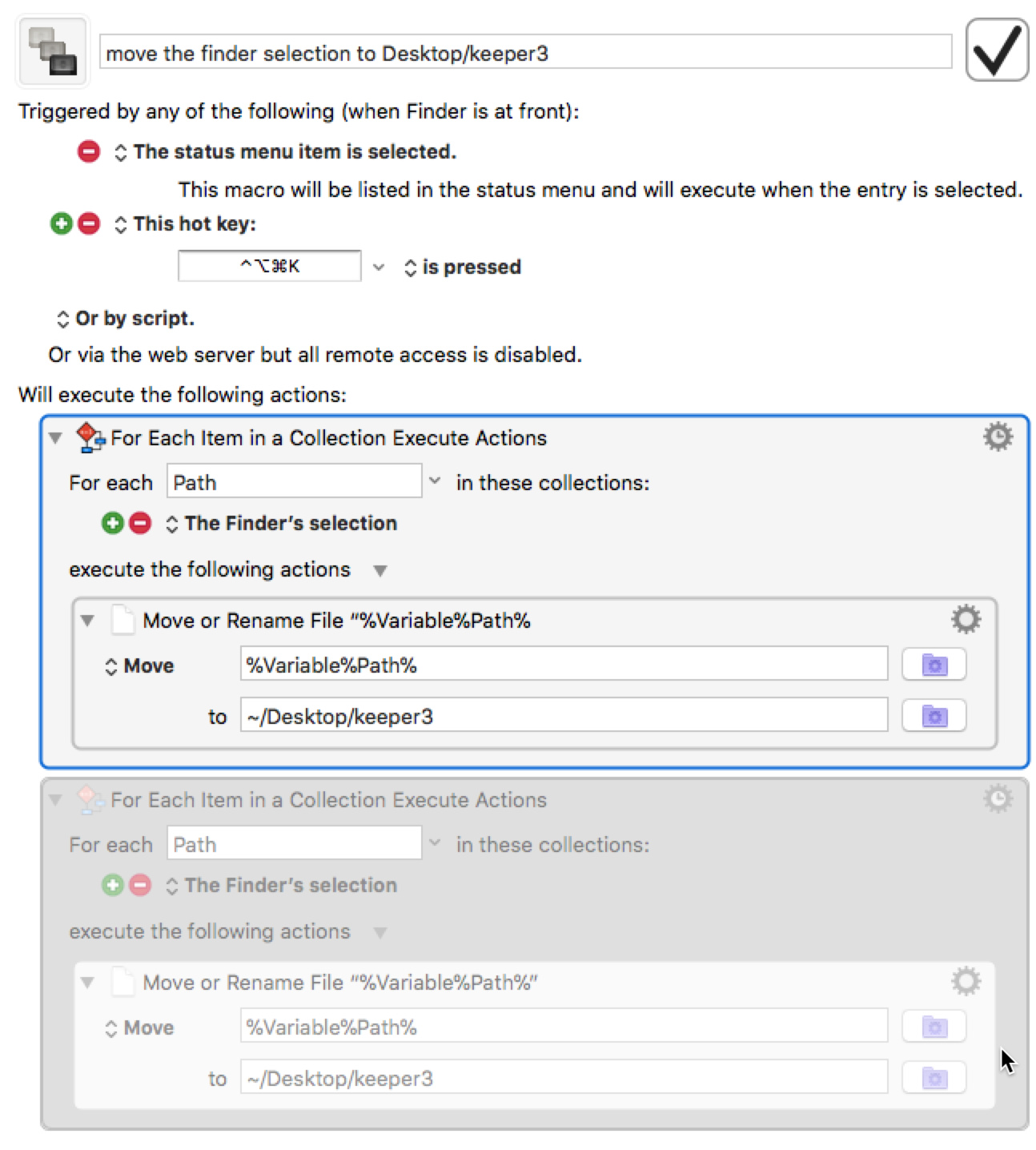
Your test macro worked as designed. I then altered my macro (disabled the old step and added a new step). It worked as designed. comparing the two, I see that in the name of the old step, the second " is missing from the end of the name, but not in the new step:
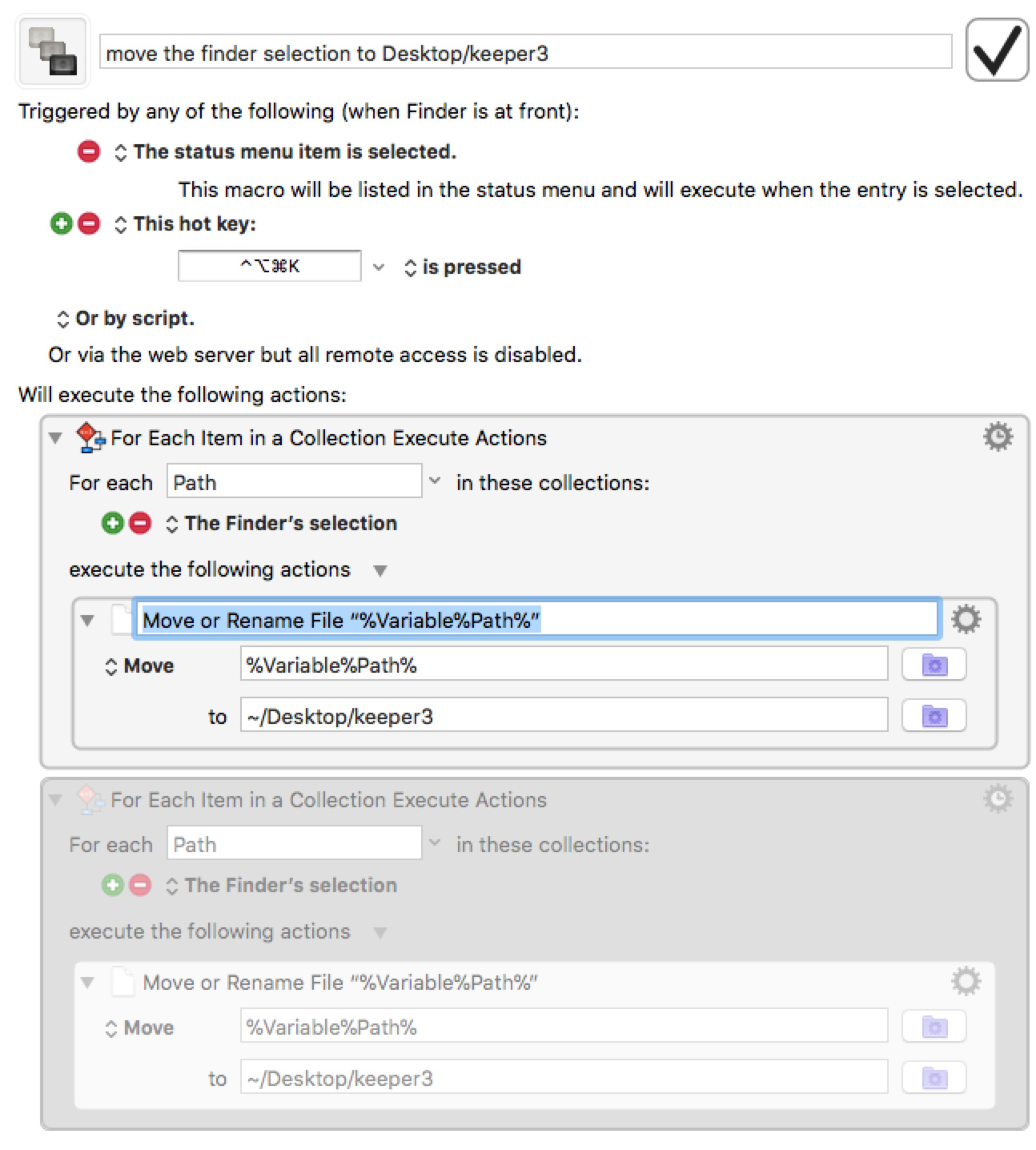
If I edit the name of that step, the second " is there, but is invisible again once I change focus without editing.
I edited the step name to be just nonsense text and the macro works.
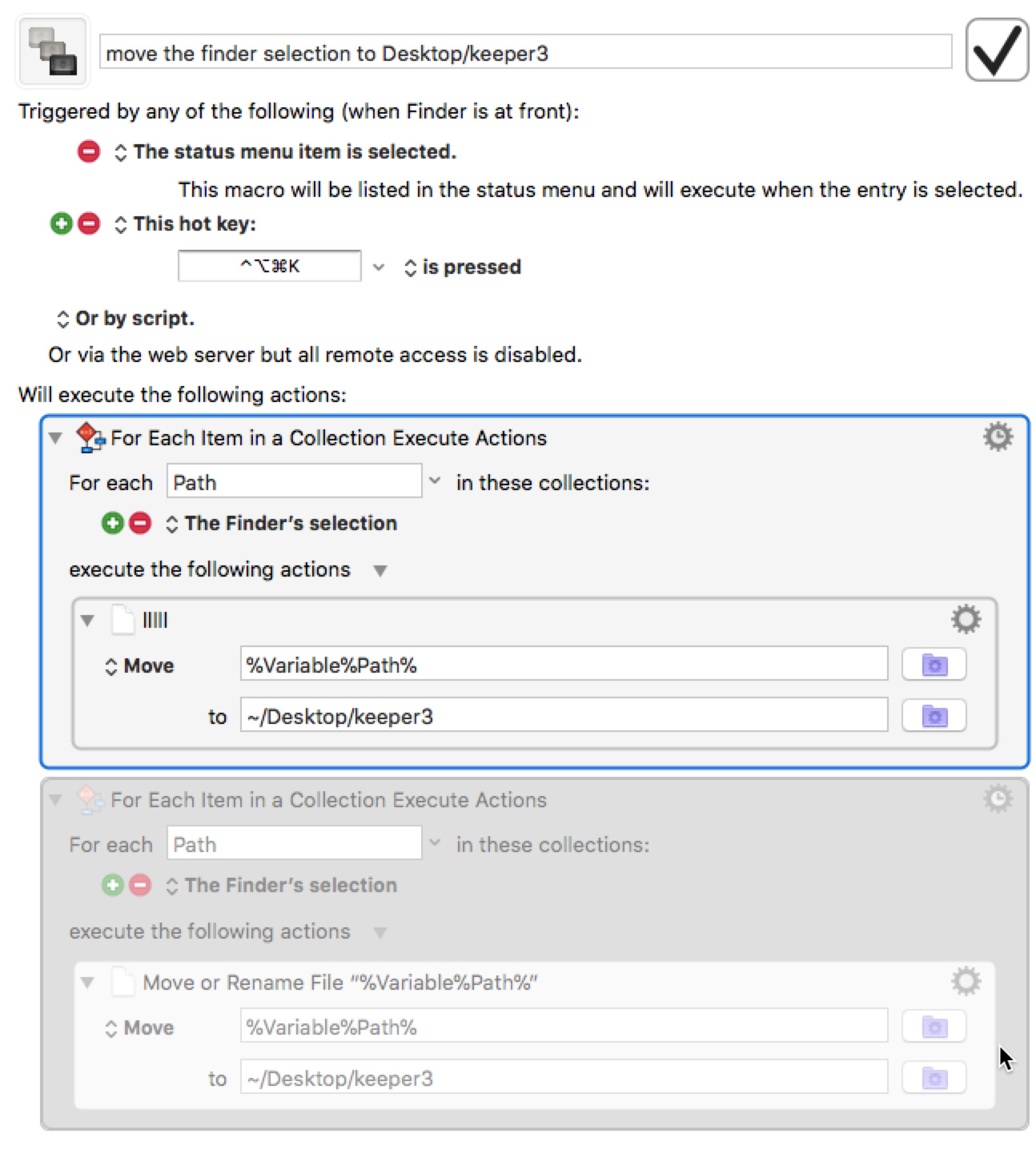
Bizarre. Now that the name of the step has been edited, the error cannot be replicated.
Any insights?
Thanks for your help.