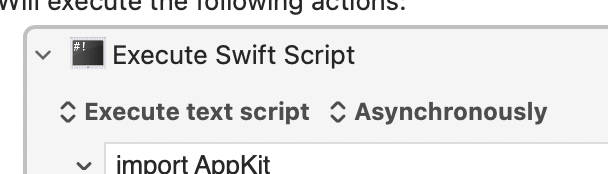
I’m starting to use the KM action called “Execute Swift Script” (Although I’m barely capable of reading Swift scripts, I can still write some useful scripts using AI.)
The problem with this action is that it’s slow because the action requires re-compiling the source every time you run it. This adds roughly one quarter second per execution, which is not good. As a user I notice the delay between the time I trigger the code and the time the code is execute. It’s a little frustrating.
So I’m suggesting here that the KM action be updated so that it can store a compiled version of the code hidden inside the action itself, while the compiling will happen only if a new cogwheel option called “Compile” is checked. Every time I modify the Swift code in the editor, if the option is enabled, the code is recompiled, so when the action is executed the compiled code is executed rather than re-compiling the code every time.
I would like to point out the similarity between this idea and how the KM Editor already works. The KM Editor “saves” the currently edited macro every few seconds after you stop typing. This sort of mechanism could also be used inside the Execute Swift action, so that it compiles only after a few seconds of inactivity.
Anyway, it’s just a thought, which will probably be rejected. I can probably work around this problem by manually compiling every Swift program that I create, but that seems like a lot of manual work. This approach won’t work for Shell Scripts, since they can’t usually be compiled. I’m not sure if this idea would work with AppleScripts. I’ve seen a lot of posts on this site where people discuss the “overhead” when using Execute AppleScript actions, so maybe this would be a good idea for AppleScripts too.
Keyboard Maestro doesn’t compile the code, it just hands it to Swift to execute. What happens after that and how long it takes is up to Swift.
If you want to use Swift to compile an executable, you could do that and then Keyboard Maestro can execute an executable using the Execute a Shell Script action.
I'm not sure I really want to try figuring out how swift compiles the scripts and caching compiled executables to work around the delay in compiling them.
Okay. Hey, that’s a lot more positive response than I expected. I was expecting much more negative. But I think you see some merit in the idea, which is all I can really hope for. Thanks for listening.
Actually I was tinkering with an idea to make a macro that compiles the Swift code, and returns a filename of a compiled file. It might help me.
Pre-compilation only really saves time when you've a long (and we're talking hundreds of lines, not dozens) AppleScript -- instantiation time is more down to the creation of the AS environment than the script compilation.
You are truly awesome Nige, but in this case I must disagree, because sometimes the AppleScript is placed inside a KM loop. Any small overhead inside a loop will quickly become very large, by accumulating the overhead. Also, a small overhead will feel large when the AppleScript impacts the responsiveness of the UI.
It being in a loop isn't that important -- the environment still has to be instantiated every time you iterate through the loop and any delay due to script compilation is (generally) relatively small in comparison.
But don't believe me -- run a test yourself with raw and pre-compiled AS.
Much, much better to move the loop into the script if at all possible -- even if that means jumping through hoops before getting to the AS Action. And yes, I realise you can't always do that...
I do not disagree with your disagreement here. Please accept my apology. I hadn’t anticipated that the environment-creation was more significant than the compilation.
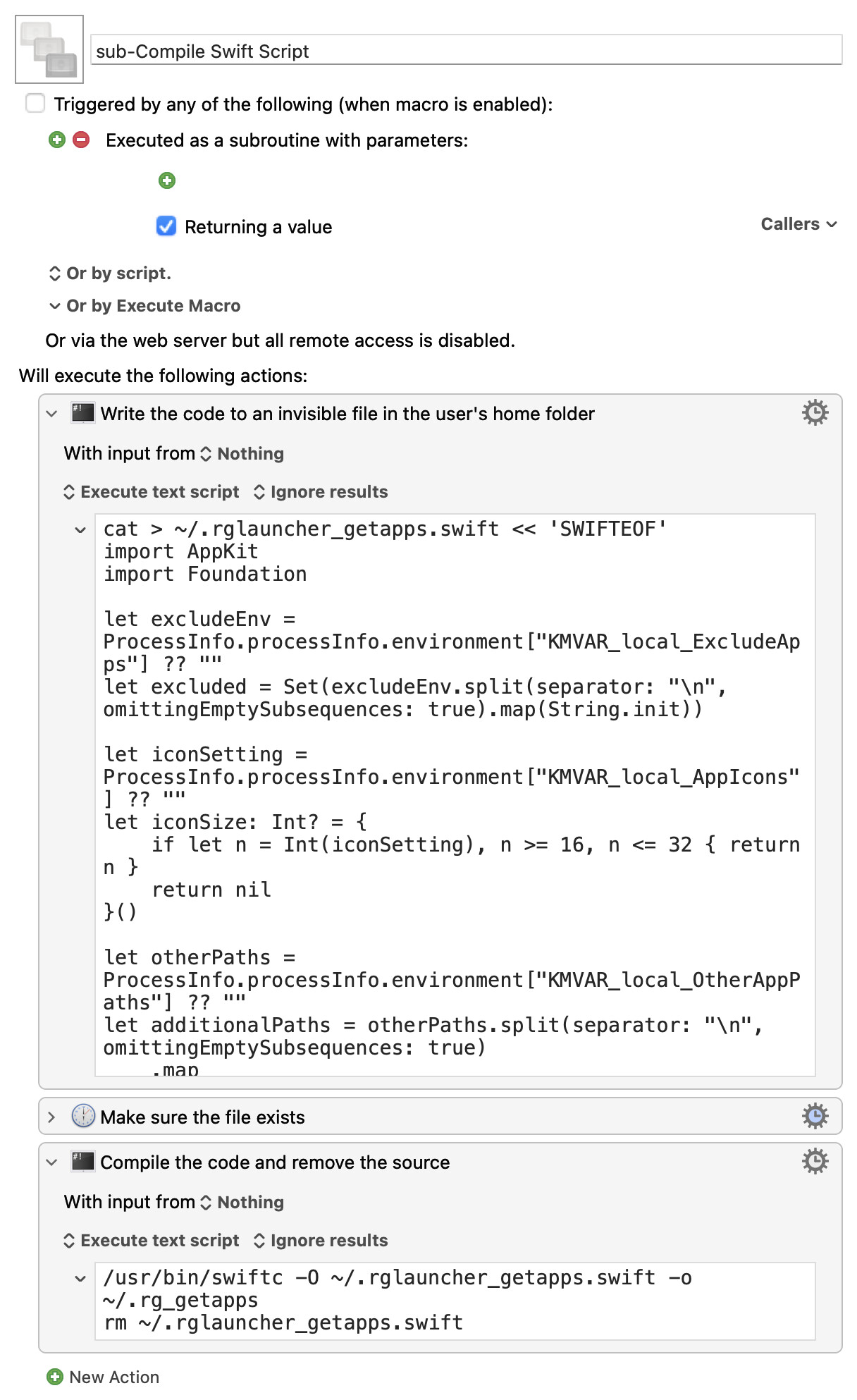
That's what I've done—if you look at my App Launcher macro, you'll see that the macro checks if an invisible file exists before doing anything—that file holds the compiled Swift script. If the file is there, the macro proceeds. But if the file is missing, a subroutine creates it; here's that sub:
The first step puts the code into a text file (using a heredoc, so no special characters, returns, etc. are lost). Then once the file exists, the compiler is called and the raw Swift source is deleted. Compiling makes a big speed difference in this macro, so it was important that anyone running it used the compiled version of the code. This was my solution to make sure they always had it.
Yea, probably a better spot and visible would be good. I'm just never sure where the macro would be allowed to write. Next time I update it, I'll make the change.
Thanks for sharing that. Yet I’m inclined to write/create my own approach, because that makes me learn more. The creative process of coming up with unusual solutions is what I enjoy the most.
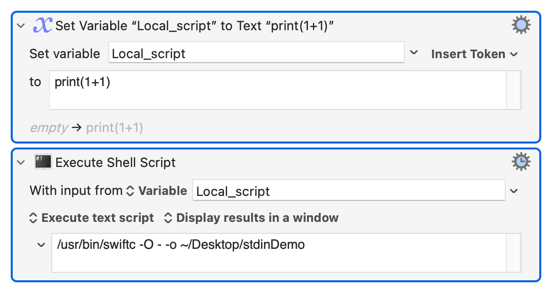
Sometimes when I need Swift to be compiled, I need it to be compiled only once per instantiated macro, which can then run the same code repeatedly without recompiling. In that case, perhaps a local KM variable will be sufficient to store the compiled code. (I may have to encode them. Perhaps base64? Or xxd?) When the macro terminates, the compiled code is lost, and that’s okay for some situations. Perhaps I could even create the compiled version asynchronously and save the result in an Instance variable instead of a Local variable. I’m not positive, but I think asynchronous macros can be designed to share Instance variables with the parent macro. Doing this can ensure that the compiled version is ready even before the first time its needed.
I see your solution compiles the code and saves it permanently. Maybe that’s overkill for some situations. Maybe a local variable will suffice. This kind of thinking is the part of programming that I like best: coming up with solutions. The actual coding part is less creative/rewarding.
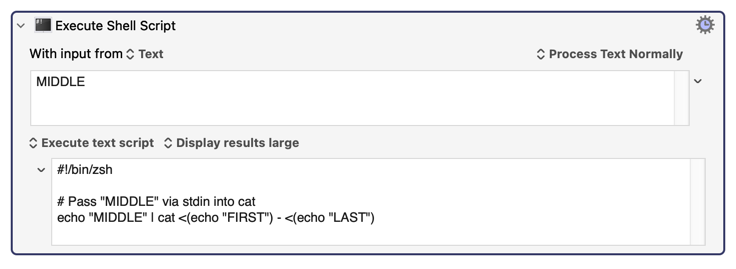
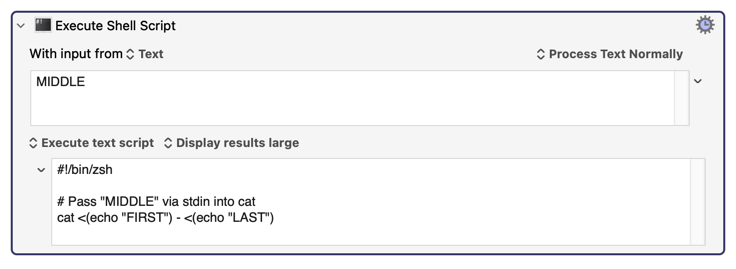
In addition, you don’t even need to create a variable (if you don’t want to.) You can do the following instead. I’m using “-” for stdin in the middle of a shell command in this example.
The irony of all this is, with perfect hindsight, had you suggested Application Support, I would've been all in on that—it's the perfect spot for such files :).
I want my Swift Scripts to run forever (they are mostly used to create popup windows that have a Close button) so I have to put them into an asynchronous macro that never ends. There’s a minor problem with that - if I cancel all macros, my Swift Scripts get cancelled. It’s only a minor problem because they are easy enough to restart.
Is there any chance you could add an asynchronous flag to the Execute Swift script action? I think I understand what the problem is with that, but you managed to solve that problem with the Custom HTML action, so it might be possible to solve it for Swift actions too.
Run the script with an & at the end of it in the Execute a Shell Script action. As far as I am aware that will continue running after the action is terminated.