Window Arrangement - How to Save and Restore

Hi! I wanted a quick way to snapshot my workspace (positions & sizes of app windows) and bring it back. Basically Save/Restore Window Arrangement. Can that be accomplished with Keyboard Maestro?

Ideally, I would like to save and restore both from a menu bar icon, and I could use Keyboard Maestro's menu bar features or even trigger these macros by a detached tool. As long as the save and the restore feature is available.

I believe Moom is your best option here.

If it is a one time defined layout say at home or office, you could use

as a a startingpoint and modify accoordingly.

1 Like

Another vote for Moom which can do all this (and more) plus, because of its AppleScript support, can be told to both get and set window configurations from within a KM macro.

Probably -- at least to a certain extent. You'll need to start with defining your problem -- is this for a single app or do you want windows from multiple apps in your setup, for example? A single, updatable, layout or a collection that you can add to, delete from, and choose from?

The answers to those questions (and more) will help decide your data structure(s) -- the format(s) in which you'll keep this information so you can set and retrieve it. That could be as simple as a list of %WindowFrame%s for a single setup with a single app, or you might need a JSON blob for an array of multiple setups with each element being a dictionary of apps and each dictionary holding an array of window frames for that app...

Take a look at the various %Window...% Tokens to see the information that you can get. When it comes to positioning windows you'll almost certainly need to "For Each" through your list(s) of window frames, feeding each set of data into the "Move or Resize a Window" Action. Remember that when you have a variable Local_myVar that contains a comma-delimited list of items you can access the first item using Local_myVar[1], the second using Local_myVar[2], and so on.

It's a fun project and will certainly allow you to level up your KM skills. But it's quite a bit of work.

Have I mentioned Moom yet? :wink:

2 Likes

That seems like a lot of work….and not sure how reliable it will be, especially with OS upgrades.

BetterTouchTool has this save and restore functionality but it's UI and usability aspect isn't that great. Have to go deep inside the app to save a layout.

@peternlewis Please consider this a feature request to have save/restore layouts as a in-built action in KM.

Until then, I think I’ll splurge and get Moom.

There are already some methods to accomplish this task, although it requires numerous actions and lacks the intuitive features and UI of Moom.

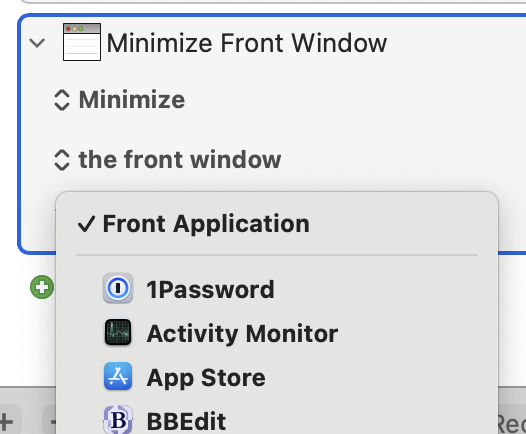
I wish the "Manipulate Window" action would allow for dynamic app path usage:

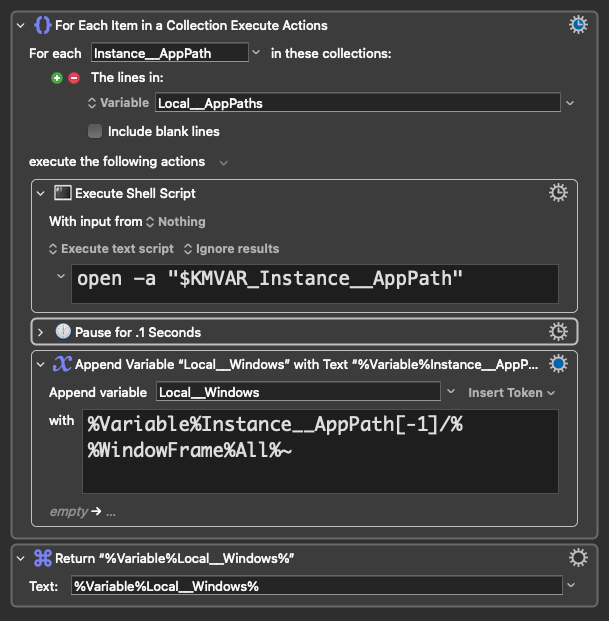
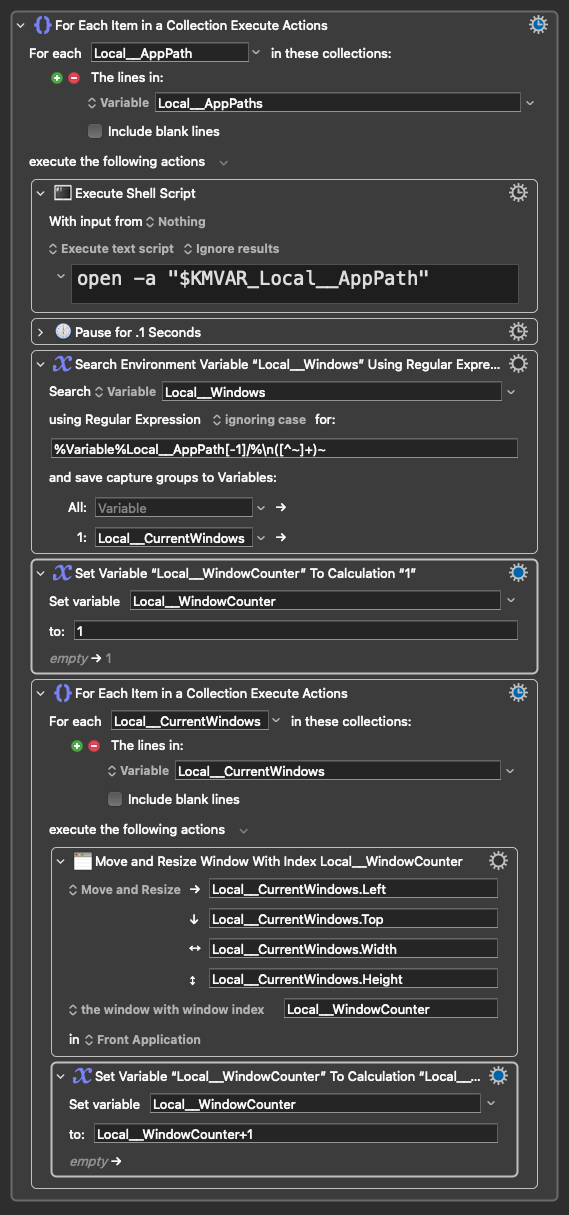
Below are some sections of a larger macro that saves and restores window positions and sizes:

Saving

Restoring

1 Like

Another vote for Moom.

I just went through this and note that:

  1. It is possible with Keyboard Maestro though it requires a lot of steps especially since Keyboard Maestro can only operate on the front window.

  2. Moom is very easy to use and teh Apple Script commands are three line along and can be seen here. Moom technical support is great too!

Hope this helps.

2 Likes

Keyboard Maestro can operate on background windows, but the native action does NOT offer a method to dynamically define the target application using the KM Editor (either you select it from the dropdown or choose “front application”). That’s why my example had to activate the app before manipulating its windows.

If I have time, I’ll experiment with AppleScript/JXA to programmatically generate the “Manipulate Window” XML, which would allow us to define the app path dynamically in code.

It's easy enough, because you can reduce the TargetApplication key to a single value and the "action" will still work. For example this, when run in Script Editor, will minimise the front window of the KM Editor without foregrounding it first:

set appPath to "/Applications/Keyboard Maestro.app"

tell application "Keyboard Maestro Engine"
	do script "<array>
	<dict>
		<key>Action</key>
		<string>ReallyMinimizeWindow</string>
		<key>MacroActionType</key>
		<string>ManipulateWindow</string>
		<key>TargetApplication</key>
		<dict>
			<key>NewFile</key>
			<string>" & appPath & "</string>
		</dict>
		<key>Targeting</key>
		<string>FrontWindow</string>
		<key>TargetingType</key>
		<string>Specific</string>
	</dict>
</array>"
end tell
2 Likes

Can you please elaborate / explain this as I do not understand what you are saying?

I did understand that but because we should add a variable to determine whether the application was hidden / not hidden to return to their previusstate which (as far as I can tell) was not in your example (which is fantastic by the way)!

Thanks.
.

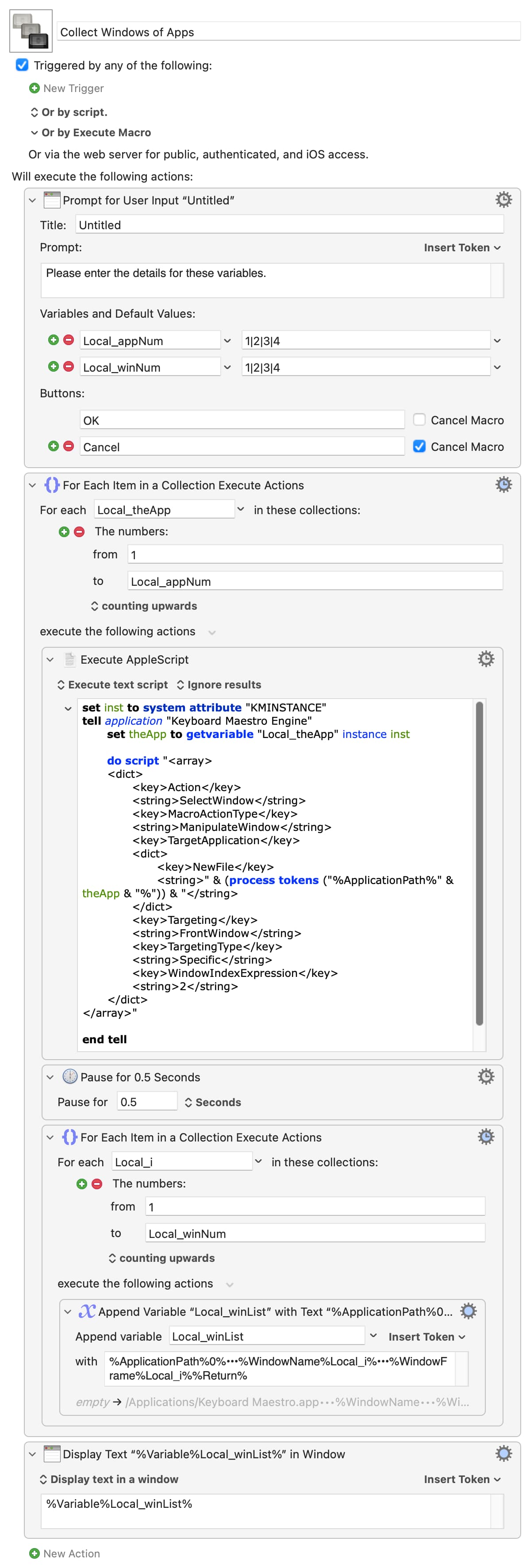
For giggles, here's a macro that'll collect the details of the first 1-4 windows of the first 1-4 apps, only fronting the first window of each app for minimum disruption (reasonable if you are trying to grab a multi-app window layout), using "native" KM Actions where possible.

You'll end up with something like (run for 3 apps and 3 windows):

/Applications/Keyboard Maestro.app•••Keyboard Maestro Editor — Scratch 2•••1264,103,1195,1222
/Applications/Keyboard Maestro.app•••Keyboard Maestro Editor — Scratch 3•••962,185,1164,1222
/Applications/Keyboard Maestro.app••••••0,0,0,0
/System/Applications/Utilities/Script Editor.app•••Untitled 253.scpt•••825,476,700,730
/System/Applications/Utilities/Script Editor.app•••Keyboard Maestro Engine.sdef•••194,179,1000,680
/System/Applications/Utilities/Script Editor.app•••Untitled 252.scpt•••1680,594,700,730
/System/Volumes/Preboot/Cryptexes/App/System/Applications/Safari.app•••token:Application Tokens [Keyboard Maestro Wiki]•••-1483,25,1457,1415
/System/Volumes/Preboot/Cryptexes/App/System/Applications/Safari.app•••Screen Studio — Professional screen recorder for macOS•••29,25,962,1415
/System/Volumes/Preboot/Cryptexes/App/System/Applications/Safari.app•••Latest topics - Keyboard Maestro Discourse•••275,25,1457,1415

...which should be easy (he said, hand-waving furiously :wink: ) to iterate through later to generate "Manipulate Window" Actions on the fly, dynamically targeting by both app path and window title to set frames.

Note the missing title and the frame of 0,0,0,0 on line 3, because the KM Editor only had 2 windows open. Easy error handling, FTW!

Collect Windows of Apps.kmmacros (7.0 KB)

Image

But just because it can be done doesn't mean it should be :wink:
1 Like

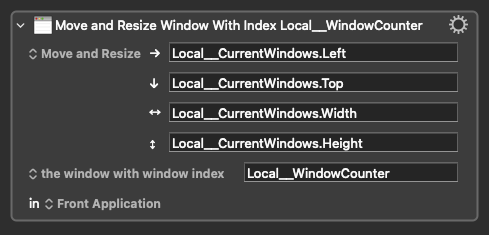
You have to specify the app you are targeting when you write the macro -- the only "dynamic" choice is "Front Application":

You can't, for example, target an app by index number like you can with windows.

@Nige_S , Appreciated and got it!

This is an interesting technique. When I have time I might try and adapt it so, I can have an "auto" option for populating a Workspace collection in my own Windows Arrangement Macro which I haven't edited for some time now.

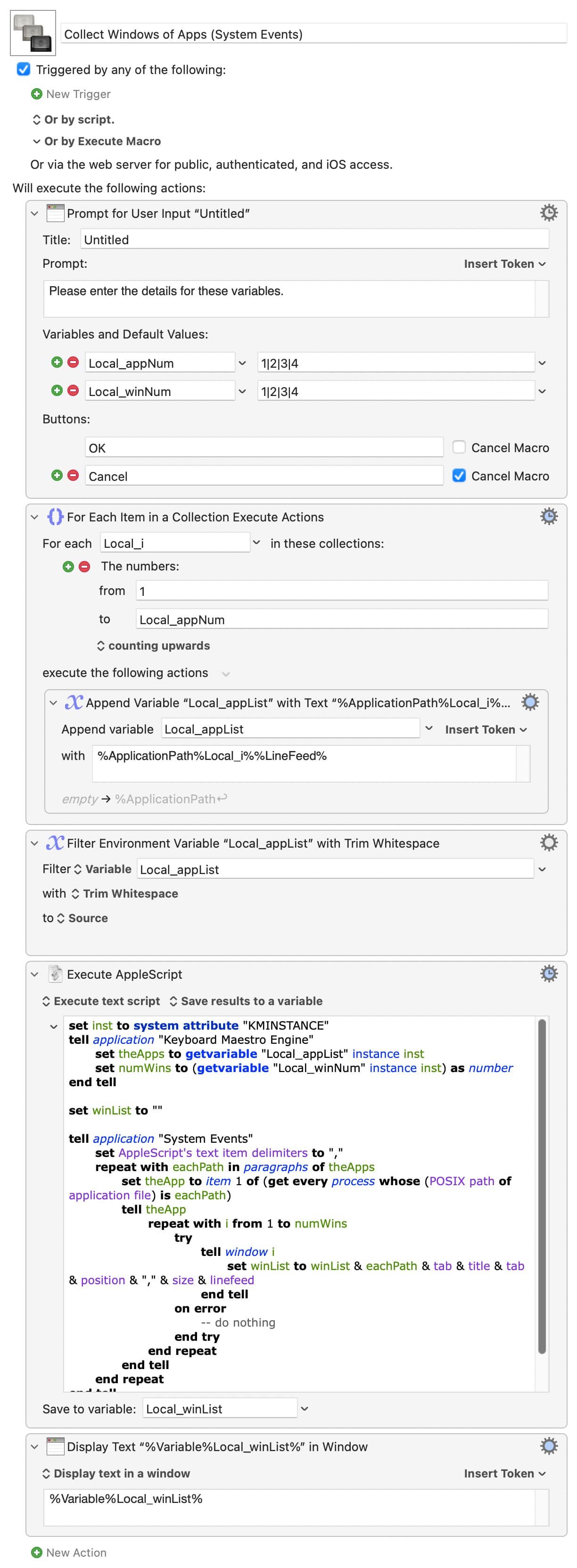
For further giggles (and because TMTOWTDI), here's a version that uses AS and System Events to avoid having to foreground each app in turn. Same output except tab-delimited for easy parsing, and no lines for "missing" windows:

Collect Windows of Apps (System Events).kmmacros (6.2 KB)

Image

Anyone would think I was trying to avoid doing real work...

1 Like

Hmm, I am going to try this when I get a chance (stuck doing real work at the moment).

One question, can it be edited to specify which windows are hidden and which are visible?

All this does is collect window info for the first i windows of the first j apps -- it doesn't change if things are hidden or visible.

And be careful with your terminology -- you can't hide windows, you minimise them. You hide apps.

Appreciated and fair point.

Thank you.

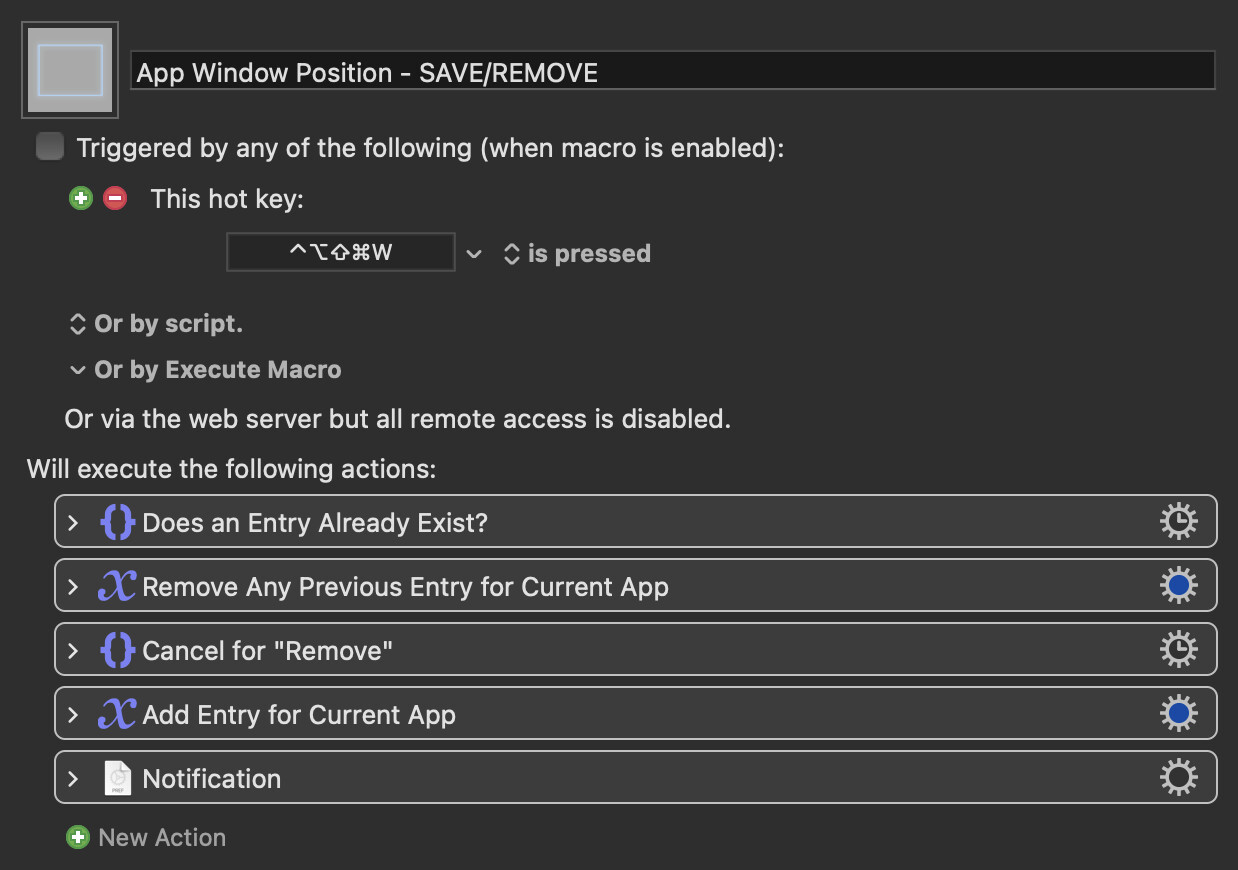
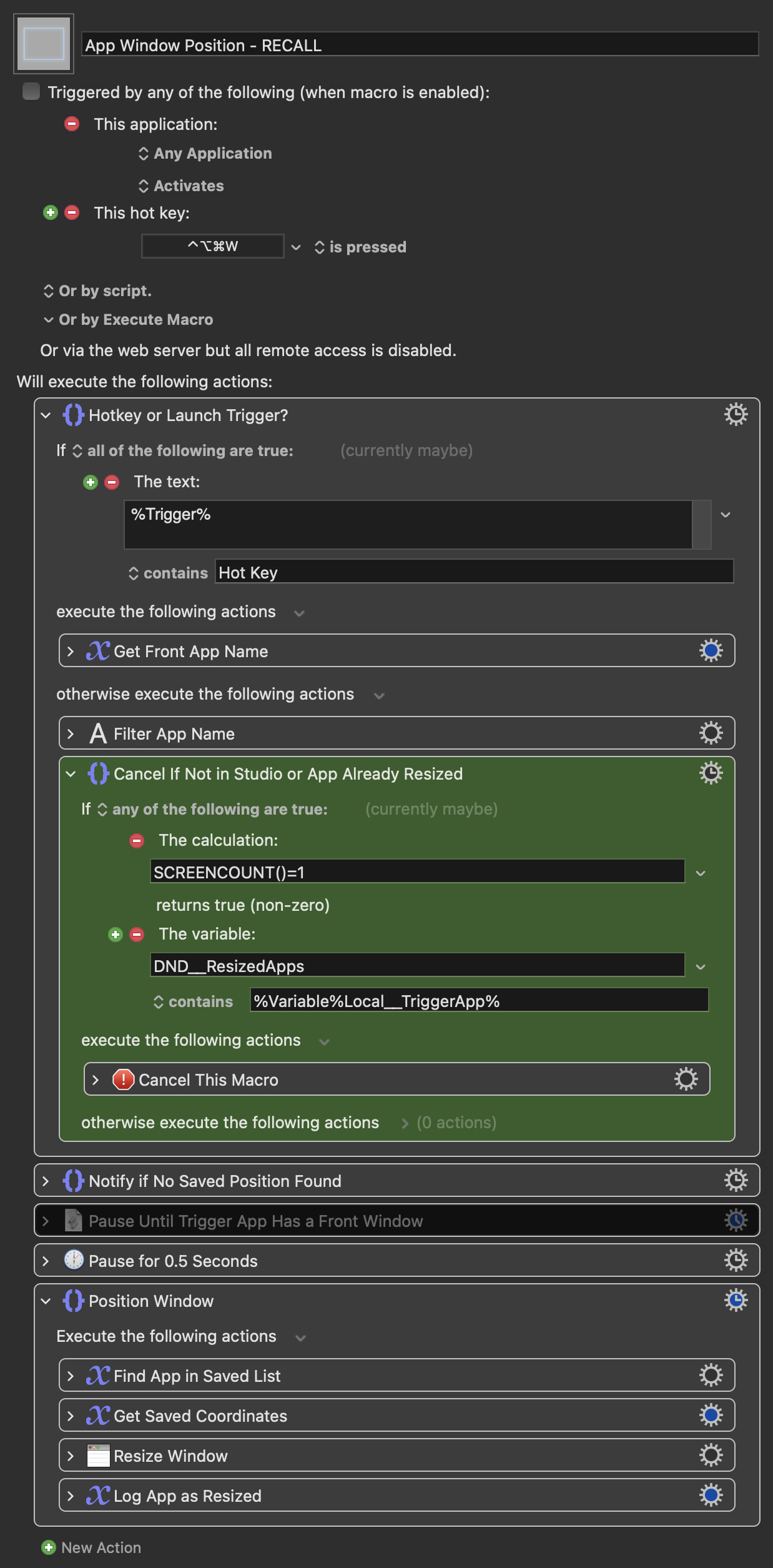
This is what I use:

App Window Position - SAVE/REMOVE.kmmacros (44 KB)

Macro screenshot

App Window Position - RECALL.kmmacros (51 KB)

Macro screenshot

2 Likes

Nice and thanks for sharing.

I will give it a go although not sure I fully understand it as I need to expand the actions more fully!