Is there any information on how to use the Send MIDI function? How can I select or create a MIDI port for it?
I've updated the code to properly allow for custom port names.
1.5.1
- The default MIDI port is now
KMDeck MIDI Outrather thanIAC Driver Bus 1. Changing this value will create a new custom MIDI port. Be aware that any existing MIDI assignments that usedIAC Driver Bus 1will no longer work until you've adjusted the destinations to expectKMDeck MIDI Outor a custom port name.
If you've created a lot of midi buttons already, and this presents a major problem for you, let me know, and I'll try to think of a solution. - Added
Bank Selectto theProgram Changeoption in the MIDI Button.
Thank you for the update, it works perfectly!
I just started to add Midi Buttons, no need to change a lot of settings but thanks for the offer!
Would it be possible to add a Bank select command to the Program Change function?
1 Like
Great! Download the latest version (same version number, 1.5.1) from the Dropbox link in the first post. I've added Bank Select for you.
1 Like
Would it be possible for KMDeck to respond to Siri commands?
No. As the server presents itself in a browser, rather than a native iOS app, it is sandboxed within it, and does not have access to SiriKit or App Intents.
Does KMDeck support
Prompt for User Input
?
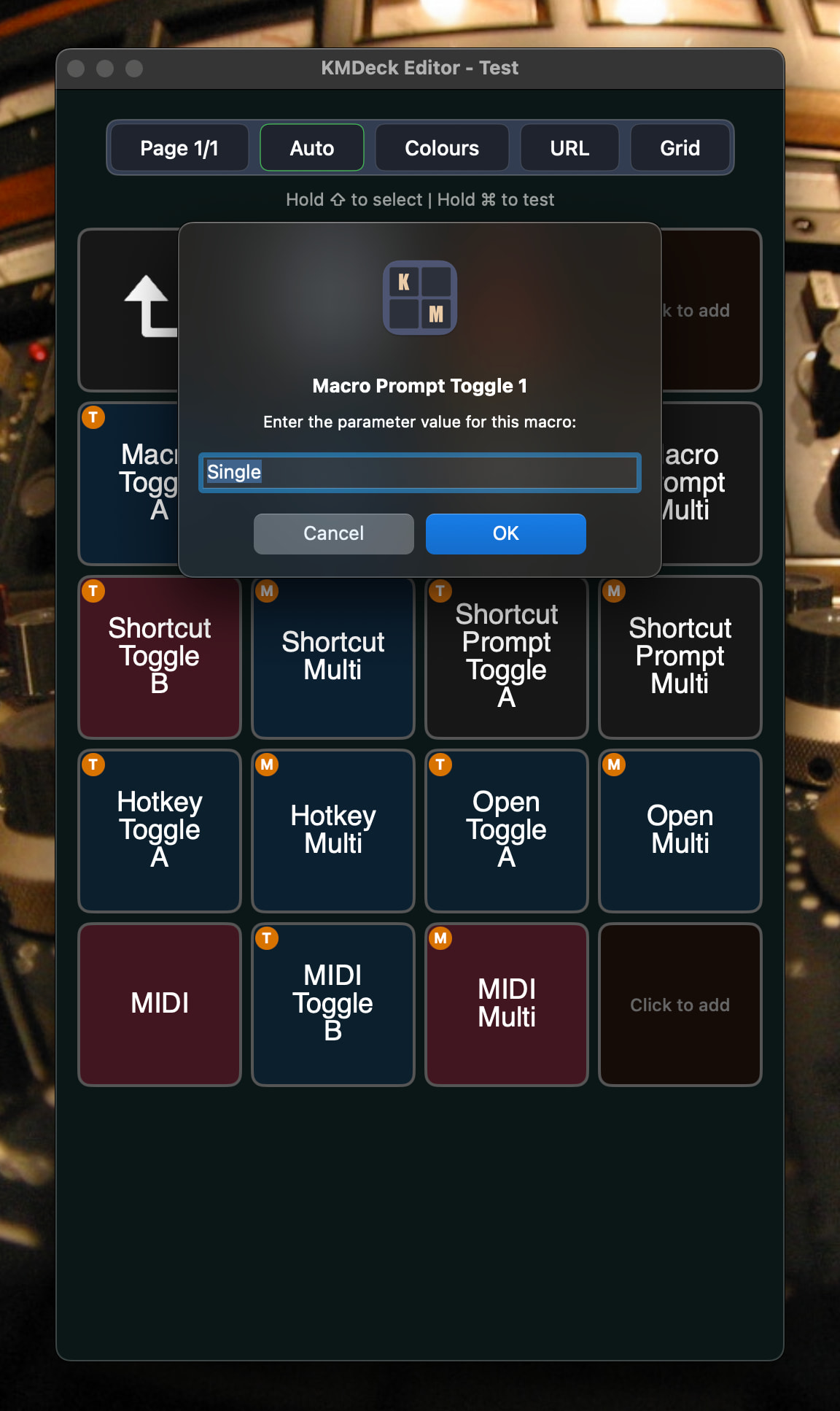
1.5.2
Added support for sending notifications from Keyboard Maestro to the KMDeck web server interface.
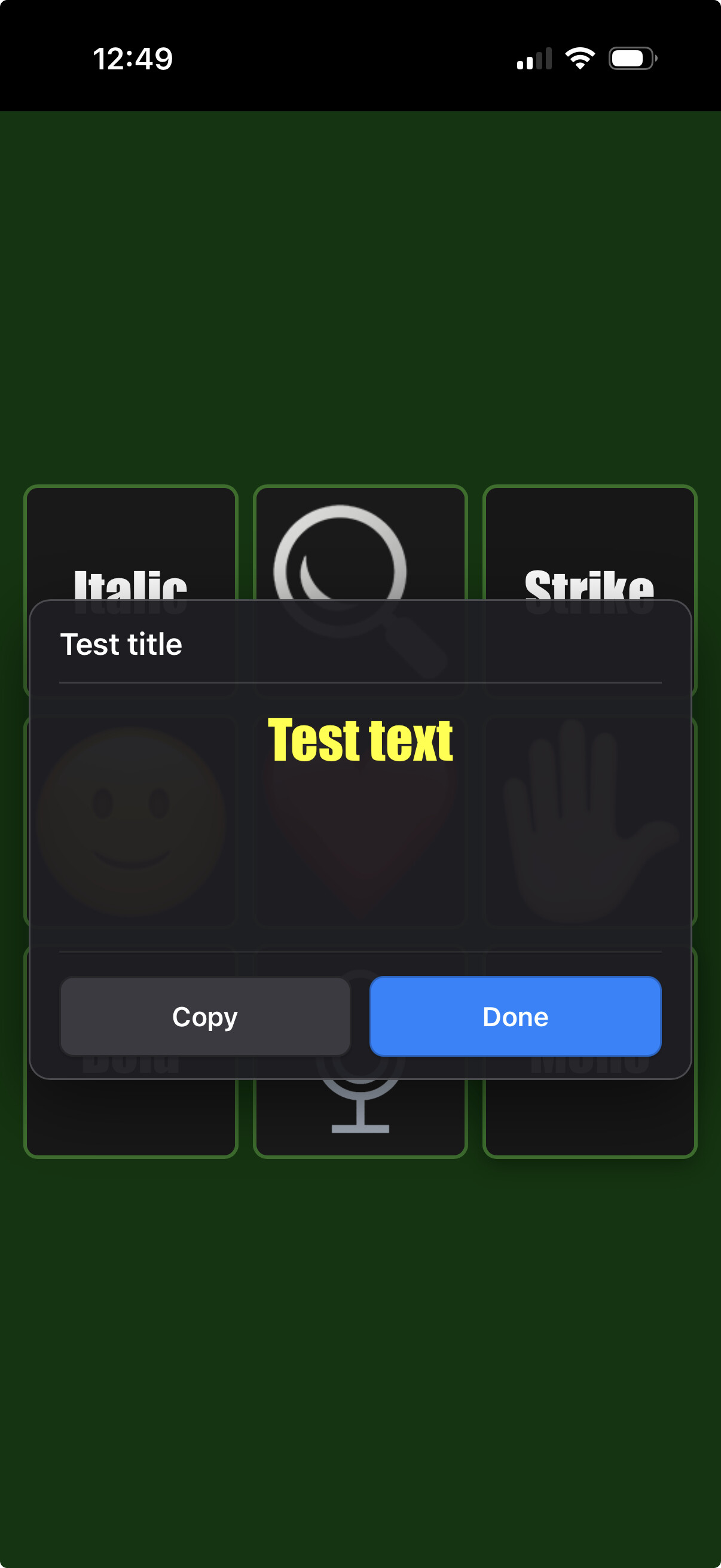
To use this feature, call the subroutine KMDeck - Display Message, which is bundled in the KMDeck Macros.kmmacros file, in the Dropbox folder.
Thanks to @csmu for the suggestion.
Is there a setting that automatically adjusts image orientation to match the iPhone's current orientation — for example, if the images display correctly in portrait mode, would they also rotate accordingly when switching to landscape?
Yes, this should happen automatically. Is it not working for you?
No - sorry - should have checked if I'd locked in portrait.
Turned that off and it works.
Sorry again.
Cheers
1 Like
Feature Request.
An option to enable KMDeck to run as a daemon.
Reason for the request
Sometimes my mac goes to sleep.
I have to wake up my mac so Keyboard Maestro is active.
If KMDeck could run as a daemon then I could check if my mac needed to wake up, wake up if necessary, then run the macro requested.
Unfortunately, converting KMDeck into a background daemon won’t allow it to wake a sleeping Mac.
Even if the app's web server ran continuously as a system daemon, macOS shuts down or severely throttles the network interface when the computer goes to sleep. Because of this, any remote device trying to connect over Wi-Fi will just time out. The network stack simply isn't listening on that port while asleep. Additionally, a daemon runs outside the user's graphical session, which would break KMDeck’s ability to interact with Keyboard Maestro and trigger any UI-related macros.
To achieve what you're looking for, the wake request has to happen at the hardware/OS level rather than inside the app. You can set this up by enabling "Wake for network access" in your macOS System Settings. With that active, you can use a standard Wake-on-LAN (WoL) tool or widget on your phone to wake the Mac's hardware first. Once the Mac wakes up, KMDeck’s web server will automatically become responsive again.
2 Likes
Just stumbled upon this thread and am look forward to diving in. But before I do, here’s nifty tip for anyone using Dropbox for downloads: if you change the parameter at the end of the share link from ?dl=0 to ?dl=1, a Dropbox link becomes a direct download link, skipping the trip to the Dropbox website with all the confusion and just downloading the file in question directly. “dl” seems to be short for “download,” and one day I decided to set it to “true” instead of “false” and never looked back. This should get around a lot of the issues mentioned above.
I’ve been using this seemingly undocumented method for a dozen years, so until someone at Dropbox decides to throw us all a curveball, it seems to be consistent and reliable.
PS: using KMDeck for the first time and… nicely done!
1 Like
I encountered this problem when I launch KMDeck after installing in the applications folder by double clicking on the dmg file. thank you
macos tahoe, latest update
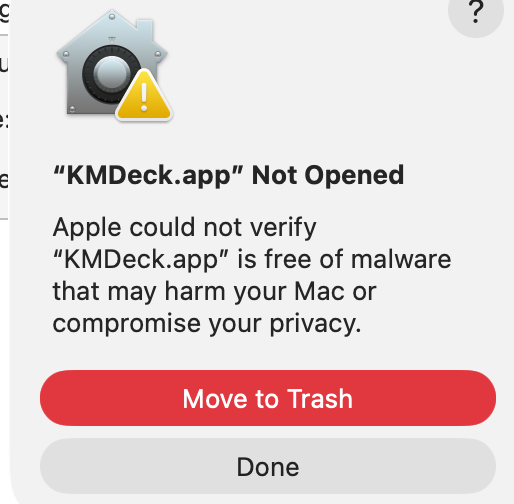
Try right-click → Open (rather than double-click).
1 Like
same issue with both
- context open and double click
- dmg and downloaded app itself
thank you
-
Try to open the app normally so the error pops up, then click Done.
-
Open System Settings > Privacy & Security.
-
Scroll down to the Security section.
-
You should see a message saying “KMDeck.app” was blocked from use because it is not from an identified developer.
-
Click Open Anyway, enter your Mac password, and the app will launch.
1 Like