Hi, @noisneil. I've added a few features that provide some likely necessary flexibility for users. Rather than updating my original post, I'll describe everything here.
Please note: If you've downloaded earlier versions (v0.1 or v0.2) of the subroutine (s.𝗸𝗺⇾MacroUpdateChecker) or submacro (sm.𝗸𝗺⇾MacroUpdateCheckerEngine), delete those copies before downloading and installing the versions (v0.3) in this post.
As I mentioned before, I normally update the title of a Keyboard Maestro forum thread (in the Macro Library category) with the latest macro version information. For example:
MACRO: Augment or Transform Text, v8.0
Macros Equipped to Check for Updates (on the KM Forum)
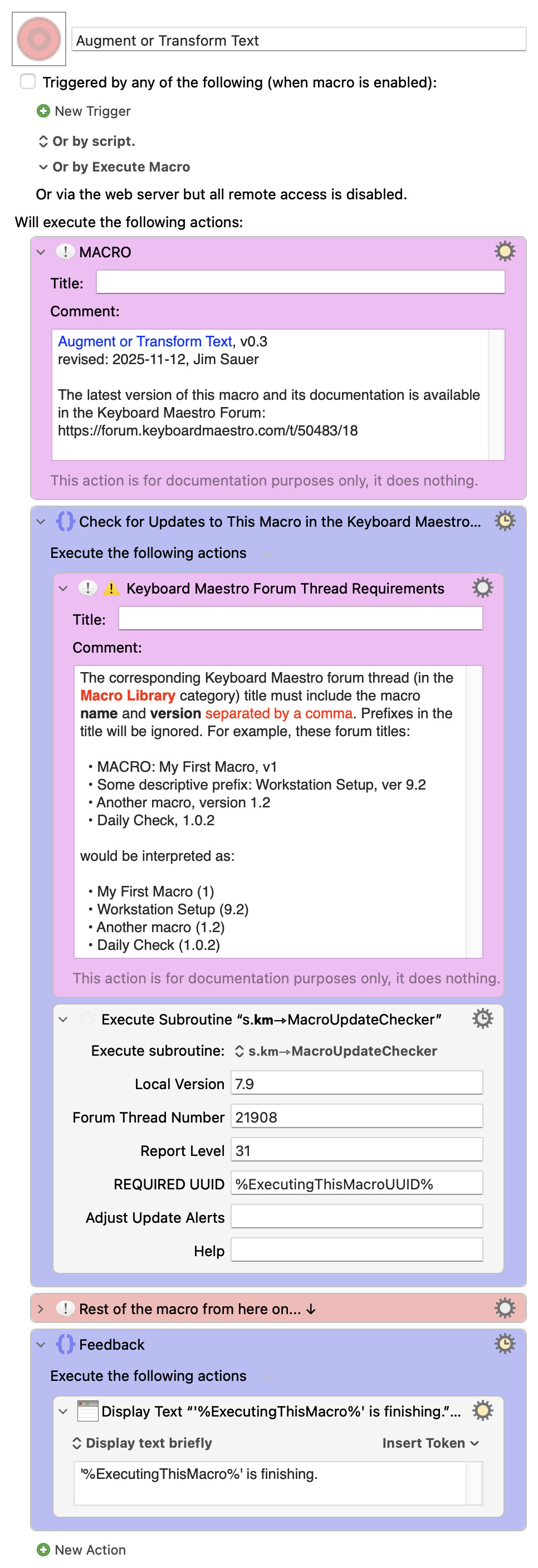
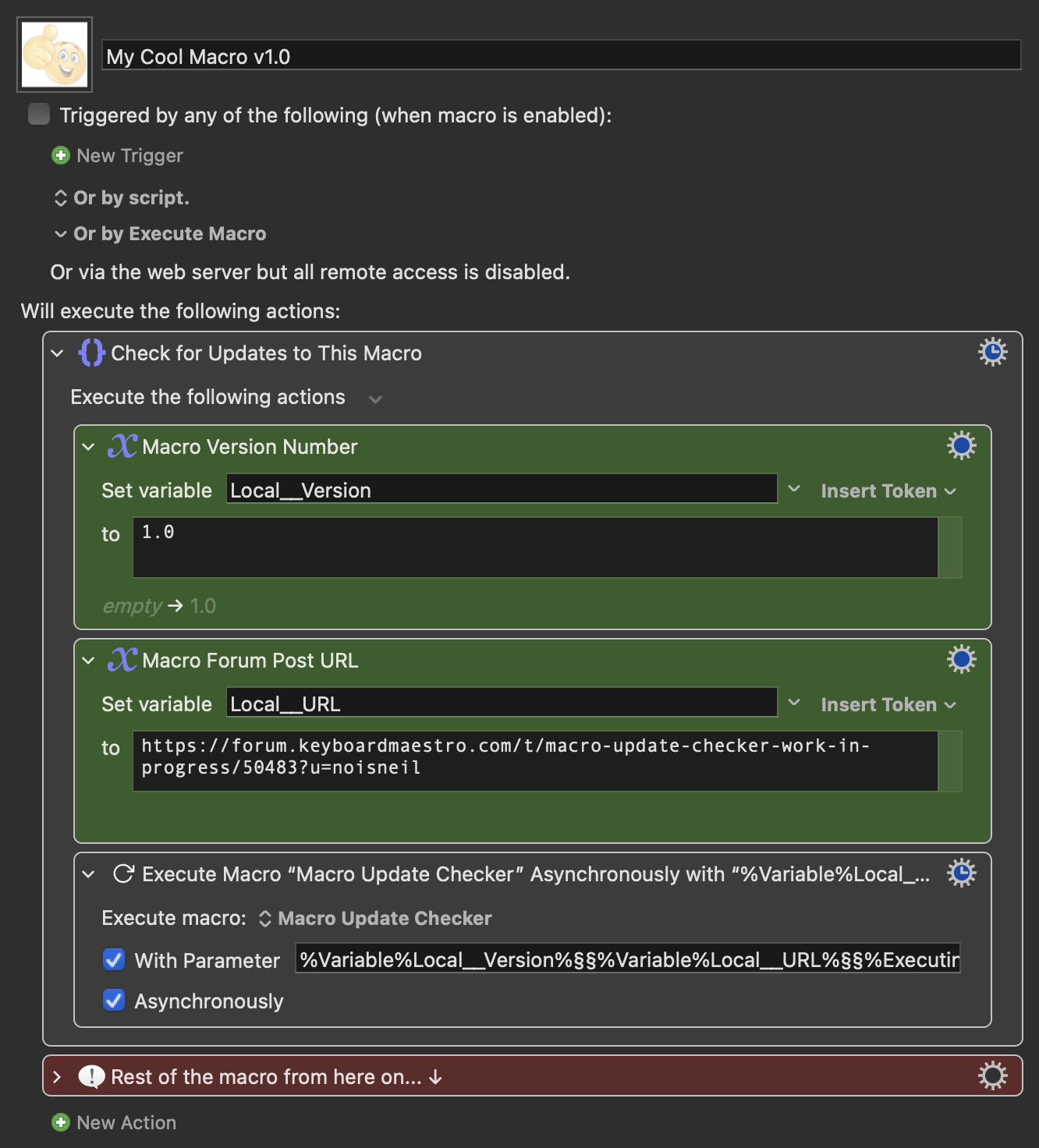
Here's an example macro that has a different (presumably newer) version available on the Keyboard Maestro forum, specifically in the Macro Library category...
Download: Augment or Transform Text.kmmacros (8.5 KB)
Macro-Image
Macro-Notes
- Macros are always disabled when imported into the Keyboard Maestro Editor.
- The user must ensure the macro is enabled.
- The user must also ensure the macro's parent macro-group is enabled.
System Information
- macOS 26.1 (25B78)
- Keyboard Maestro v11.0.4
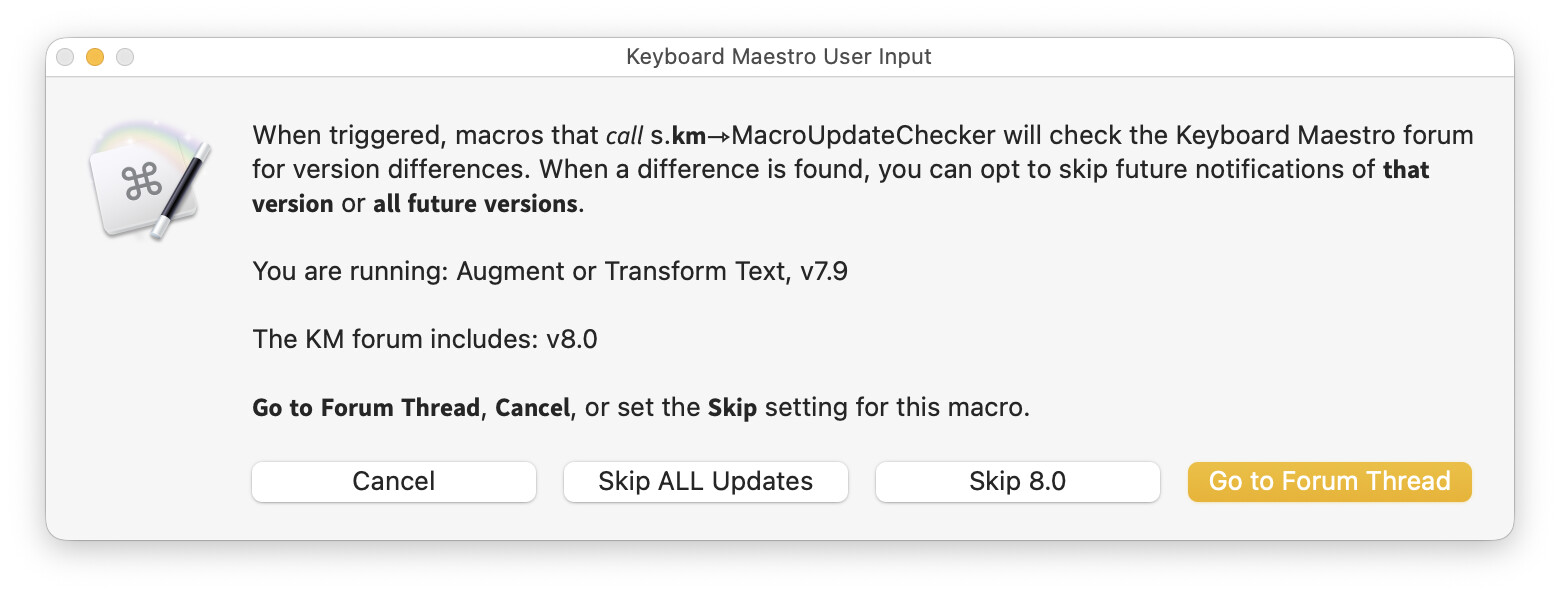
And here's the corresponding feedback...
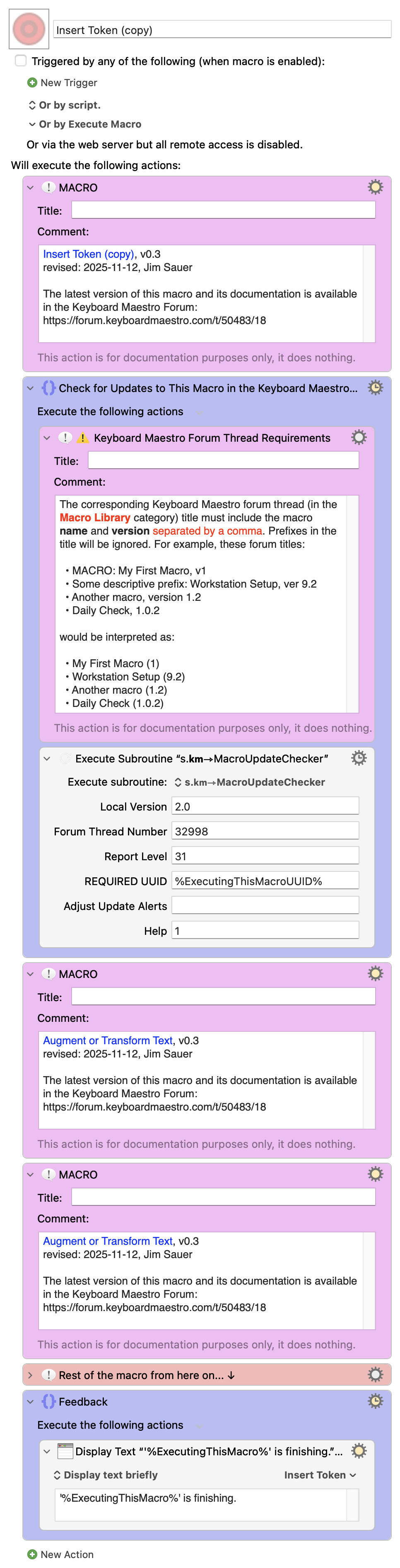
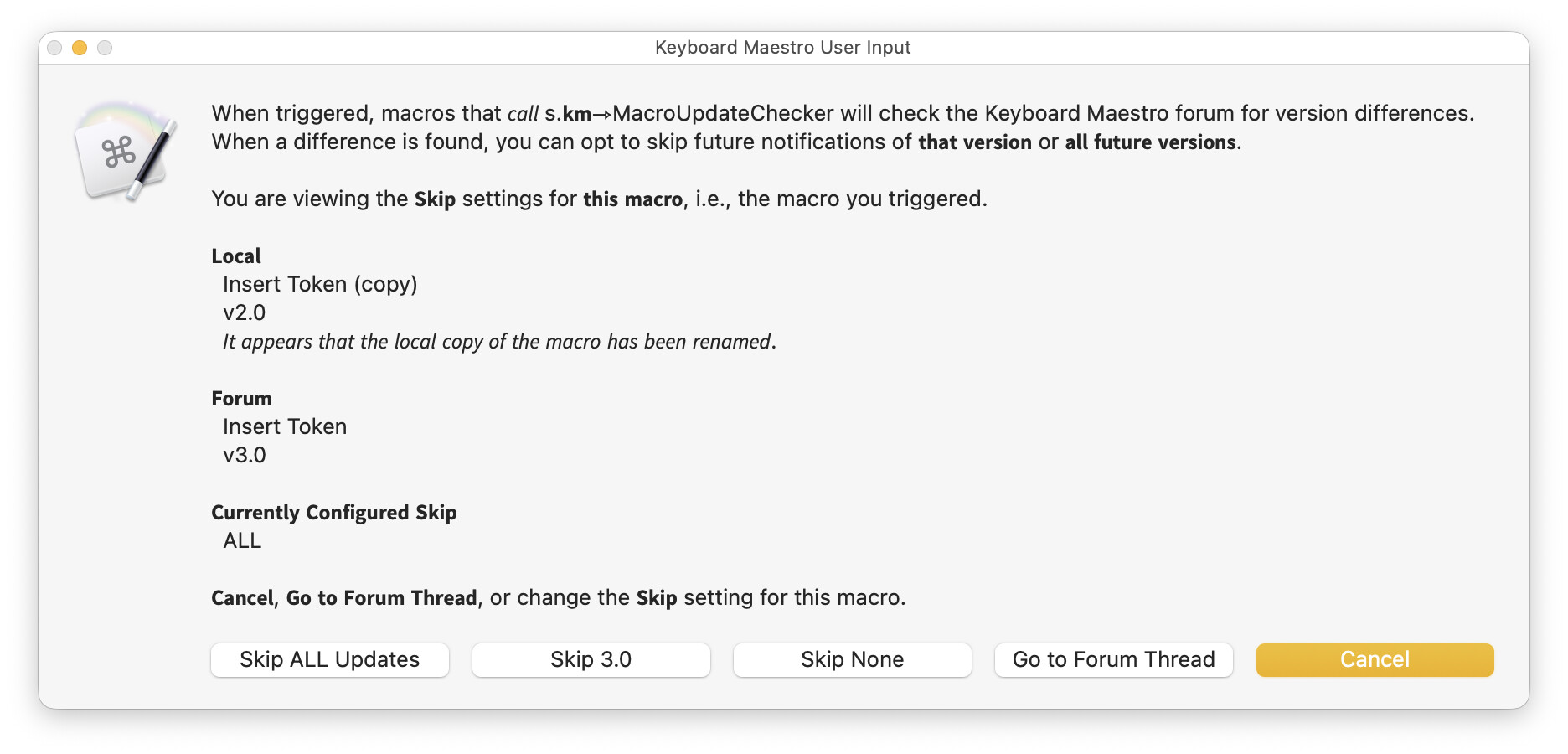
Here's an example macro that a user downloaded from the forum and subsequently renamed the local copy...
Download: Insert Token (copy).kmmacros (12 KB)
Macro-Image
Macro-Notes
- Macros are always disabled when imported into the Keyboard Maestro Editor.
- The user must ensure the macro is enabled.
- The user must also ensure the macro's parent macro-group is enabled.
System Information
- macOS 26.1 (25B78)
- Keyboard Maestro v11.0.4
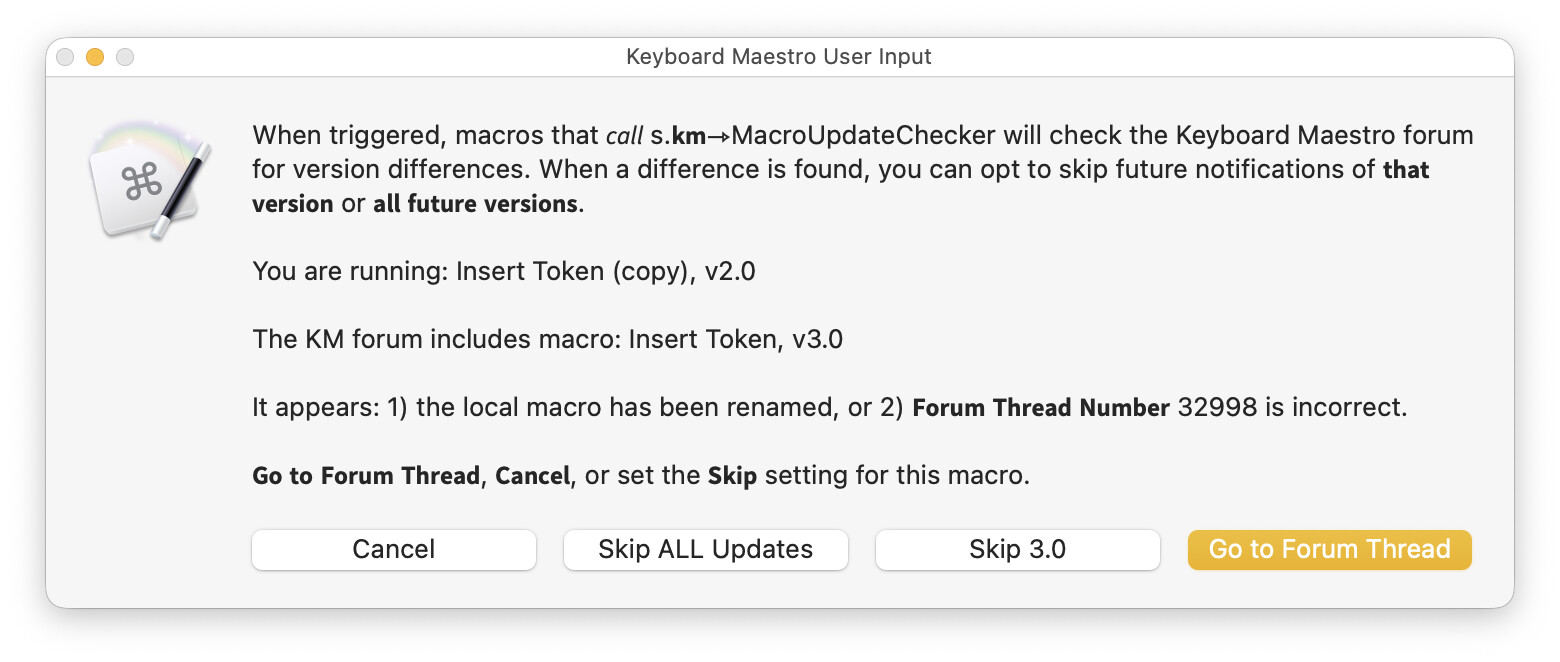
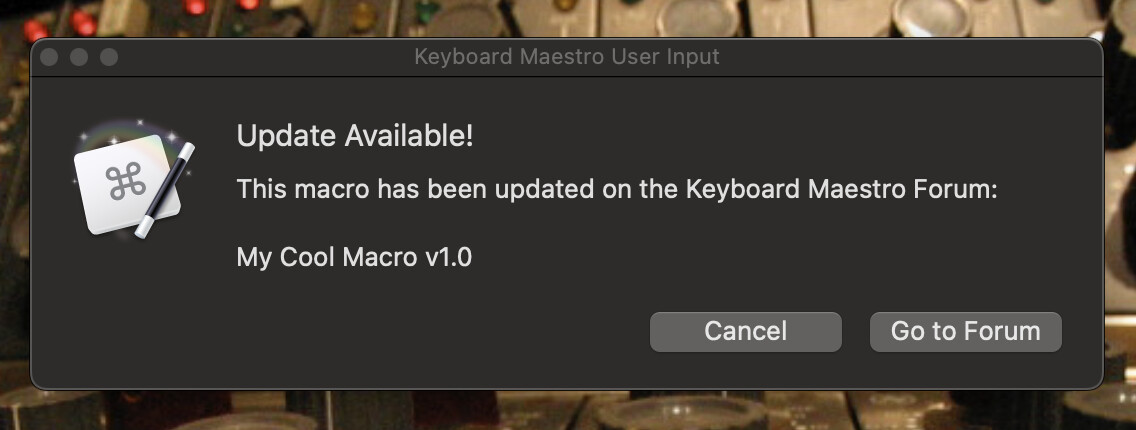
And here's the corresponding feedback when a new version is available on the forum...
Note: Although the name mismatch is mentioned in the above dialog, the logic does not provide feedback unless there is also a version mismatch.
Enabling Check for Updates
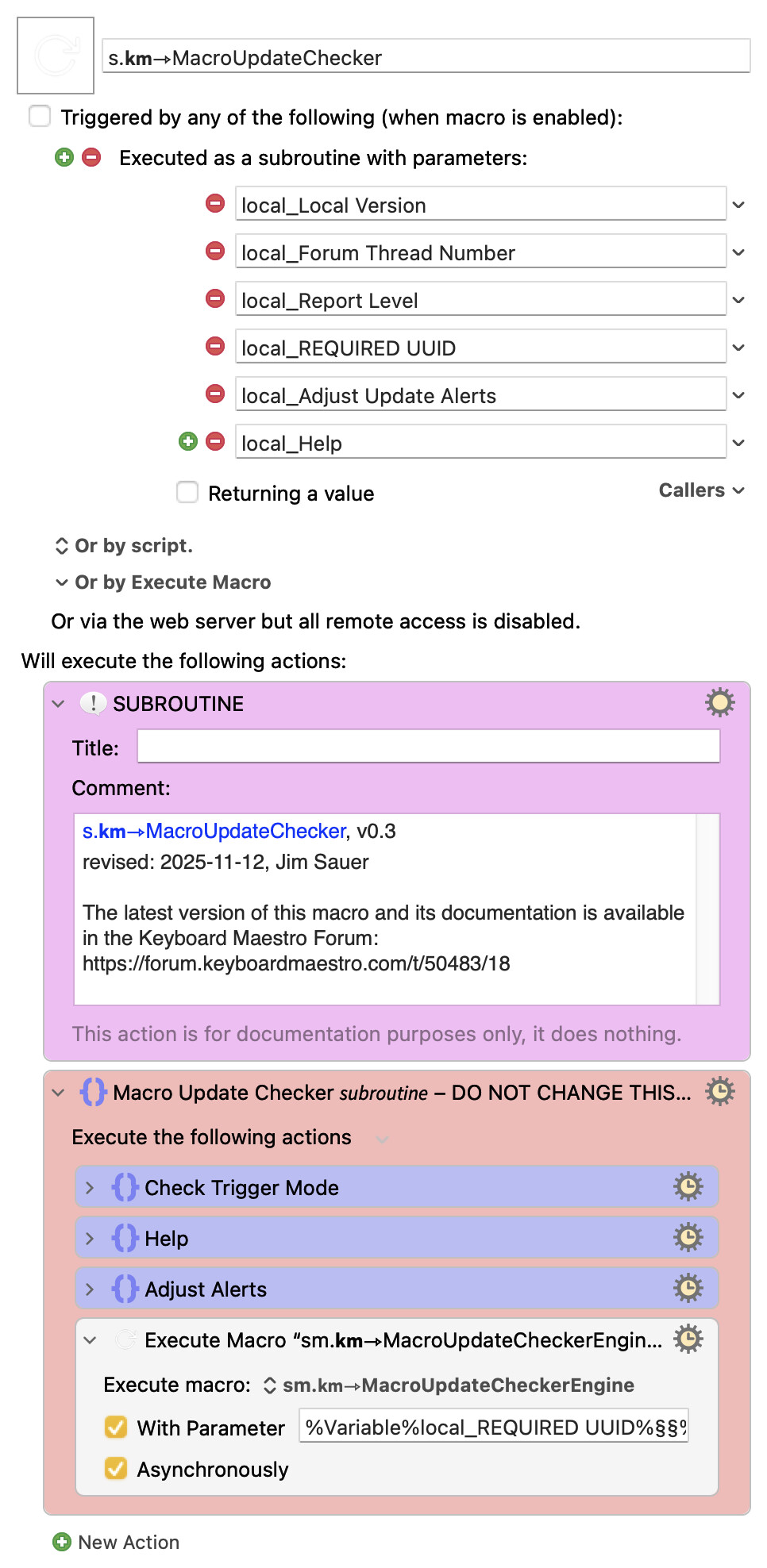
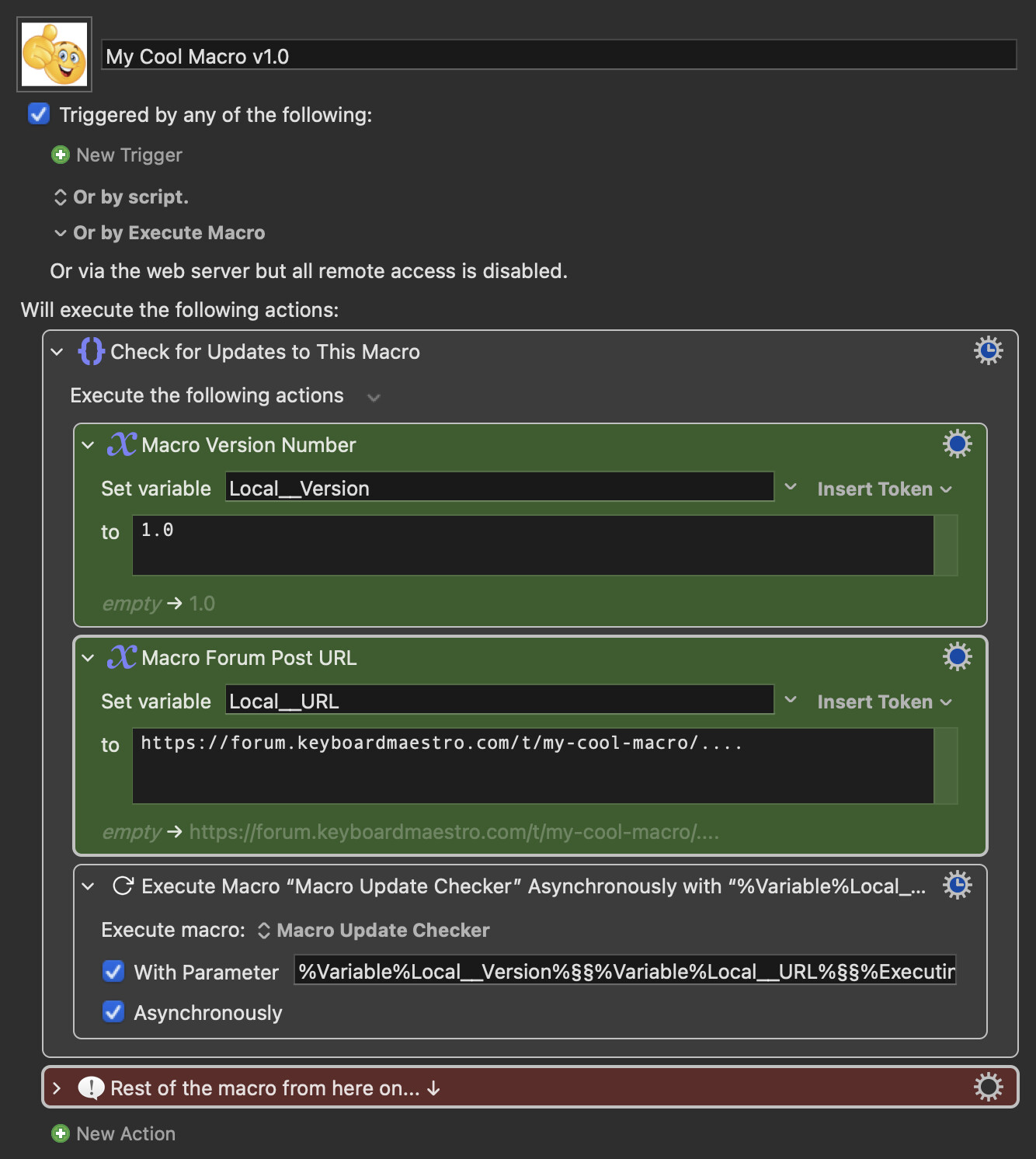
The equipped macros discussed above call this subroutine...
Download: s.𝗸𝗺⇾MacroUpdateChecker.kmmacros (174 KB)
Macro-Image
Macro-Notes
- Macros are always disabled when imported into the Keyboard Maestro Editor.
- The user must ensure the macro is enabled.
- The user must also ensure the macro's parent macro-group is enabled.
System Information
- macOS 26.1 (25B78)
- Keyboard Maestro v11.0.4
which in turn calls this submacro asynchronously...
Download: sm.𝗸𝗺⇾MacroUpdateCheckerEngine.kmmacros (91 KB)
Macro-Image
Macro-Notes
- Macros are always disabled when imported into the Keyboard Maestro Editor.
- The user must ensure the macro is enabled.
- The user must also ensure the macro's parent macro-group is enabled.
System Information
- macOS 26.1 (25B78)
- Keyboard Maestro v11.0.4
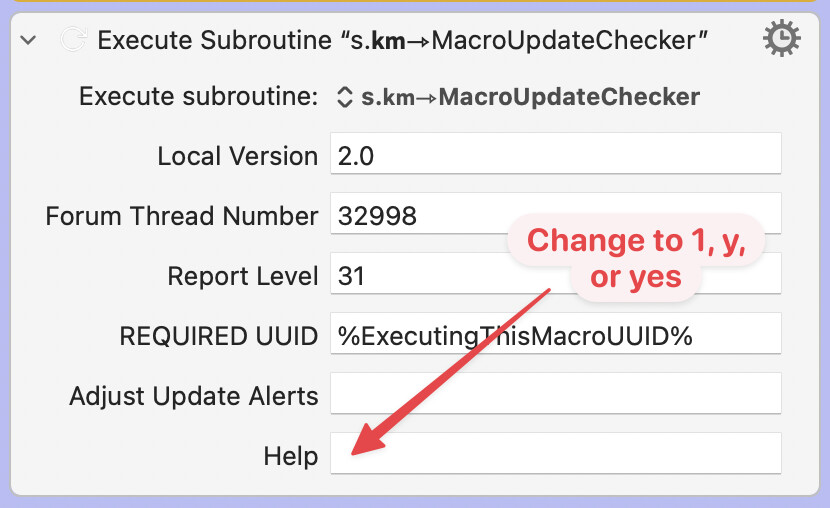
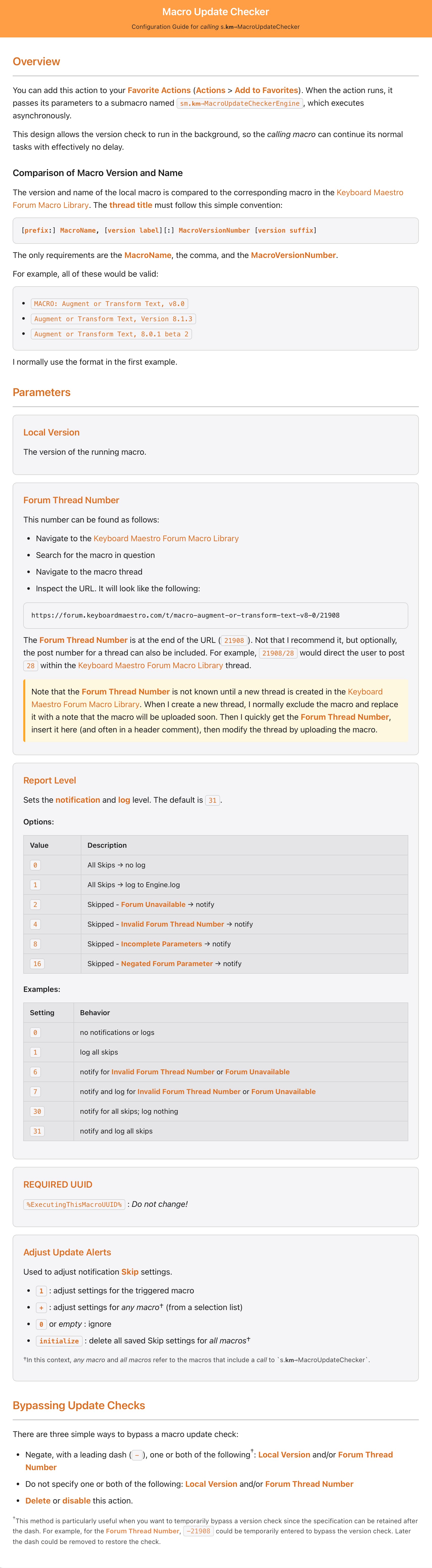
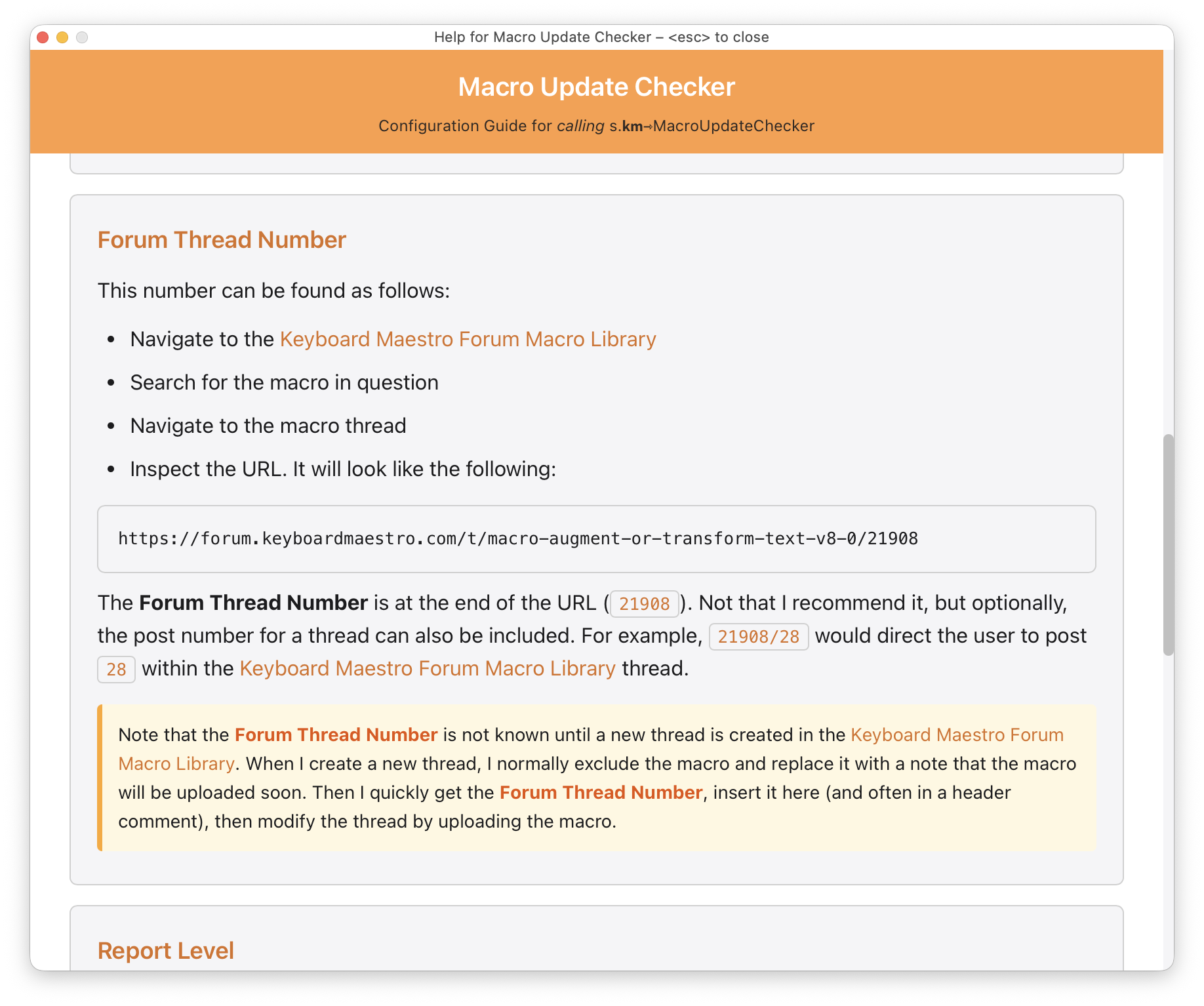
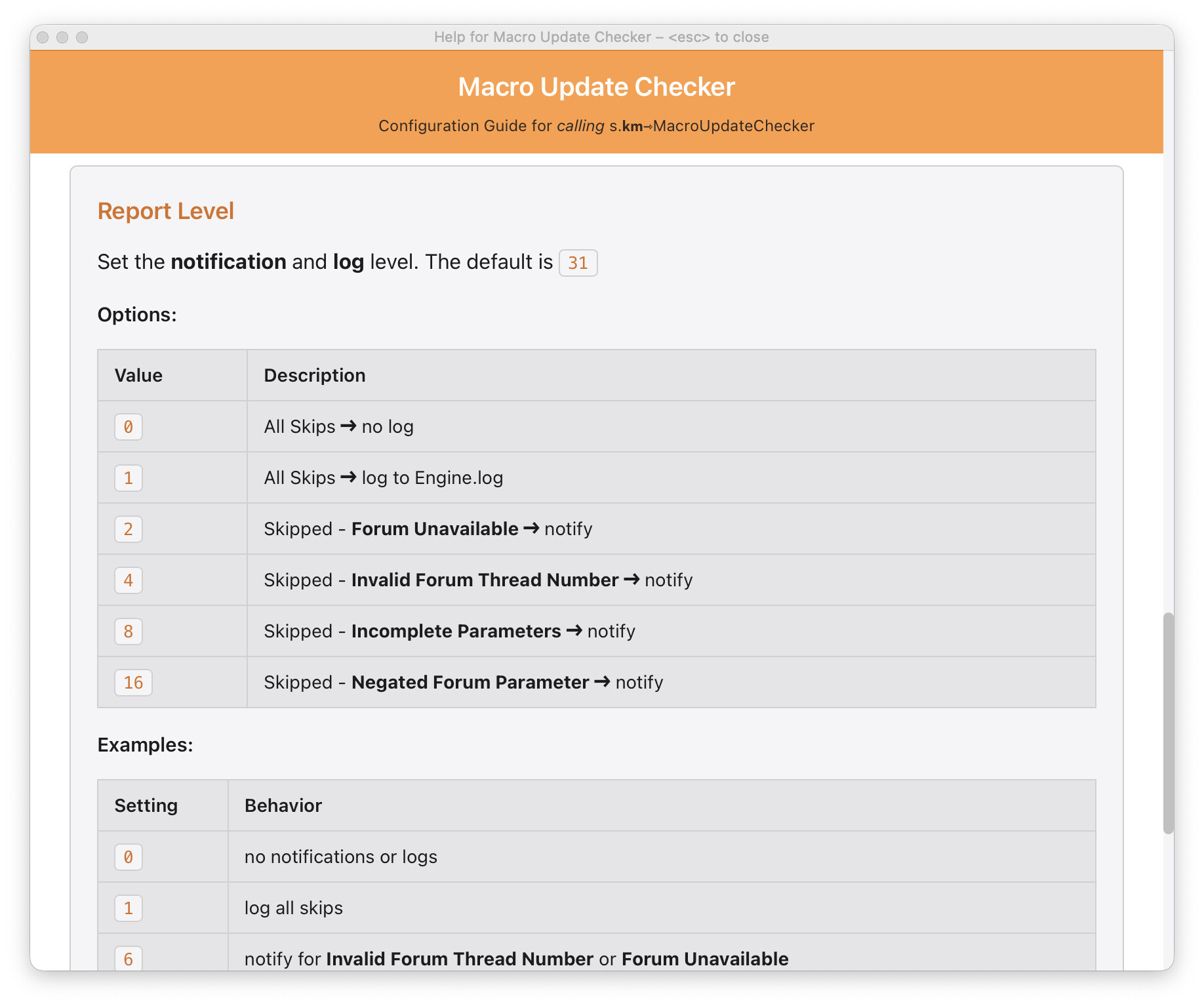
The embedded help has more information regarding the comparison method and related subroutine parameters. The help can be displayed using the subroutine call.
Updated Help ( expand / collapse )
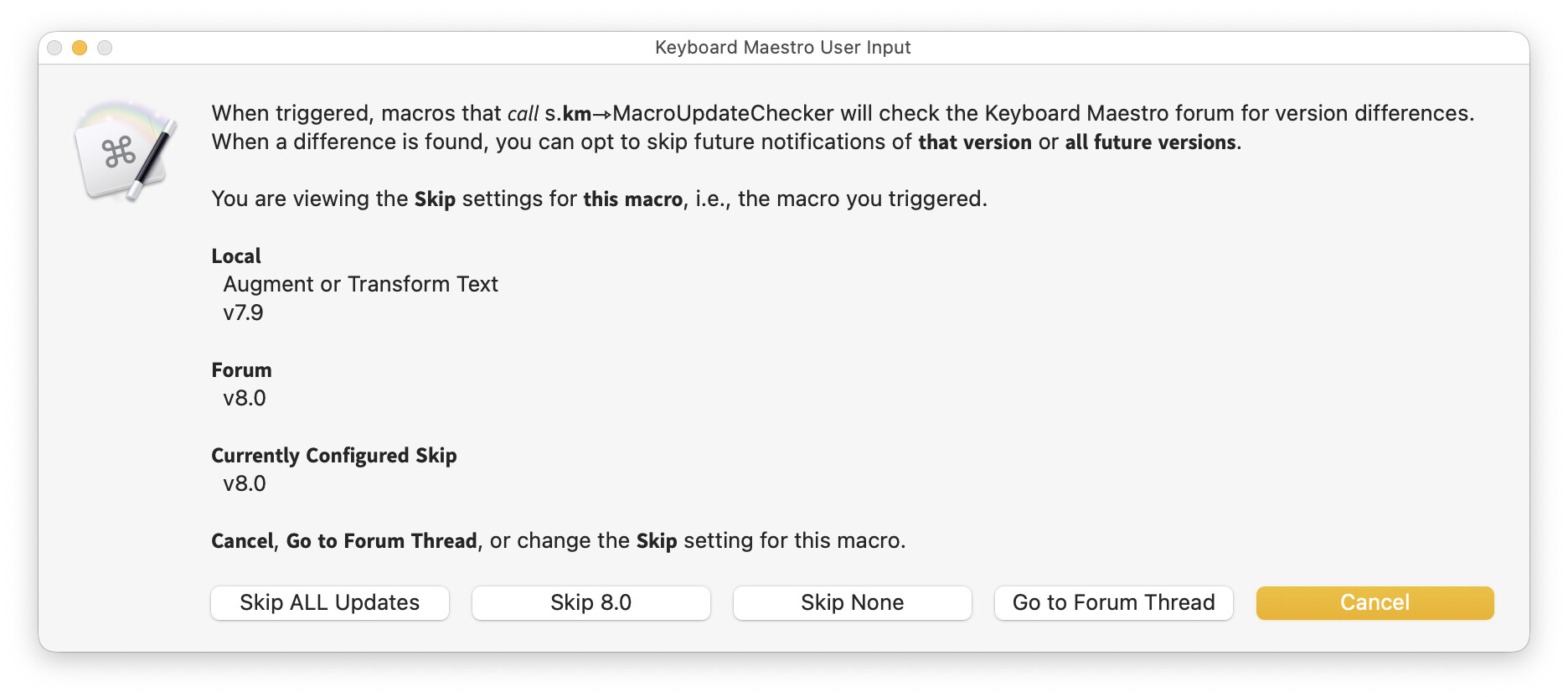
In the above screenshots you likely noticed that I added a feature to Skip: 1) the currently posted version of the corresponding macro, or 2) ALL other versions of the corresponding macro.
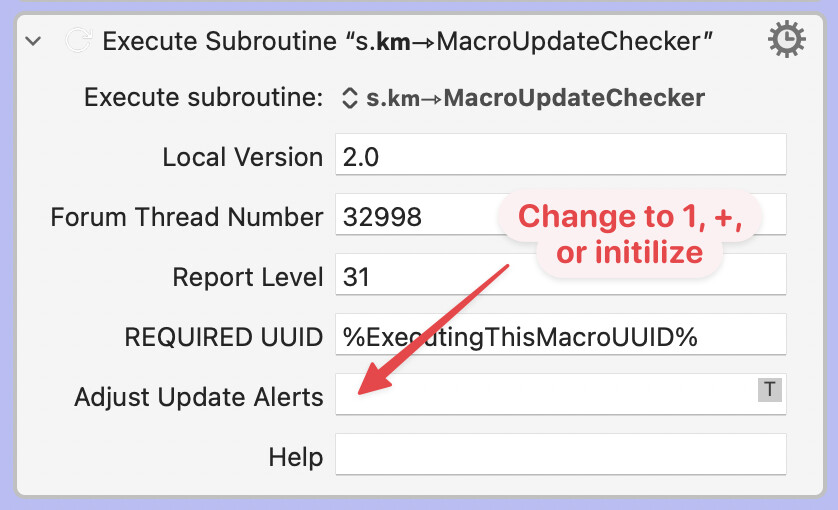
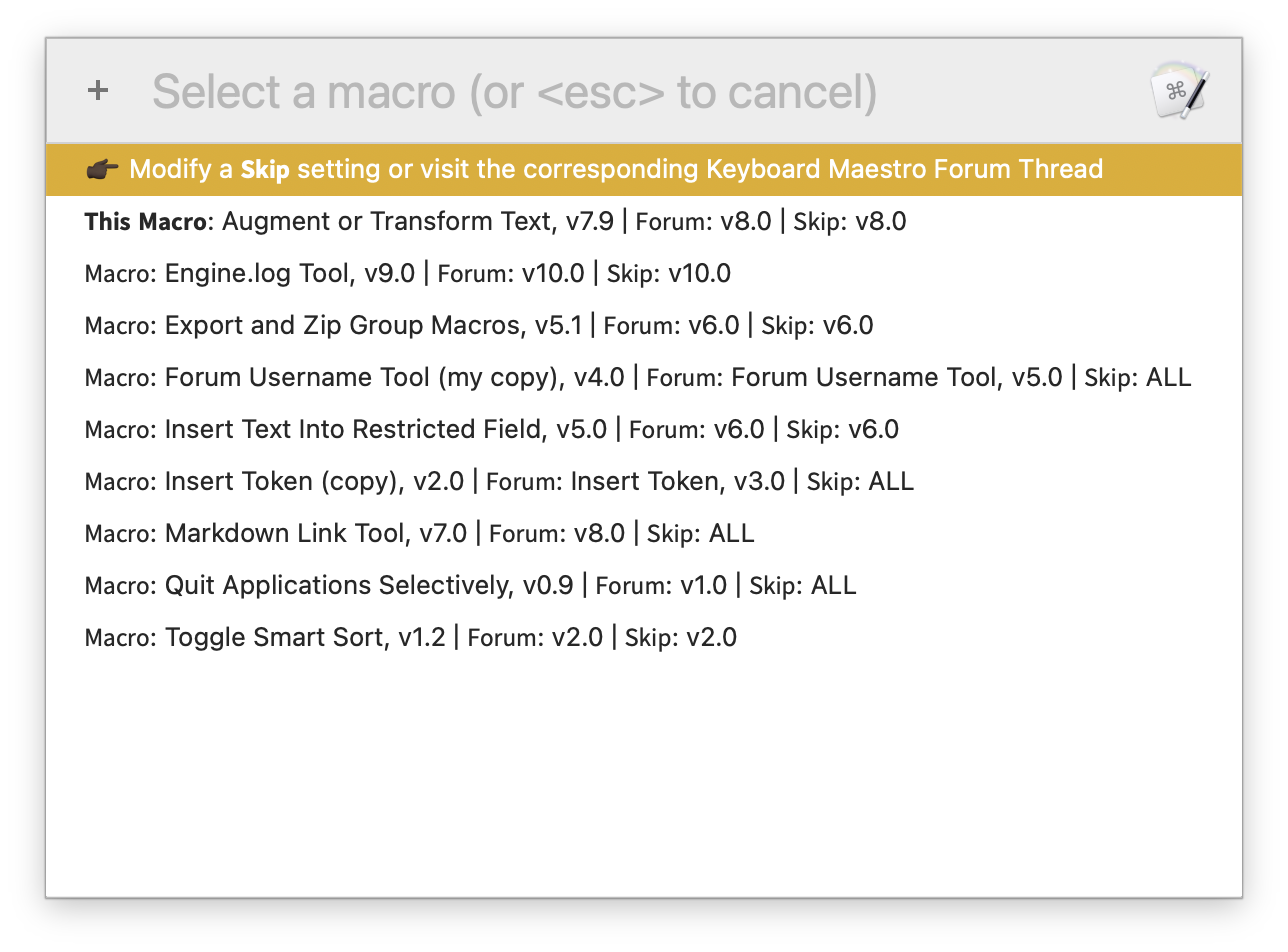
There will no doubt be times when a user might want to undo one or more of these choices, thus the subroutine provides that feature too. Specifically, there are two options (1 and +) and one big hammer (initialize), all triggered using the Adjust Update Alerts subroutine parameter...
Adjust Update Alerts
1 : adjust settings for the triggered macro+ : adjust settings for any macro† (from a selection list)initialize : delete all saved Skip settings for all macros†
†In this context, any macro and all macros refer to the macros that include a call to s.𝗸𝗺⇾MacroUpdateChecker.
If 1 is specified, a dialog similar to the following appears...
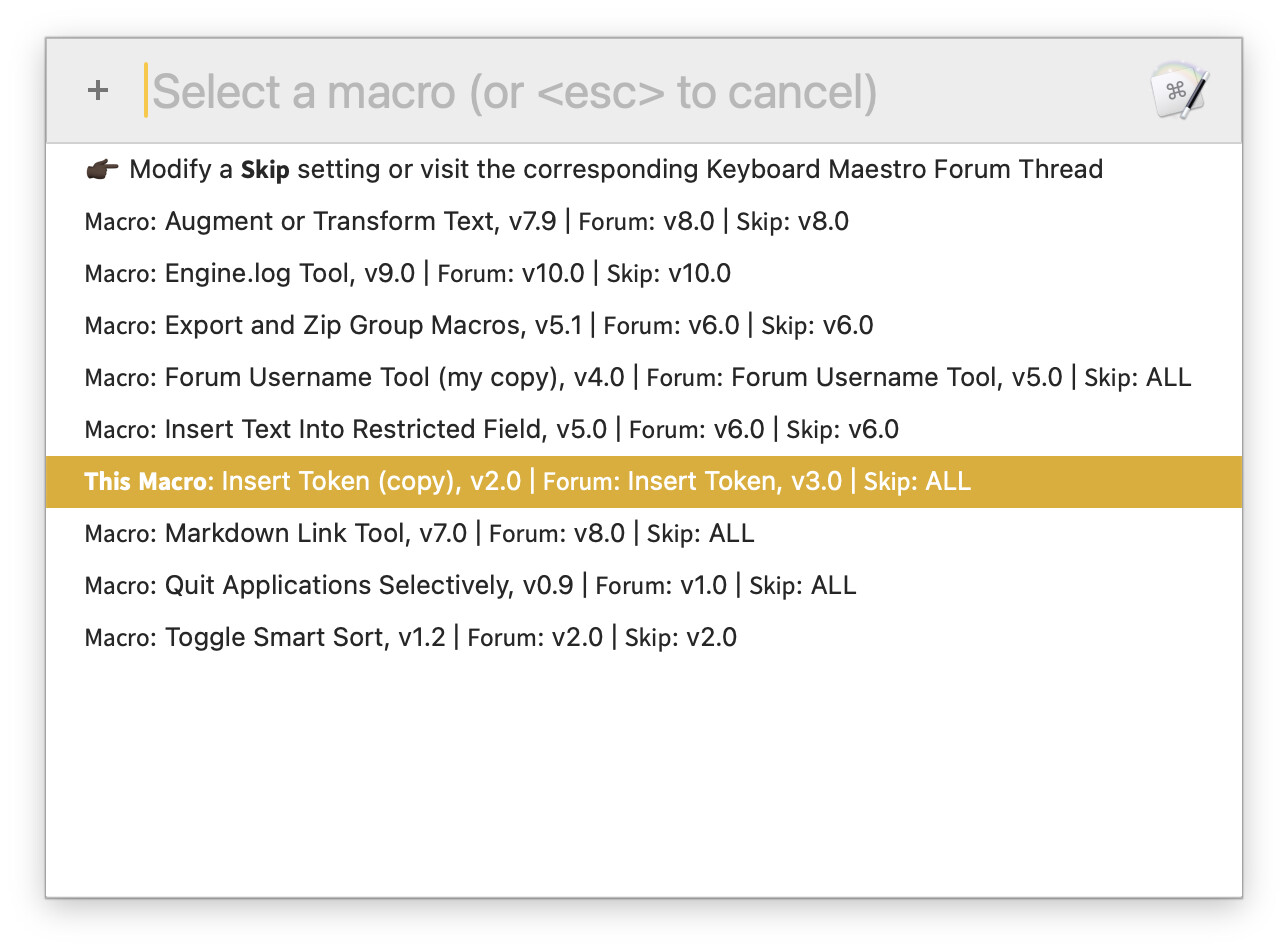
If + is specified, this appears...
Then if an entry is selected...
a dialog similar to the above appears...
Other Technical Details
-
Since the subroutine immediately triggers the submacro to run in asynchronous mode, there is effectively no delay imposed on a calling macro.
-
The submacro logic accommodates differing version conventions, e.g.,
MACRO: Augment or Transform Text, v8.0Augment or Transform Text, Version 8.1.3Augment or Transform Text, 8.0.1 beta 2
-
The submacro first checks for network and forum availability before attempting to check for macro updates.
@noisneil (or anyone else), please provide feedback!
Is this feature-complete? Easy enough to follow?
In the past, I've always used this format in the title of my Macro Library category) threads:
MACRO: Augment or Transform Text, v8.0
But since commas are sometimes used within a macro name, maybe it would be better to require a semicolon:
MACRO: Augment or Transform Text; v8.0
Or here's a format that would be much more robust:
optional_ignored_prefix: macro_name «macro_version» optional_ignored_suffix
Since it is trivial to change a thread title, there seems to be very little downside if a more robust format is adopted before this logic is employed. Agree?

 )
)
 .
.