PDF File Management

Good morning / afternoon.

I have started to develop the next piece of my macro to make it more functional than Hazel, at least for me. Otherwise, what would the point be! :upside_down_face:

I have created the three log files that I would like to have (all processed files, all processed files not viewed as the final processing step, and expenses). I will next build some control / management tools (i.e., auto deleting files from the not viewed logs once opened for payment / processing, printing / viewing a list of invoices / statements I have not opened, etc.)

The information in the log files is not aligned because of the variable length of the information that is being entered into the fields. Would be great to be able to get the columns aligned.

While I found this prior thread that would do exactly what I need / want, the final macro is not posted there (or anywhere I can find it).

Wondering whether you have any ideas as I have been at this for a while this morning.

Much thanks!

Easy mode -- don't bother :wink: Use Tab-delimited text and open your logs in a spreadsheet program for viewing.

Harder mode -- remembering that the thread is all about creating RTF rather plain text log files, this post has the macro and this one has JavaScript that writes to a file as well as setting the Clipboard.

Best mode -- skip log files altogether. This is perfect database territory, one document per record with fields to show progress and so on. You could roll your own version using JSON for storage and macros to CRUD with that file. I'd reach for FileMaker Pro as I already have it, but the free LibreOffice has an MS Access-alike or you go with sqlite and one of the free GUI builders, Mongo DB, web-based with Airtable, etc.

Or if you really want to get fancy, you could integrate a sqlite3 (which is what Apple uses, so it ships on every Mac) database directly into Keyboard Maestro. A couple years back I wrote a long series of articles on how to do just that:

The initial learning curve is steep (quite steep, to be honest), but once you have it worked out, you can do a lot with databases integrated directly into your macros.

One of my macros that uses an integrated sqlite3 database is Quick Web Search, which I use dozens of times a day.

-rob.

Gentlemen, good morning (Rob) / evening (Nigel).

Funny comment about tab delimited and Excel as the current log files are tab delimited so easily opened in Excel and manipulated!

Much thanks for the suggestions all of which i) sound wonderful and ii) are likely above (my current) skillset though I am very happy to dig in.

Will dig into to things over the next few days / weeks and share my work along the way so that you can pint me in the right right direction.

WIll start with reading about CRUD and see where that takes me.

I now that we have been keeping this thread going on a daily basis but the log management will need to wait a couple of days as @Nige_S's above post #10 had me thinking that I need to learn some additional skills to reduce the amount of time it is taking me to build macros.

I spent part of yesterday learning Python and ,in particular, the dateutil capabilities (i.e., parse, etc.) and cannot believe how much faster and simpler it is to date wrangle compared to the long (but effective) ICUDate() and Time() tokens to adjust and reformat dates.

I have updated all macros today to use Python for this noting the big saves are i) I don't have to come up with a new RegEx command evey time a new date format rears its head and ii) I do not have to strip the Year, Month and Day every time I need to adjust the dates backwards / forwards, big saves here!

Will get to the log management as soon as I can but wanted to keep this going.

Thanks.

Joel

I have 15+ different invoices now entered into the macro requiring 5+ RegEx.

I ran into a gotcha moment today in that one of the invoices went through the wrong date extraction case statement because some of the extra data at the bottom of the statement matched the RegEx. The current patch uses an IF THEN statement which is not great (as I can see many nested layers over time).

In order to avoid this I am thinking of defining Date Extraction groups at the start of macro to control the flow and guarantee that all PDF files get properly routed (i.e., the date extraction would no longer depend on which RegEx was matched matched but rather which Extraction Group a PDF is ina). No more IF THEN statements!

In the event an invoice did not match one of the Data Extraction Groups > invoice is not one that gets moved and renamed > gets move to desktop for attention. This will also be a shorter path for such files than currently.

Is this the best structuring approach and, if not, what is?

Thank you.

I have made progress on this and have a few questions (so what's new).

I have created two of the three log files as follows:

  1. Bank account closing balance log.

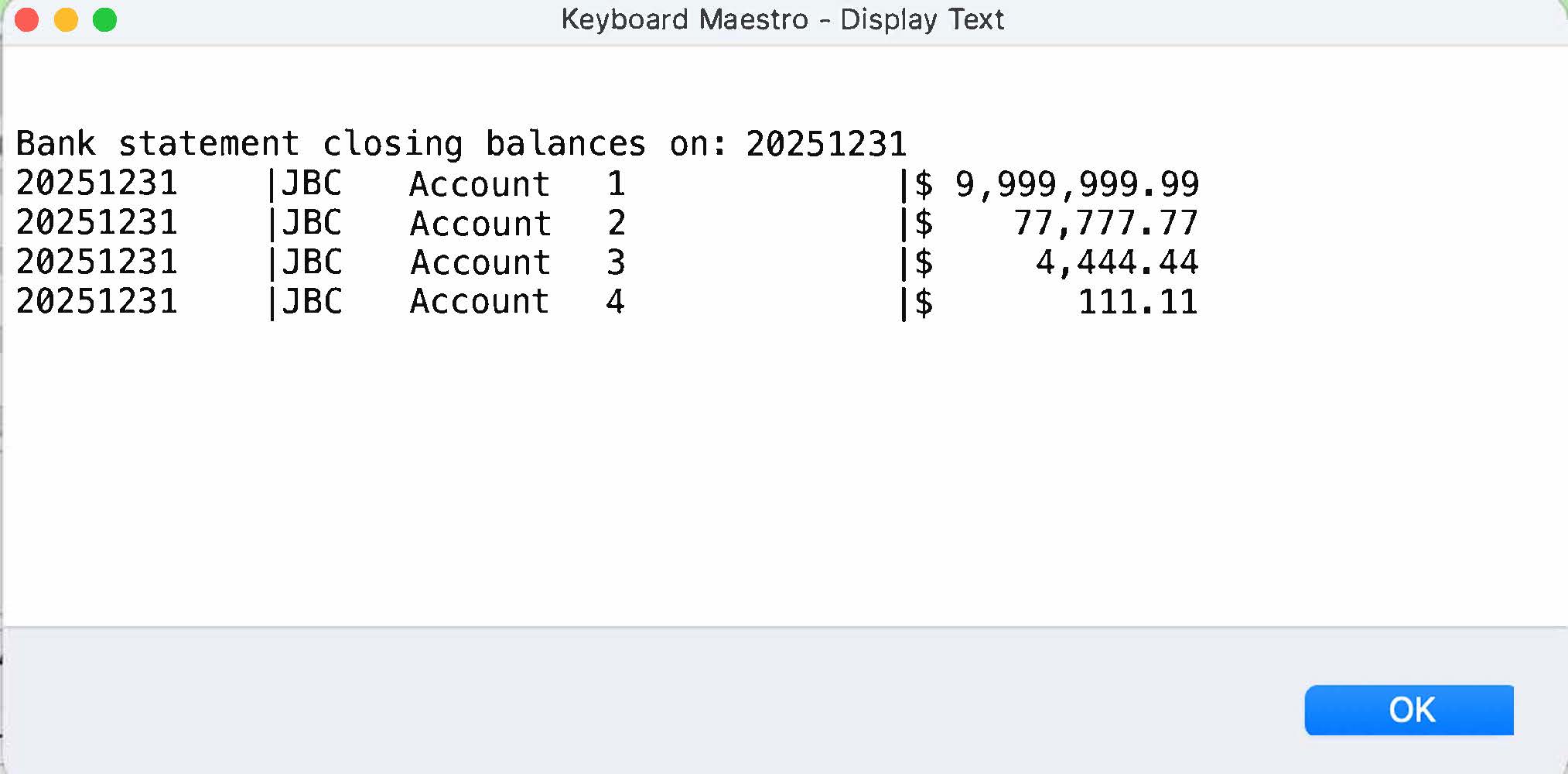
The idea is here is to be able to press a hot key trigger and get the most recent month's closing balances to make it easier to reconcile rather than sifting through multiple files to otherwise get / write down the balances. The window looks like this:

+++++++++++++++++++++++

  1. Moved files log:

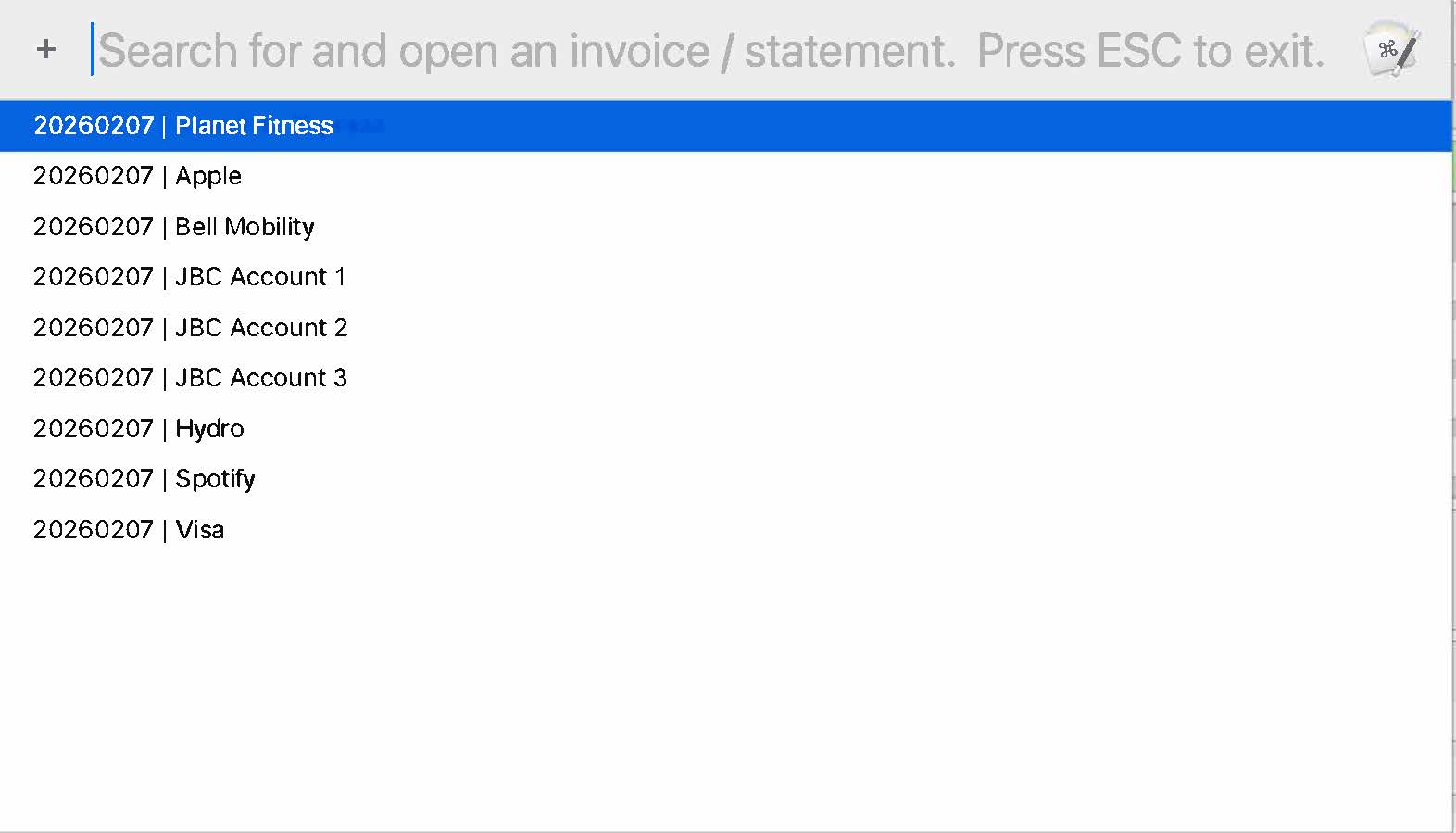
The idea here is to be able to press a hotkey and access all the files that have been moved to find a one or more files, This may -- not so sure, it was more of a learning exercise -- be useful in finding a file that was incorrectly processed (i.e., moved to the wrong folder), not processed (i.e., does not appear in the list), etc. The prompt looks like this:

The log will contain a running history so I could search for all Spotify bills and should a particular month be missing (i.e., 202603XX) then the all was not possibly not paid, processed, etc.

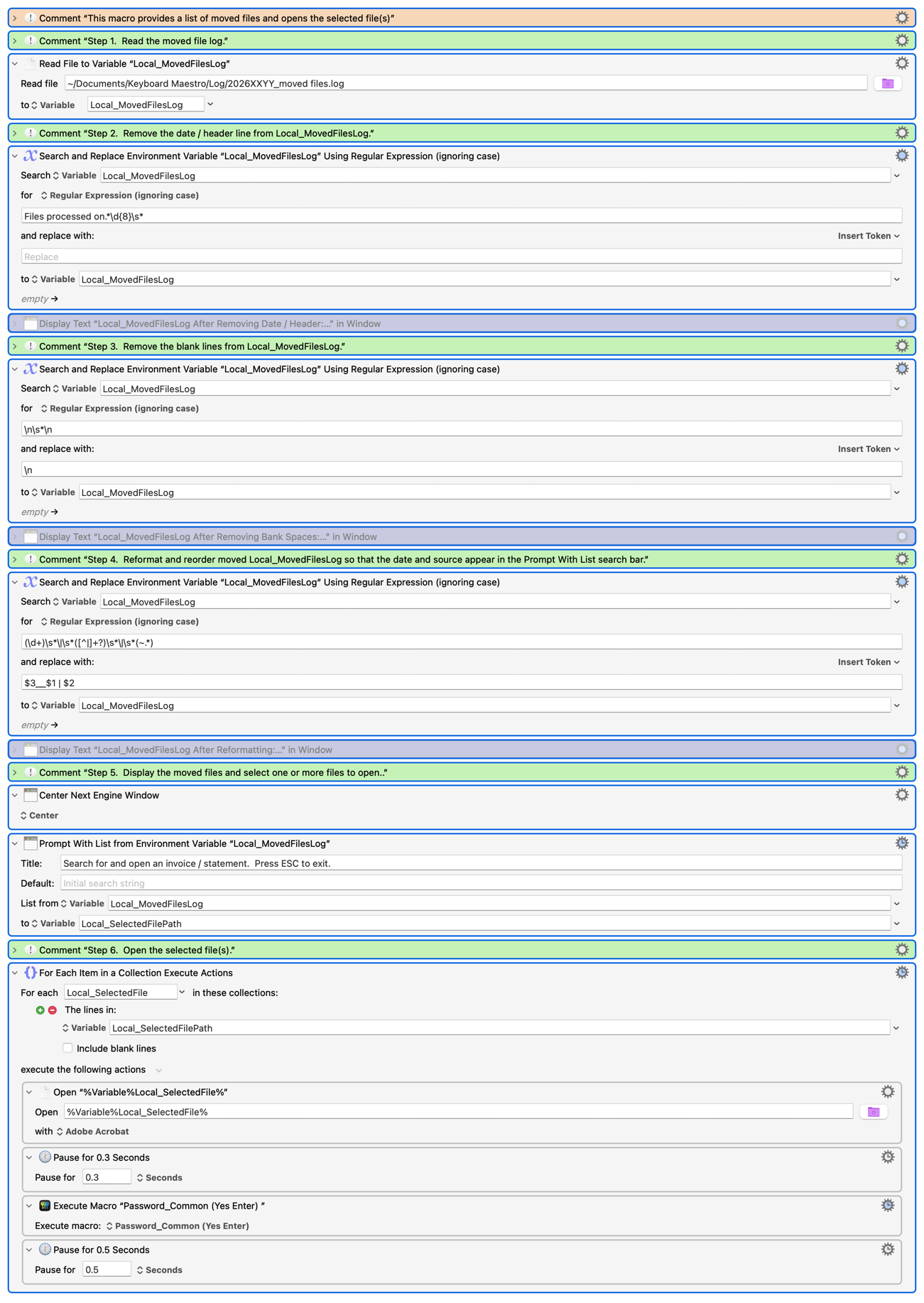
The macro that processed this log looks like this:

View Moved Files.kmmacros (18.2 KB)

The three questions I have about this are:

  1. I noticed that the Prompt With List Action which assigns the selections to Local_SelectedFilePath results in Local_MovedFileLog having no value after that action. Is that normal, what is the reason for this?

  2. I noticed (and confirmed in the Wiki) that pressing escape results on a failure notification and the macro ending. I worked around this (as the Wiki provided no other solution) by disabling Failure Aborts the macro. Is this the best / common method for so doing?

  3. Wondering what other uses there is for this by those more experienced than me?

+++++++++++++++++++++++

  1. Processed logs.

I am next going to build a processed file log.

The concept here is that as items are downloaded and moved i) I may / may not open them when they are downloaded and moved as I am focused one something else and ii) I don't want to forget to pay an invoice.

The idea is that when the last action in the macro prompts the user to open the downloaded the file and the user responds with the CANCEL button or NO that the file is added to the process log.

The user will then be able to use a hot key trigger (or I could activate at the end of the day) to see a list of downloaded files that have not been opened / processed. The Prompt With List action would provide the user teh options of deleting a file from the log or opening the file. Whether a file is opened through the Prompt With List action (or otherwise) it would be removed from teh list.

Wondering what people thoughts are regarding the usefulness of this.

+++++++++++++++++++++++

Look forward to your response and thanks for reading this!

No, it shouldn't be changed. How do you know it is being changed? (You don't reference it again in your macro.)

Pressing when? ESC is the standard shortcut to "Cancel" a macOS dialog so, if this is for the "Prompt with List" Action, it makes for consistent UX for ESC to cancel (see also the behaviour of the standard Spotlight dialog, I think "Prompt with List" uses the same system APIs).

And the standard expectation is that cancelling a dialog should cancel a macro, because you're in a situation where some expected input has not been provided.

You've a good way round that -- but don't forget your "to:" variable will be unchanged, not such a problem in this case since Local_SelectedFile will not exist so the "For Each" will have no lines to process and your macro just finished execution without doing anything.

I was testing the Local_SelectedFilePath output through a Display Text window and in error entered %Variable%Local_MovedFilesLog% which spawned an empty window. Perhaps I had a typo but will retest.

Agreed and understand. It was failure notification that was new (at least to me).

Appreciated but no desire to change it as it is working fine (i.e., I turned off the failure notification).

That's what I'm saying -- functionally it makes no difference in this macro whether you disable "Failure Aborts" or if you let it fail and abort the macro and suppress the Notification.

The important bit is in this macro. Cancelling the "Prompt" effectively ends the macro anyway, since the "For Each" will then get an empty variable to build a Collection of lines from -- that Collection will in turn be empty so the "For Each" does nothing more and the macro ends.

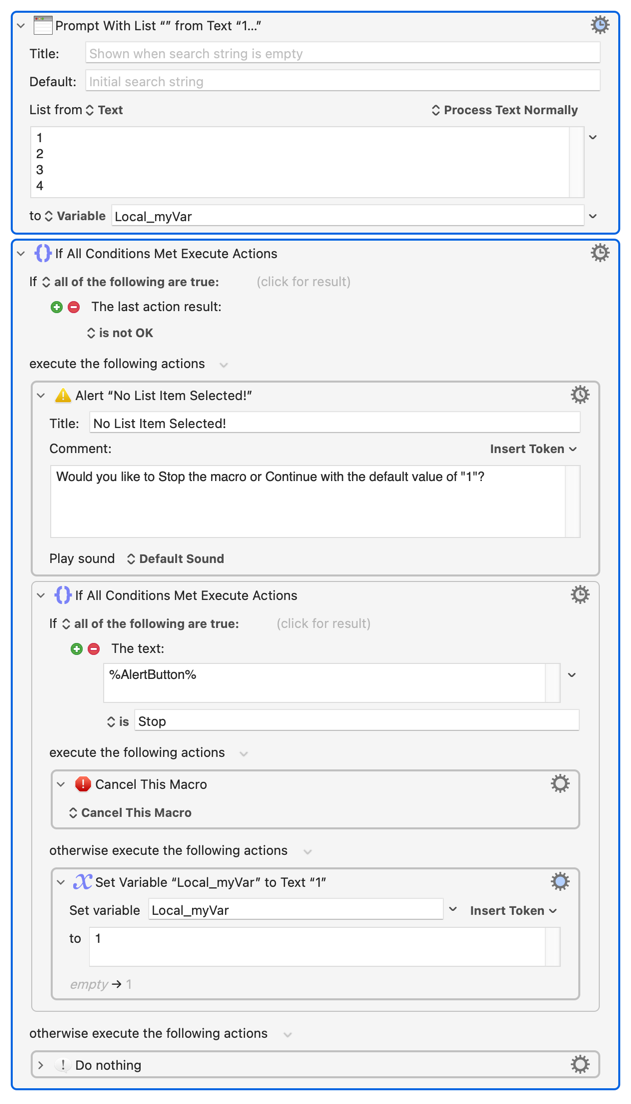
YMMV for other macros. But since users generally expect Cancelling something to stop it from happening but have wildly different expectations about what will be stopped you might want do something like:

@Nige_S

Agreed.

I think keeping it consistent is teh critical factor.

I have enabled Failure Aborts Macro (which is fine, no one looks at any files) and disabled Notify on Failure as there is no reason to be notified about expected behaviour.

Thank you,

I am now working on teh Actionable File log (i.e., the files that have been compressed, moved and renamed) but not viewed by teh user.

I think the logic / routing is fairly clear:

  1. If the user elects to open the file then do not add the file to the actionable log.

  2. If the user elects not to open the file then add the file to the actionable log.

  3. If the user cancels (i..e, presses the cancel button) then add the file to the actionable log as the file has been "processed".

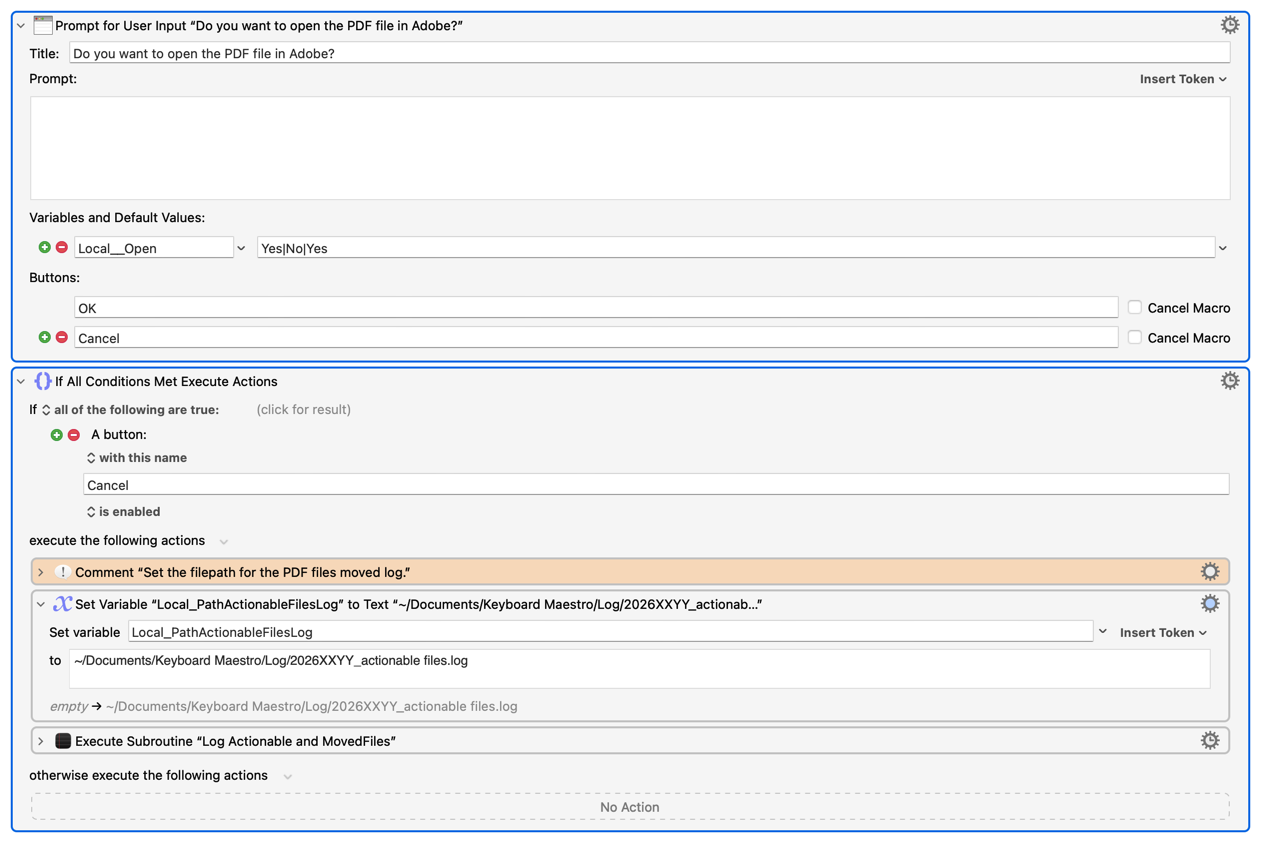
The challenge is that if I configure the Prompt for User Input as configured below then pressing teh Cancel button does not route result in the the file path being written to the actionable log.

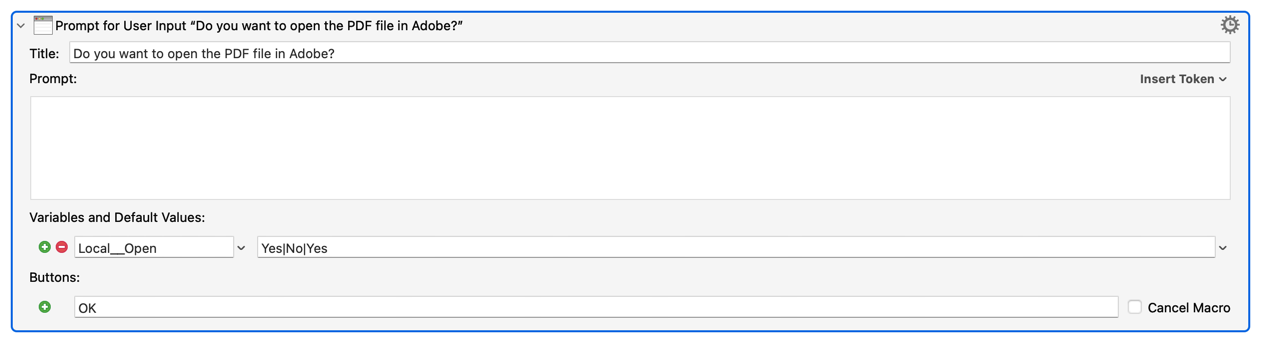
The other option is to configure the Prompt for User Input as configured which i) has less code ii) forces the user to select No or Yes and iii) results in the desired / proper routing. The potential issue is that it does not confirm the macOS guidelines because there is no cancel button and no escape capability.

++++++++++++++++++++++++++

The question: What is the best / preferred method of configuring the prompt so that either:

i) The user selects yes and the file is not added to the actionable log); or

ii) The user elects no or cancel (if available) and the file is added to the actionable log).

Thank you.

Your "if a button named Cancel is enabled" will never be true, because the dialog box is gone before the "if" statement is acted on.

If you want Cancel to act like No, then you need to act on the last action result, and make Cancel do what No does.

But I think it'd make a lot more sense to just have Yes and No buttons, because Cancel just confuses things: What's being canceled if clicked? You're offering a Yes/No choice, so just offer Yes/No buttons.

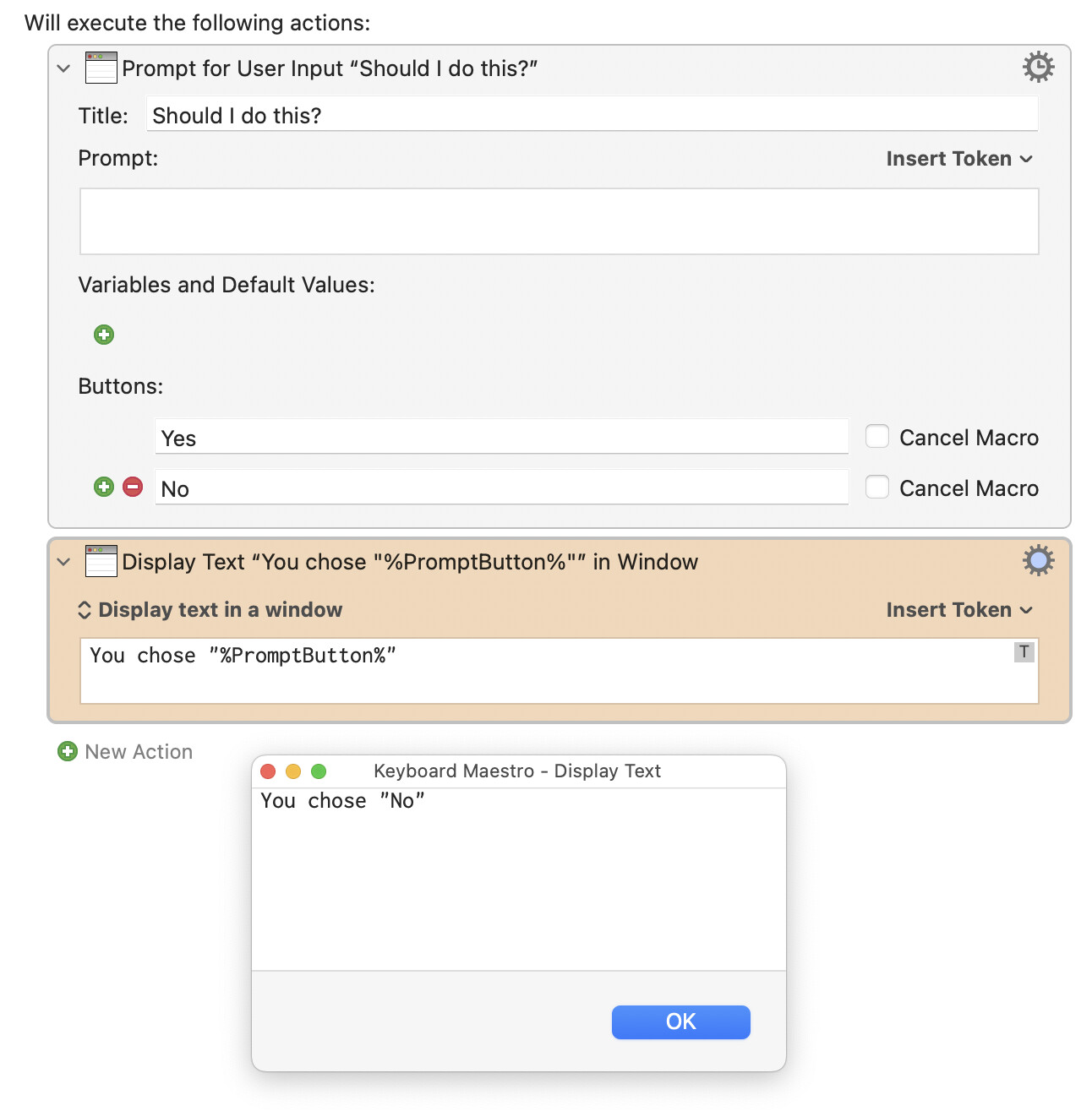
You could even just do it like this:

Don't provide a Cancel option unless you want to allow canceling everything. Or if you want Cancel to do what No does, then use the following If section to act on %PromptButton% being either No or Cancel.

-rob.

@griffman

Appreciated, I love the YES / NO button option. I am going to go with that, much better, easier and faster than using drop down list (and thanks for the token reference)!

And, while I am at it, HUUUUUUUUGGGGGEEE thank you to @Nige_S , @peternlewis , you and others who helped get me this far, it has been a journey the I never would have gotten through without all of your help.

I'm now down to the last task, tracking PDFs that are i) on the Actionable Log and ii) opened / processed by being directly opened (as opposed to through this macro)!

I'm planning on doing this by tracking Finder timestamps and/or picking off the file names from the PDF's app's windows unless you and/or others have an easier way. I am all ears!

AGAIN, HUGE THANKS! ALMOST THERE!

2 Likes

Good morning / afternoon all!

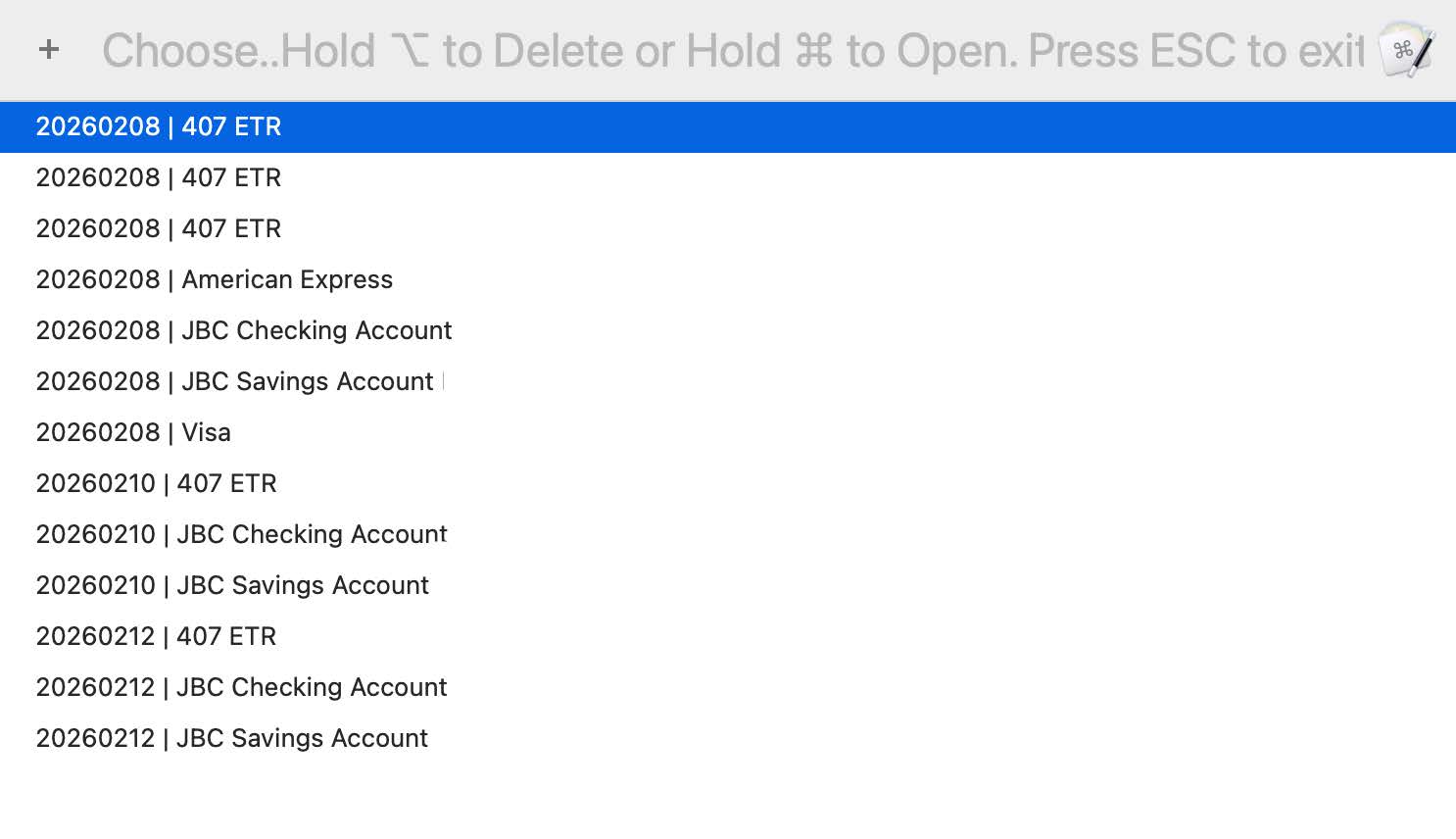
Quick note to let you know that subject to finding bugs / glitches it is done, including the monitoring of Actionable Files that are subsequently opened either "directly" (i.e., Adobe, Preview, other) or through the Actionable Prompt With List action (see image below).

While I recognize that I am far more enthused than others about what will be a significant time saver for me in terms of managing / tracking PDF files (as most here could and would have built this much faster than me), I am happy to share should there be a desire, just let me know as I would need to sanitize it first.

Worth noting, had I known in advance what was involved in building this I would have likely purchased Hazel and built the log monitoring functionality that I have built herein (as I do not believe that Hazel has the file / log monitoring capability that I have built), That said, it has been an invaluable exercise in learning Keyboard Maestro and getting to know the wonderful people here, SO WELL WORTHWHILE!

Thanks to all!

[UPDATE: P.S. I do have one thing to add but it should be minor. It is a log maintenance function which will operate allow me to delete files before a certain date for the Actionable Files log and the Move Files log.

The Bank Balances log is self cleaning in that each new month deletes all previous months.

The Actionable Files log is self cleaning in the sense that removes orphaned headers but I will provide more thorough cleaning abilities ].

1 Like